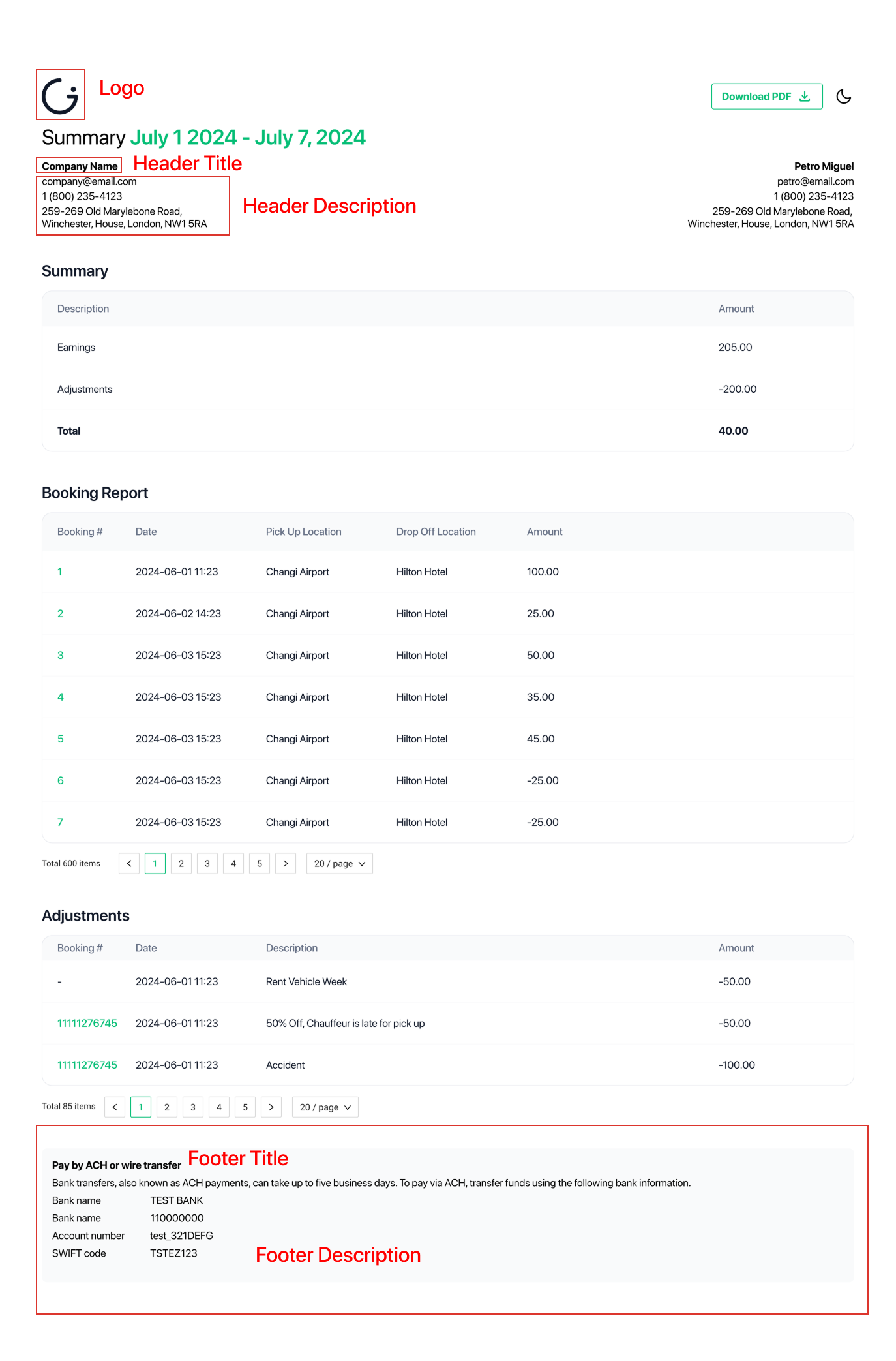
The payout statement sent to drivers, suppliers, and merchants can be customized. You can change the following:
- The logo
- Header Title
- Header Description
- Footer Title
- Footer Description
- Color Theme of the primary buttons
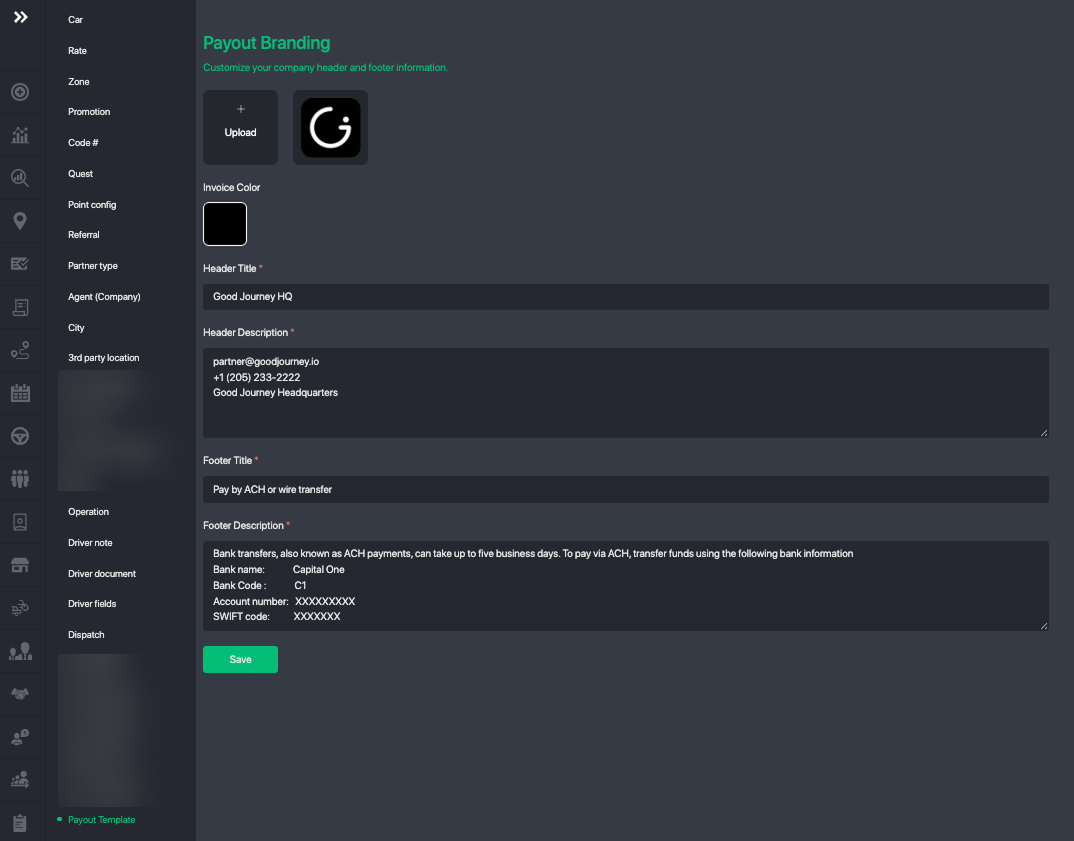
Navigate to Settings > Payout Template, and tap edit to make changes to the your payout statement branding.
Was this article helpful?
That’s Great!
Thank you for your feedback
Sorry! We couldn't be helpful
Thank you for your feedback
Feedback sent
We appreciate your effort and will try to fix the article