In this tutorial, we will guide you through how drivers can update their bank information for payouts.
There are two payout methods available:
- Manual Payout
- Automatic Payout via Stripe Connect
Automatic Payout — Stripe Connect
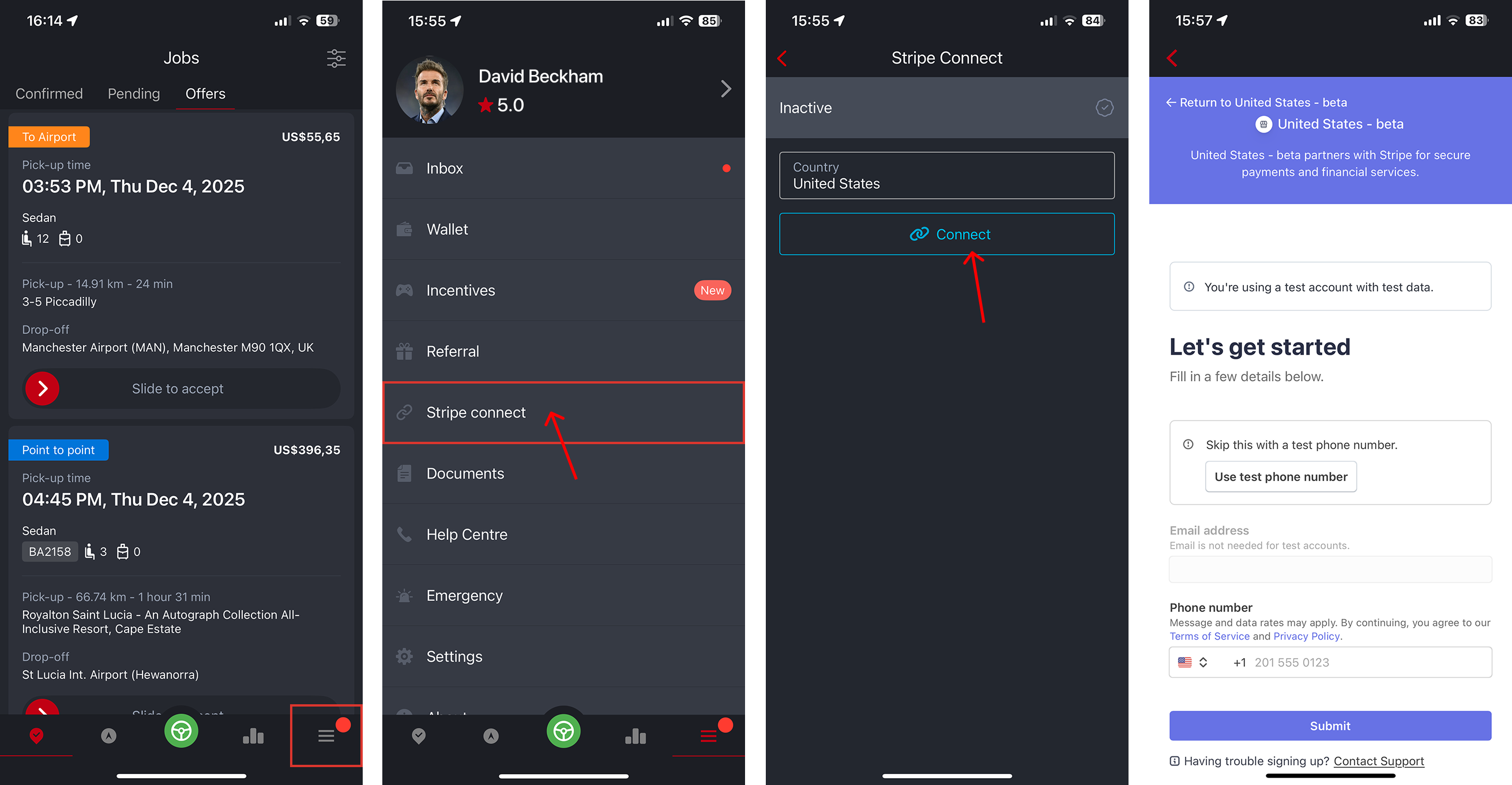
Drivers can link their bank account to Stripe directly from the Driver App:
- Open the Driver App.
- Tap the More Menu (three-line icon) in the bottom navigation.
- Select Stripe Connect.
- Follow the on-screen instructions to complete the setup.
Manual Payout
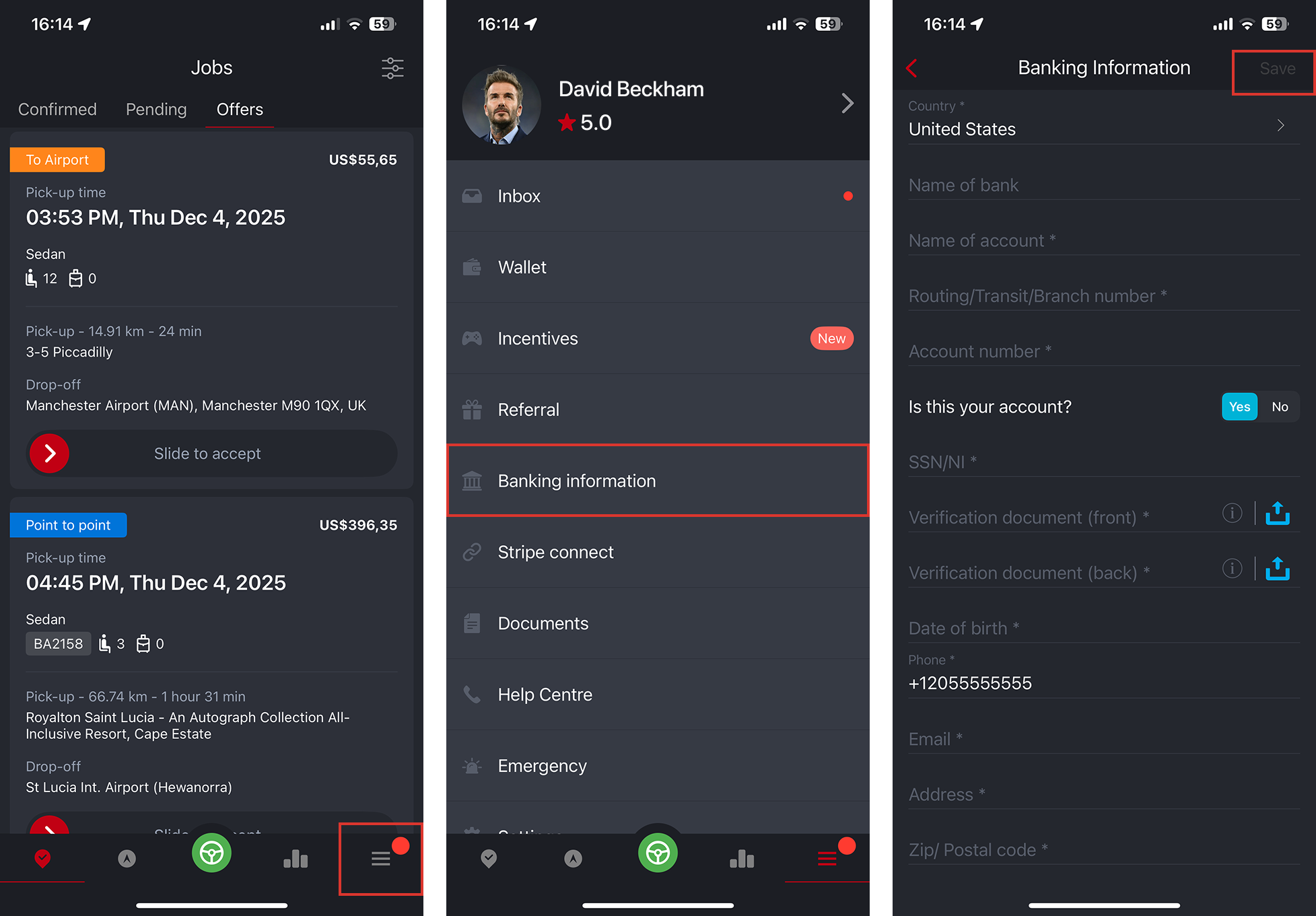
For fleets using manual payouts, drivers can update their bank details directly in the Driver App:
- Open the Driver App.
- Tap the More Menu.
- Select Update Bank Info.
- Enter your bank details and save.
Was this article helpful?
That’s Great!
Thank you for your feedback
Sorry! We couldn't be helpful
Thank you for your feedback
Feedback sent
We appreciate your effort and will try to fix the article