Overview
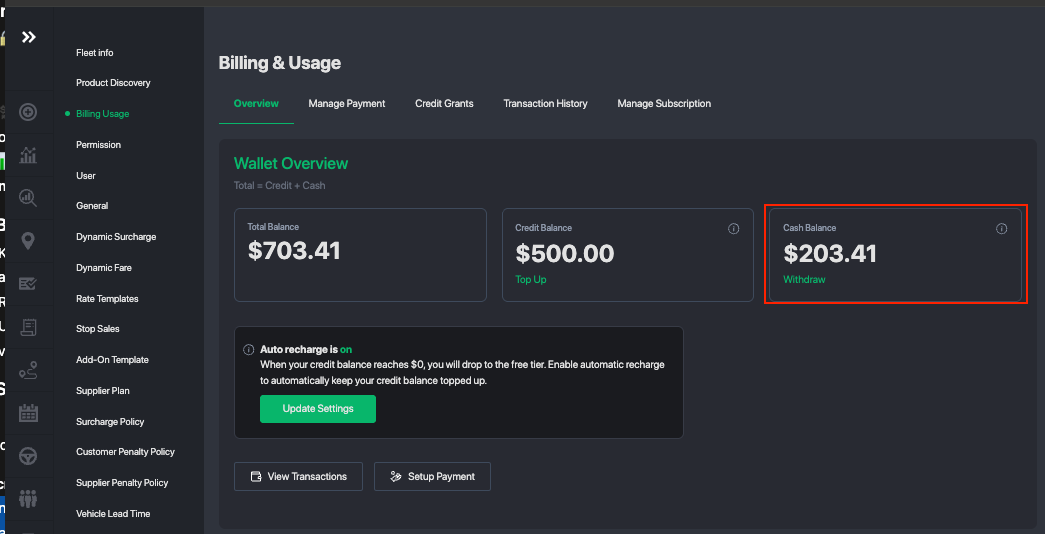
This guide explains how to withdraw funds from your GSN Wallet to your preferred payout method.
Your wallet balance is primarily funded by:
Completed Farm-In jobs (affiliate bookings you fulfilled)
Settled transactions within the GSN Affiliate Network
Pro Tip:
If you are actively using GSN at scale, we recommend keeping sufficient balance in your wallet to continue to farm-out trips.
Before You Start
Before requesting a withdrawal, ensure:
Your payout method is fully set up and verified
You have available (non-held) wallet balance
Step 1: Set Up Your Payout Method
You must first configure at least one payout method.
Available options include:
Bank Transfer
Wise (International Transfers)
PayPal
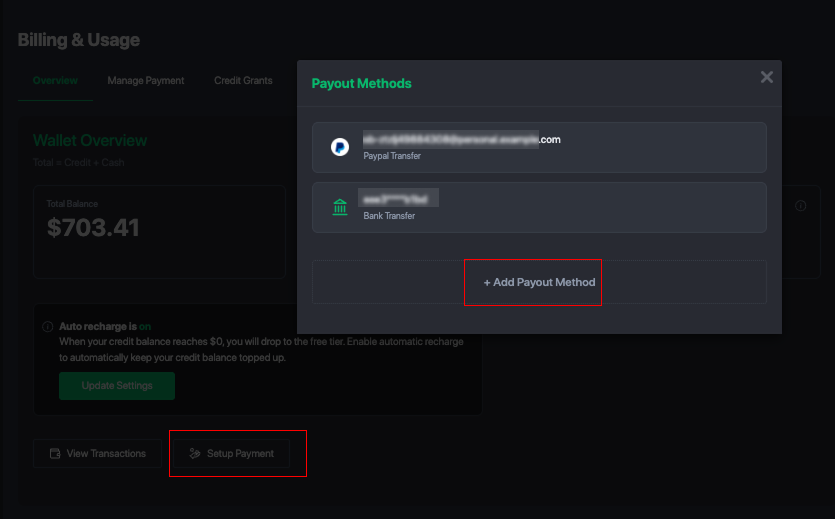
How to Set Up:
Go to Wallet / Payout Settings
Select Add Payout Method
Enter required account details
Save and verify your method
Step 2: Request a Withdrawal
Once your payout method is ready:
Go to GSN Wallet
Click Withdraw Funds
Enter the withdrawal amount
Select your preferred payout method
Confirm the request
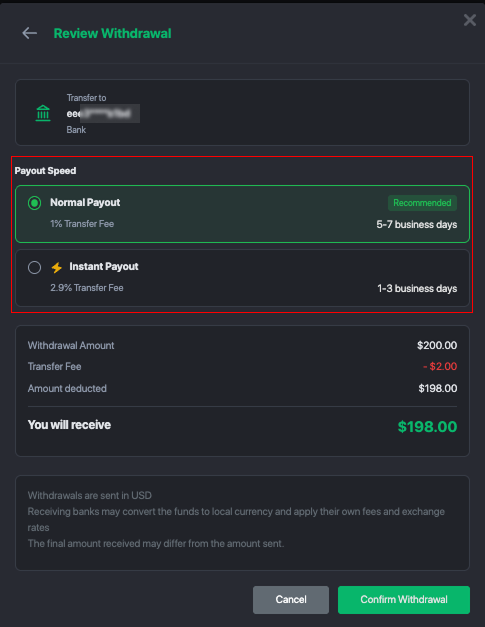
Payout Processing Time
Withdrawal speed depends on the selected method:
⚡ Instant Payout (if supported)
Standard Payout (may take 1–3 business days depending on provider)
Processing times may vary based on your payout provider and region.
Tracking Your Withdrawal
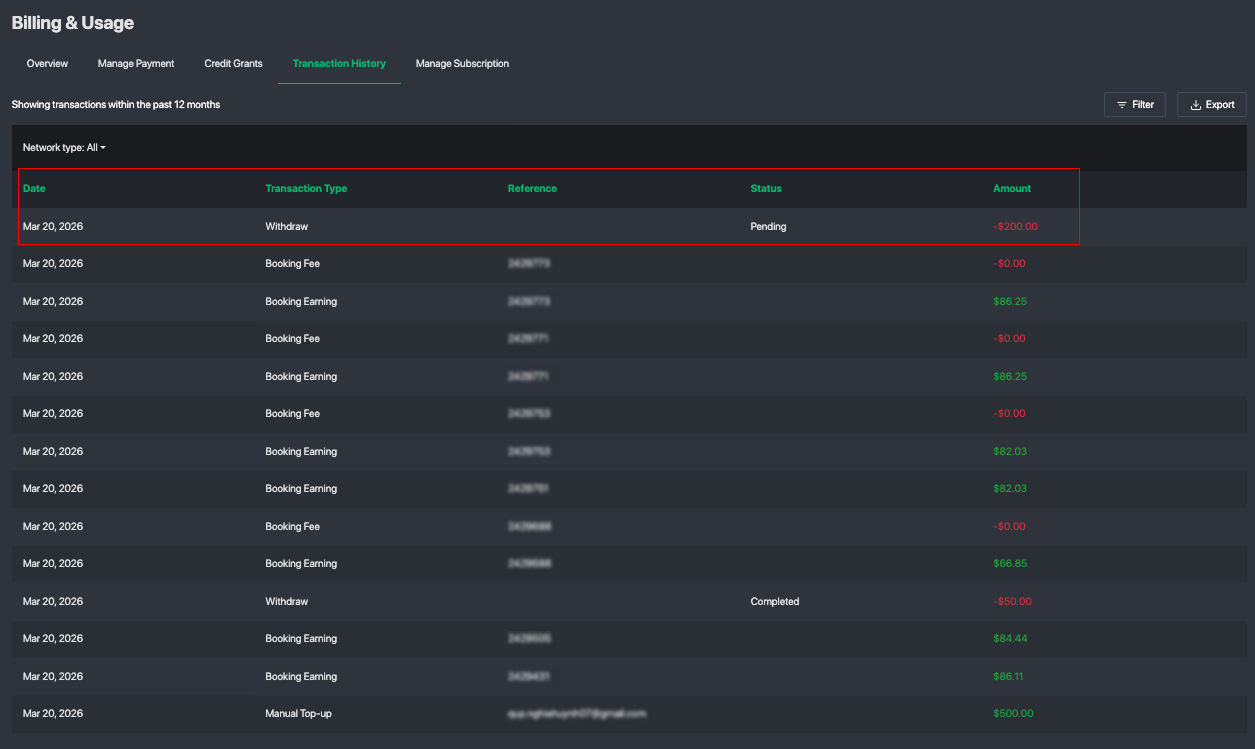
You can monitor your withdrawal status in:
Transaction History
Withdrawal Records
Statuses may include:
Pending
Processing
Completed
Failed (if action is required)
Important Notes
Funds may be temporarily held for:
Ongoing trips
Disputes or reviews
Currency conversion fees may apply depending on your payout method
Maintaining wallet balance helps ensure smooth network operations
Best Practices
Keep a working balance in your wallet for farm-out activity
Regularly monitor your transaction history
Use faster payout methods when operating high volume
Was this article helpful?
That’s Great!
Thank you for your feedback
Sorry! We couldn't be helpful
Thank you for your feedback
Feedback sent
We appreciate your effort and will try to fix the article