Overview
In this guide, you will learn how to farm out trips to the Affiliate Network (GSN – Good Journey Supplier Network).
Operate Local. Fulfill Global.
With GSN, every booking becomes an opportunity — even beyond your own fleet.
Farm-out allows you to delegate bookings to trusted fleet partners within the network, enabling you to:
Fulfill trips outside your service area
Handle overflow demand
Expand your global coverage
Generate additional revenue without operating the trip yourself
When to Use Farm-Out
You can farm out trips in the following scenarios:
1. Within Your Service Area
Assign the trip to your own drivers
Farm out to a network affiliate if needed (e.g. no availability, better pricing, or preferred partner)
2. Outside Your Service Area
Trips must be farmed out to the Affiliate Network
Ideal for international or cross-city bookings
Allows you to book globally while operating locally
How to Farm Out a Trip
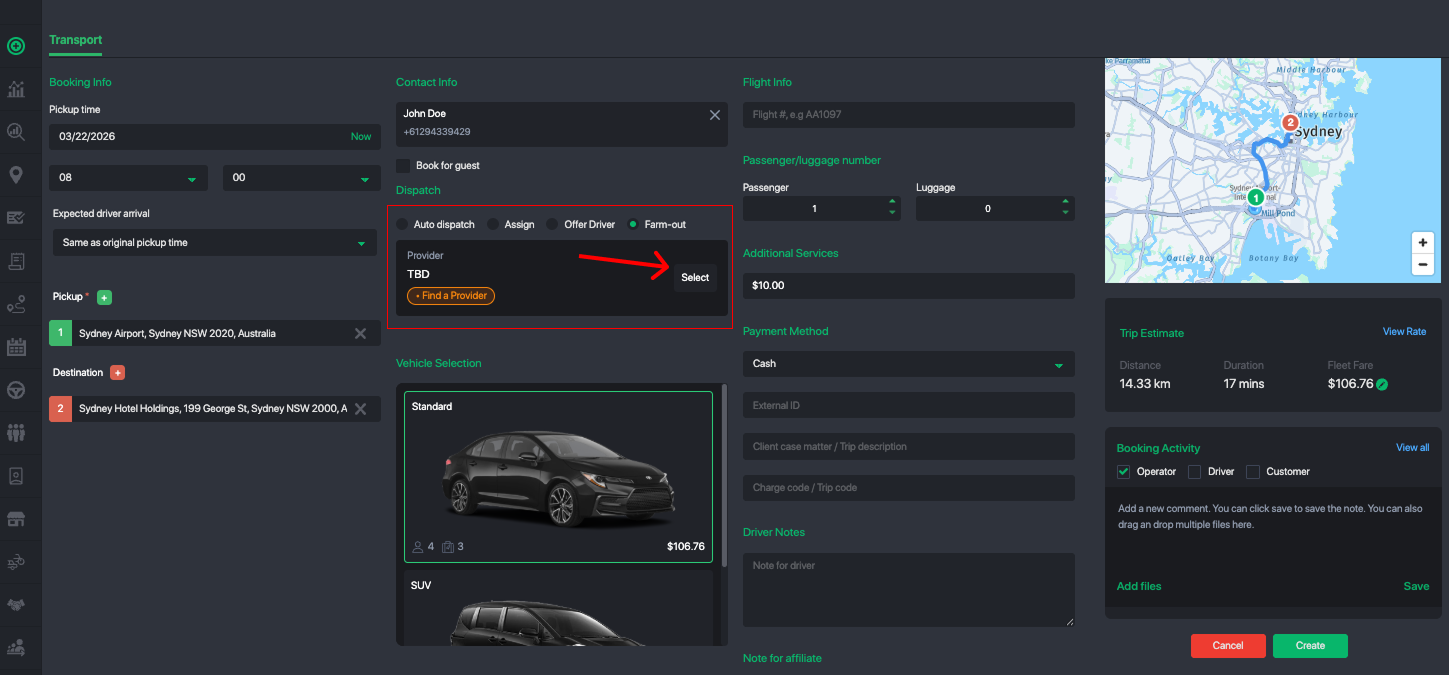
Open the Job Order / Booking
Select “Farm-Out to Network”
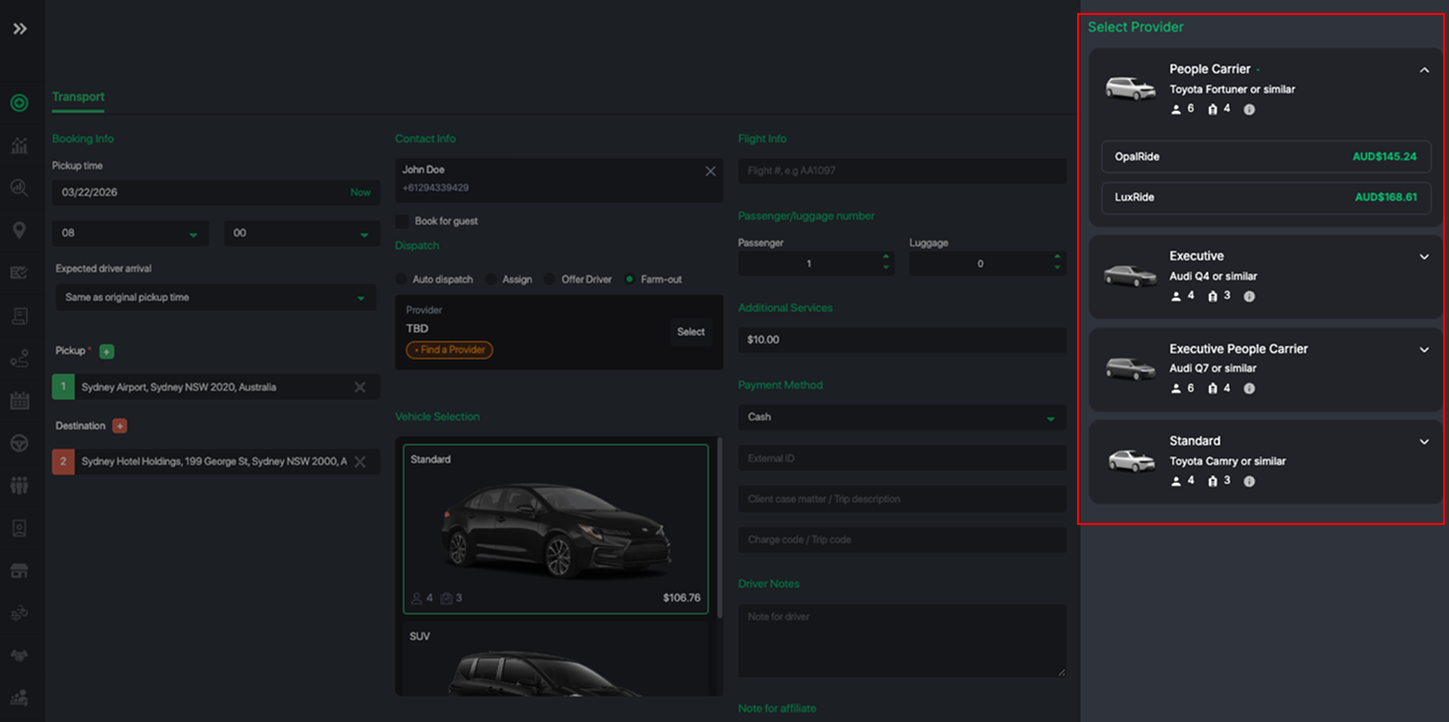
Choose a preferred affiliate (optional) or broadcast to the network
Submit the offer
Once sent, the job will be visible to eligible affiliates in the network.
Wallet & Payment Protection
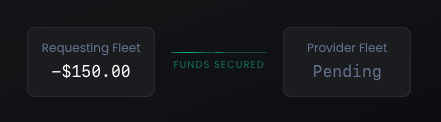
To farm out trips, you must have sufficient funds in your Fleet Wallet.
Funds are temporarily held (escrow) during the booking process
This ensures security and trust between both parties
Once the trip is completed and verified, settlement is processed
Good Journey provides built-in Trip Protection to safeguard transactions between fleet partners.
Booking Status Flow
When a job is farmed out, it progresses through the following statuses:
Allocated
→ Job is offered to an affiliate (awaiting acceptance)Supplier Accepted
→ Affiliate has accepted the job
→ Driver/vehicle not yet assignedConfirmed Reservation
→ Driver and vehicle have been assignedIn Review
→ Trip completed
→ Both parties can review and report issues before final settlement
You can use the Booking Queue filters to track and manage trips across different affiliate network statuses.
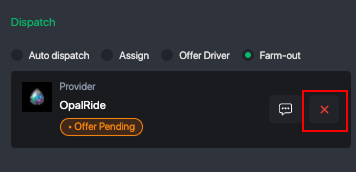
Cancellation & Un-assignment Policy
When working within the Affiliate Network (GSN), it is important to maintain reliability and fairness across all partners.
If you un-assign a supplier or cancel a farmed-out job, the following may apply:
Late cancellations may incur penalty fees
Penalties help compensate suppliers who have already committed resources (driver allocation, scheduling, etc.)
Repeated cancellations may impact your network reliability score and partner trust
To avoid penalties, we strongly recommend:
Reviewing trip details carefully before farming out
Cancelling or modifying bookings as early as possible
Communicating proactively with your assigned affiliate when needed
Please review the full policy here:
View GSN Penalty Policy
Notifications
You will be notified throughout the process:
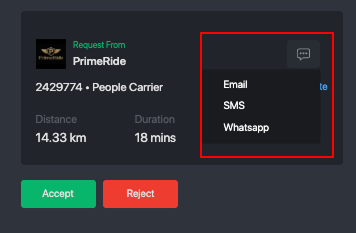
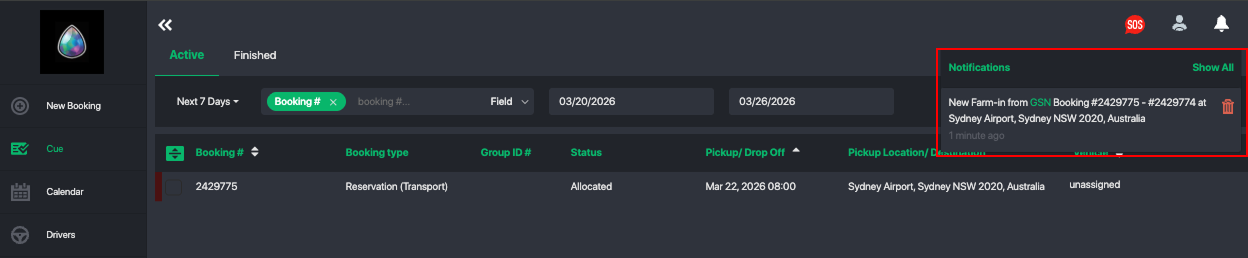
Command Center Notification
→ When an affiliate accepts your offer
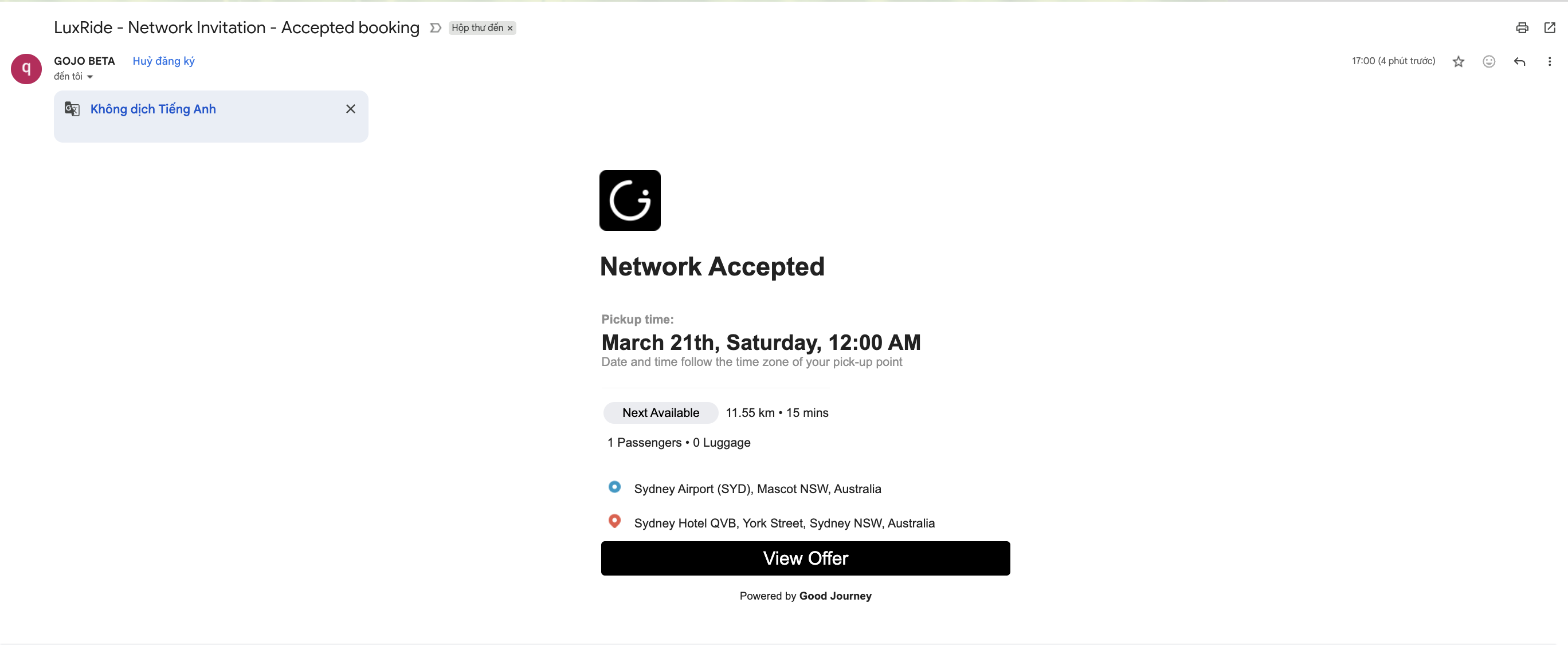
Email Notification
→ Confirmation of acceptance and updates
Key Benefits of Farm-Out (GSN)
Expand globally without owning assets
Access a trusted affiliate network
Unlock additional revenue streams
Improve fulfillment rates and customer satisfaction
Secure transactions with built-in protection
Was this article helpful?
That’s Great!
Thank you for your feedback
Sorry! We couldn't be helpful
Thank you for your feedback
Feedback sent
We appreciate your effort and will try to fix the article