In this tutorial we will go over everything you need to get started on GSN. GSN provides a way for you to send and receive jobs from our affiliate network.
Step 0. Sign Up
If you’re new to the platform, create and verify your fleet account here to get started. You can explore the system with a free demo, and upgrade anytime as your business scales.
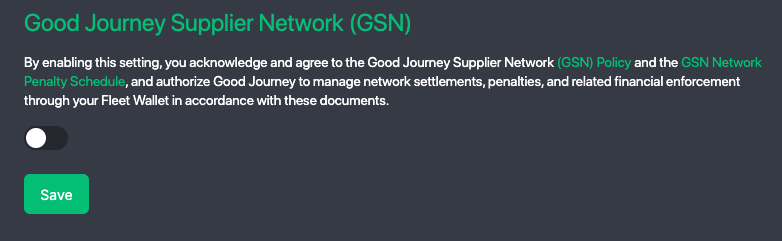
Step 1. Enable GSN Network
Before joining GSN, ensure your fleet is properly setup:
- Navigate to Settings > Network Settings
- Enable GSN to join the network
- To join the network you ensure you have read and review our network and penalty policies
Step 2. Configure Network Settings
Configure how your fleet interacts with the GoodJourney Supplier Network (GSN). These settings define how you send, receive, price, and present services across the network.
Network Direction
Choose how your fleet participates in the network:
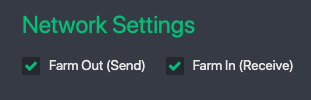
Farm-Out (Send Jobs)
Enable this option to outsource bookings to other suppliers when you don’t have availability or coverage.
Ideal for booking agents or fleets expanding beyond their operating zone
Simply create bookings and publish them to the network
Other suppliers will fulfill the ride on your behalf
Tip: You can connect your Stripe account to collect payments directly from your own customers.
Stripe setup guide: [Coming Soon]
Farm-In (Receive Jobs)
Enable this to make your fleet visible across the network, allowing other partners to send you bookings to fulfill.
To activate Farm-In, ensure the following are properly configured:
- Vehicle Types – Define and organize your fleet categories to match the services you offer. Learn how to edit or add car-types here.
- Rate Templates – Set clear pricing structures for each vehicle type
- Rates (Regular or Fixed) – Create and assign rates to each vehicle type so partners can view your pricing and select your fleet. Hourly rates are currently not supported on the network.
- Extras / Add-ons – Configure optional services such as child seats, meet & greet, and other special requests
Once configured, your fleet becomes discoverable on the network and eligible to receive bookings from other partners.
Step 3. Pricing Rules
Markup Jobs
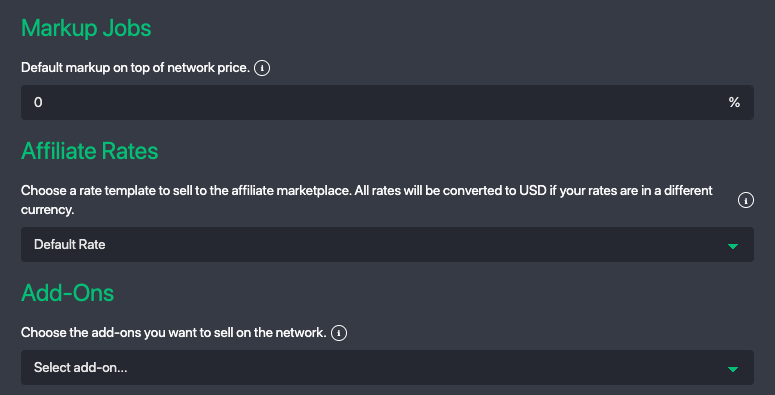
This is for jobs you farm-out. You can apply a default markup on jobs you send out to the network.
Add a margin on top of supplier pricing
Control your resale price to customers
For example, if the network price is $100 and you apply a 20% markup, the final price charged to your customer will be $120 — $100 payout to the network supplier, and you earn $20 as margin.
Affiliate Rates
This is for jobs you receive (farm-in). Set the rates you publish to the network.
By default, your default/pub rates are used
Optionally customize rates to stay competitive or offer discounts
Learn more about rate setup:
Rate Setup Guide
Extras / Add-On Fees
Define additional services available to network bookings:
Child seats / booster seats
Meet & greet services
Special requests or attributes
These options help match your fleet with booking requirements from partners.
Step 4. Service Mapping
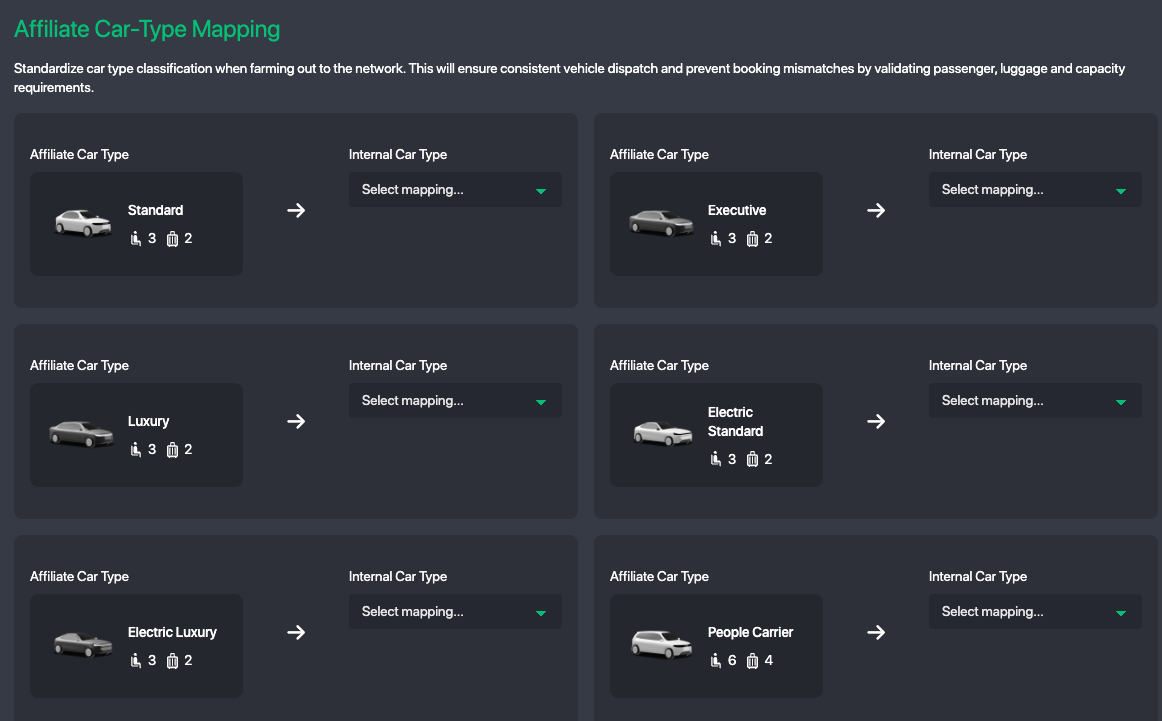
Affiliate Car-Type Mapping
Map your internal vehicle types to the global GSN standard.
Ensures consistency across the network
Improves matching accuracy and service quality
Incorrect mapping may result in poor ratings and reduced visibility
Step 5. Best Practices
Start with Farm-Out to quickly generate bookings
Enable Farm-In once your pricing and services are fully configured
Keep your rates competitive to increase job acceptance
Ensure accurate vehicle mapping to maintain high service ratings
Was this article helpful?
That’s Great!
Thank you for your feedback
Sorry! We couldn't be helpful
Thank you for your feedback
Feedback sent
We appreciate your effort and will try to fix the article