In this guide, you will learn how to receive (farm-in) trips from the Affiliate Network (GSN – Good Journey Supplier Network).
Operate Local. Fulfill Global.
With GSN, your fleet can receive bookings from partners around the world — turning your local supply into global demand.
Farm-in allows you to:
Receive additional bookings from other fleets
Increase driver utilization and revenue
Fill idle capacity during off-peak hours
Grow your business without additional marketing spend
How Farm-In Works
When another fleet farms out a booking:
The job is offered to eligible affiliates in the network
Your fleet can receive and accept these opportunities
Once accepted, you are responsible for fulfillment and service delivery
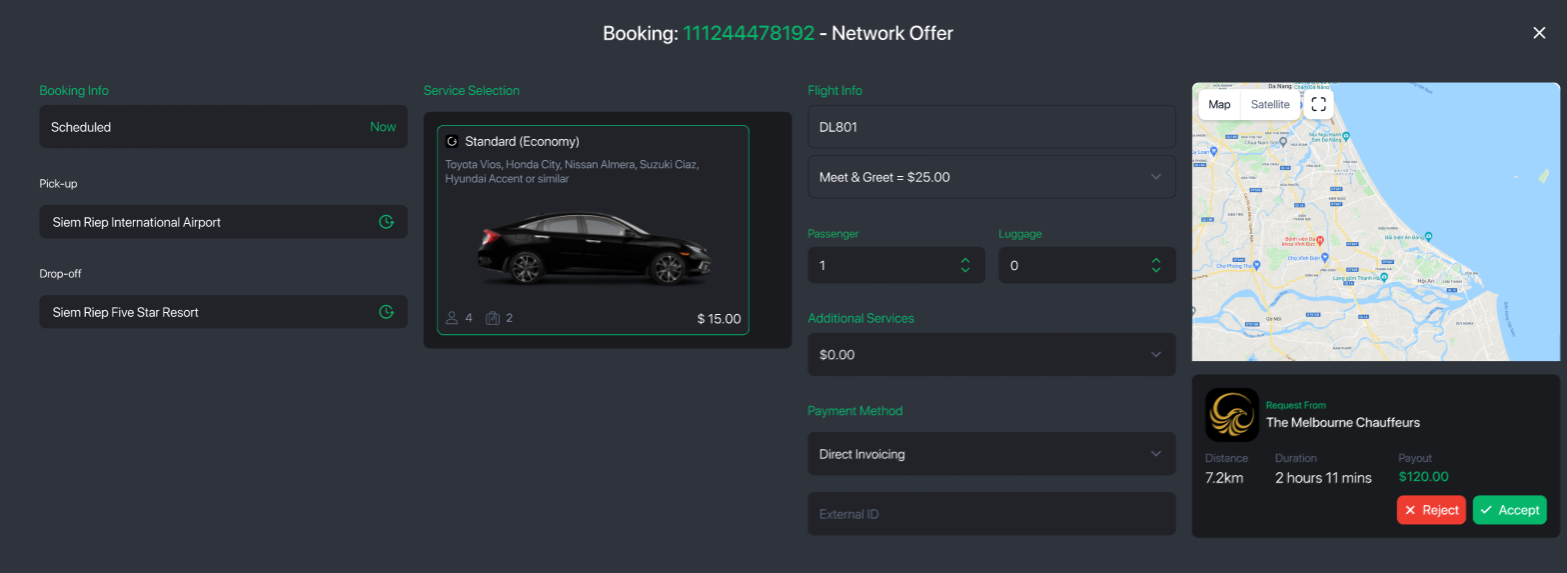
How to Receive & Accept Trips
Open your booking cue and filter jobs by Allocated (These are jobs that require you to review and accept)
Review available jobs based on your:
Service area
Vehicle types
Pricing and requirements
Select a job and click “Accept”
Assign a driver and vehicle to confirm the reservation
Once accepted, the booking becomes part of your operational workflow.
After Accepting a Farm-In Booking
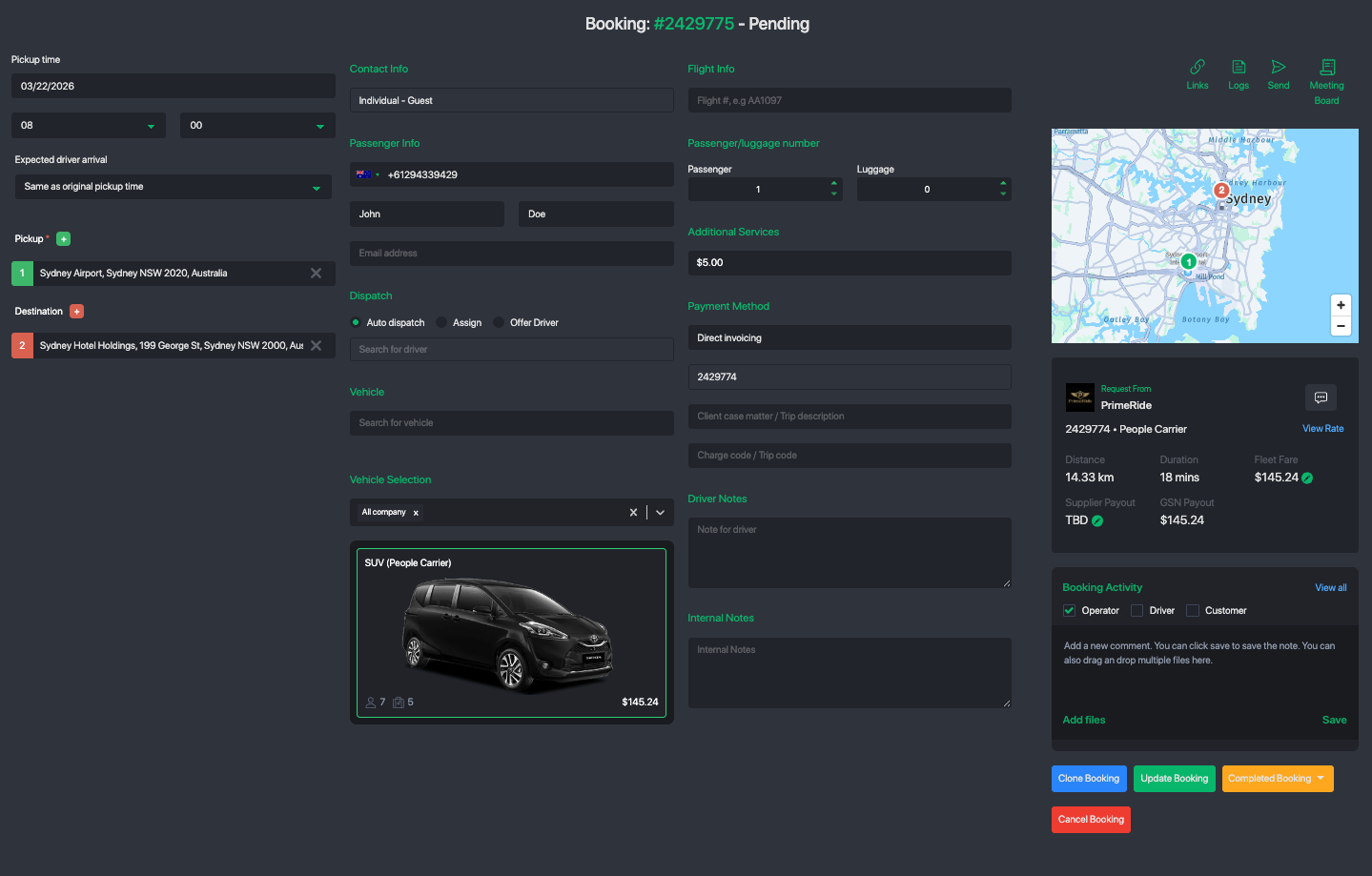
Once you accept a booking from the Affiliate Network, it is added to your system as a fully manageable booking under your fleet.
You have full control to update and manage the trip based on your operational needs:
Adjust pricing or fares
You may increase or modify the fare to align with your internal driver incentives or pricing structure.Update trip details
Make changes such as pickup/drop-off locations, flight information, or scheduling adjustments if required.Add internal notes
Include instructions or notes for your drivers and dispatch team to ensure smooth execution.Optimize for your operations
Treat the booking like any of your own—assign drivers, apply your workflows, and manage it within your system.
? Pro Tip: Many fleets adjust pricing slightly to ensure faster driver acceptance, especially during peak hours or for urgent jobs.
Acceptance Best Practices
Before accepting a job, ensure:
✅ You have available drivers and vehicles
Pickup location is within your service coverage
You can meet the required pickup time (ETA)
You can deliver the expected service level
Accepting a job is a commitment — reliability builds your reputation within the network.
Booking Status Flow (Farm-In Perspective)
Once you accept a job:
Supplier Accepted
→ You have accepted the bookingConfirmed Reservation
→ Driver and vehicle assignedIn Progress / Completed
→ Trip executed successfullyIn Review
→ Awaiting settlement and feedback
Payment & Settlement
Payment is secured via the GSN Wallet system
Funds are held in escrow by the originating fleet
After trip completion and review:
Payment is released to your wallet
You may withdraw based on your payout settings
Ensures secure and trusted transactions across the network.
Service Quality & Responsibilities
As the fulfilling supplier, you are responsible for:
Providing the assigned driver and vehicle
Ensuring on-time pickup and execution
Maintaining communication if needed
Delivering a high-quality customer experience
Consistent performance helps:
Increase your acceptance rate
Improve your network ranking
Unlock more booking opportunities
Cancellation & Commitment Policy
Once you accept a job from the Affiliate Network:
The booking is considered committed
Late cancellations or failure to fulfill may result in:
⚠️ Penalty fees
Reduced network trust and visibility
Potential restriction from future opportunities
To avoid penalties:
Only accept jobs you can confidently fulfill
Notify early if any issue arises
Maintain proactive communication
➡️ Please review the full policy here:
[View GSN Penalty Policy]
Notifications
You will receive updates via:
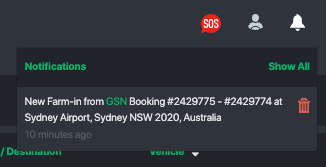
Command Center Notifications
→ New job offers and updates
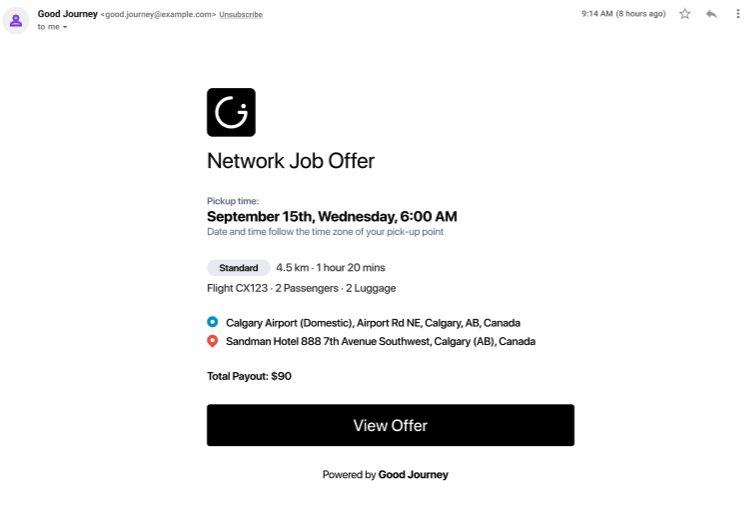
Email Notifications
→ Booking confirmations and changes
Key Benefits of Farm-In (GSN)
Access global demand from partner fleets
Increase bookings without marketing costs
Maximize driver utilization
Build long-term affiliate partnerships
Secure payments with built-in protection
Was this article helpful?
That’s Great!
Thank you for your feedback
Sorry! We couldn't be helpful
Thank you for your feedback
Feedback sent
We appreciate your effort and will try to fix the article