This guide is designed to help operators add new car types or update existing ones in the Command Center Dashboard to support your daily operations and service configurations.
Adding car types is a required step for system configuration and operation, as they are used for service selection and pricing setup.
1. Create a New Car Type
- Log in to the Command Center Dashboard using an administrator account.
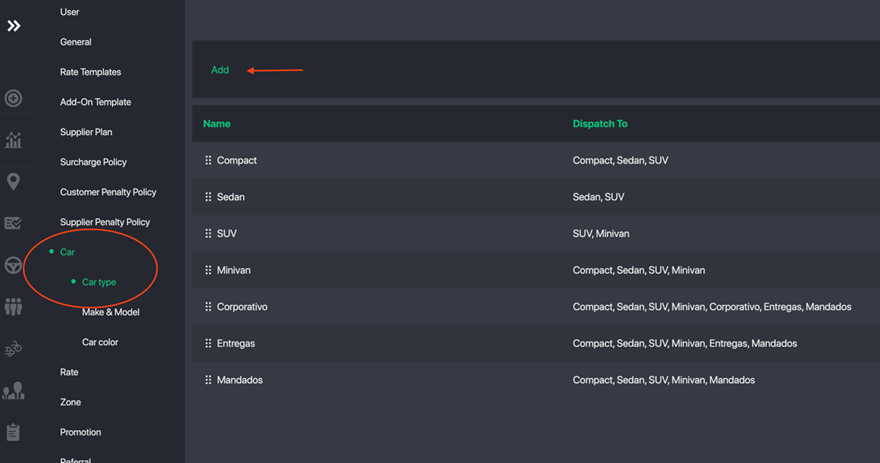
- From the left-hand menu, navigate to Settings → Car → Car Type
- Click Add
- Enter the required information for setup
- Click Save to complete.
Important Notes:
Car Image Upload Requirements:
Please upload images using the recommended sizes:
- Icon (displayed in list): 170 × 74
- Web image (displayed on website): 400 × 200
- Car PIN (map display): 44 × 84
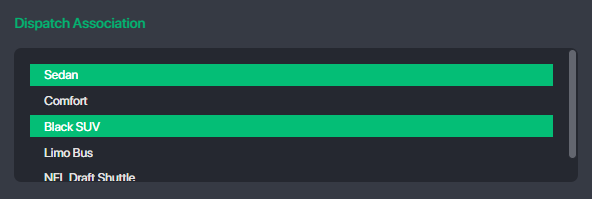
Dispatch Association:
This setting allows you to configure how this car type request can be dispatched across other car types.
If not selected: This car type request will only be dispatched to drivers within the same car type category.
If selected: This car type request can be dispatched to drivers from other selected car types
Supports multi-selection using Shift + Mouse Click.
Example:
When creating a new car type Sedan, you can select Sedan, SUV, VAN under Dispatch Association. This allows Sedan requests to be dispatched to SUV and VAN drivers as well.
Zone Assignment
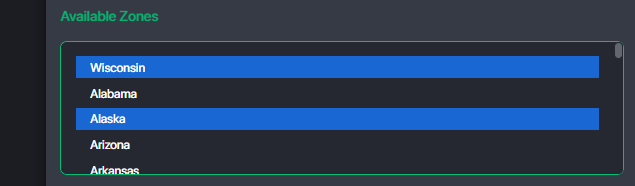
- Assign the zones where this car type is available for booking.
- Ensure at least one zone is assigned so the car type can appear for service selection
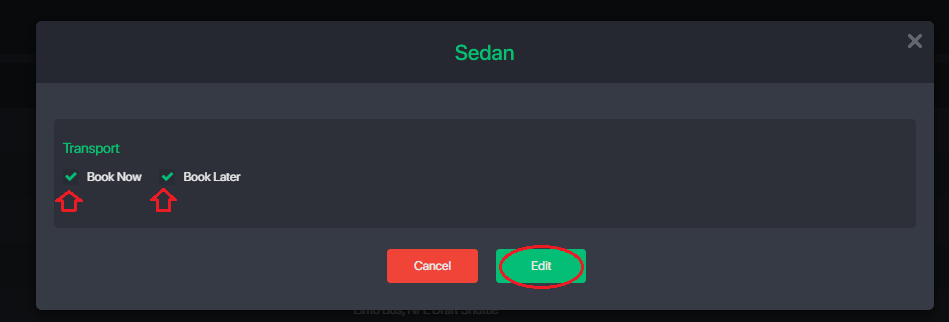
2. Configure Car Type Availability
Ability to apply car types separately for:
- On Demand (book now service)
- Reservation (pre-book)
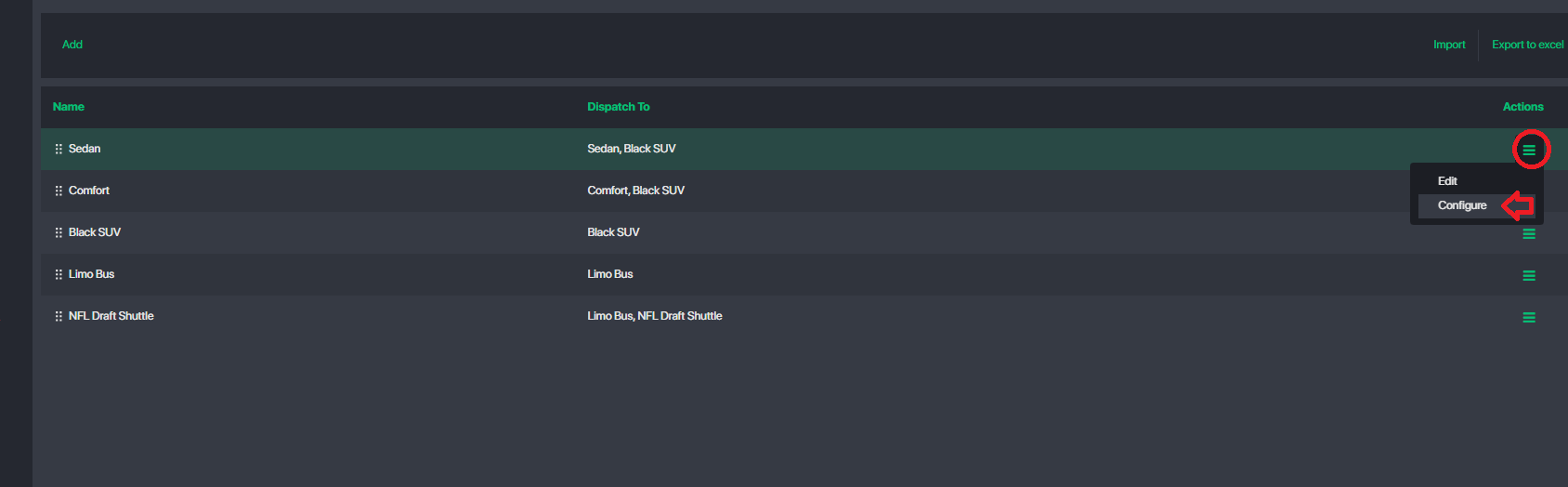
Locate the car type you want to configure. Click Action → Configure
Notes: By disabling both services, the car type will not be visible to passengers for booking
3. Edit a Car Type
- Locate the car type you want to configure.
- Click Action → Edit

Was this article helpful?
That’s Great!
Thank you for your feedback
Sorry! We couldn't be helpful
Thank you for your feedback
Feedback sent
We appreciate your effort and will try to fix the article