Many operators work with hotels, corporate clients, or travel partners that require:
Special pricing
Commission per completed booking
A dedicated booking link or QR code for their guests or employees
This guide walks you through setting up corporate commissions and sharing a custom booking link in just a few steps.
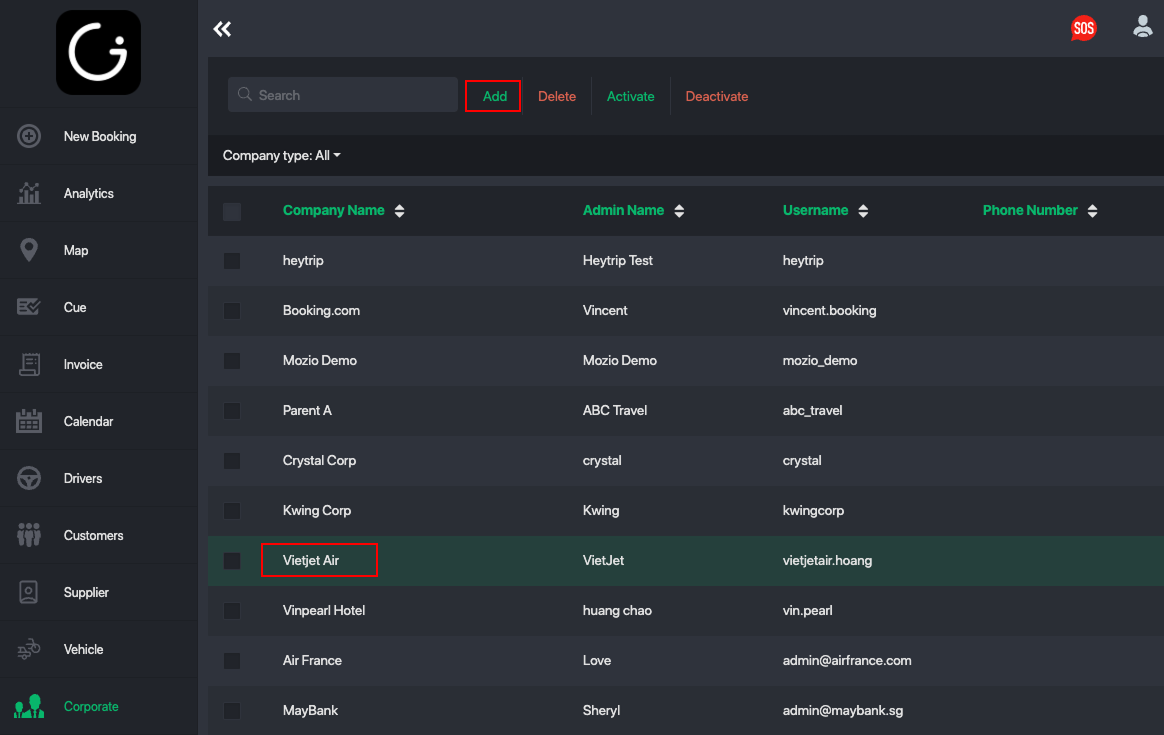
Step 1: Open Corporate Profile
Start by select a specific Corporate Account for the hotel or company you’re working with.
Each corporate account acts as a unique identifier that allows you to:
Track bookings
Apply commissions
Assign custom pricing
Generate dedicated booking links
For example let say i select Vietjet Air:
Step 2: Set Up the Commission Rate
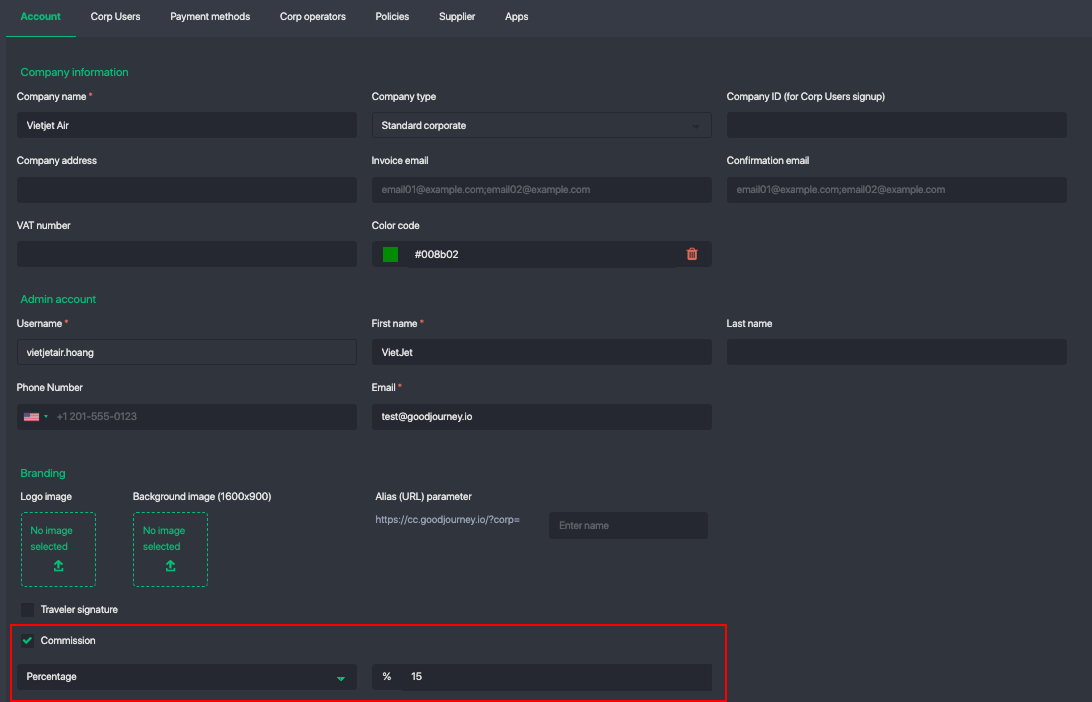
You can define a commission rate for each corporate account:
1. Turn on the setting Commission
2. Save your changes
⚠️ Important:
The commission is added on top of the booking subtotal, not deducted from it.
Example:
Base fare: $100
Commission: 15%
Final price paid by customer: $115
This ensures:
Transparent pricing
Clear commission tracking
No impact on your internal base rates
Step 3: Apply a Custom Rate or Pricing Policy (Optional)
If you want to:
Charge certain corporates higher rates
Offer discounted or negotiated pricing
You can assign a custom pricing policy.
How to do this:
Go to the Corporate Profile
Navigate to Policies
Select the appropriate Pricing Policy
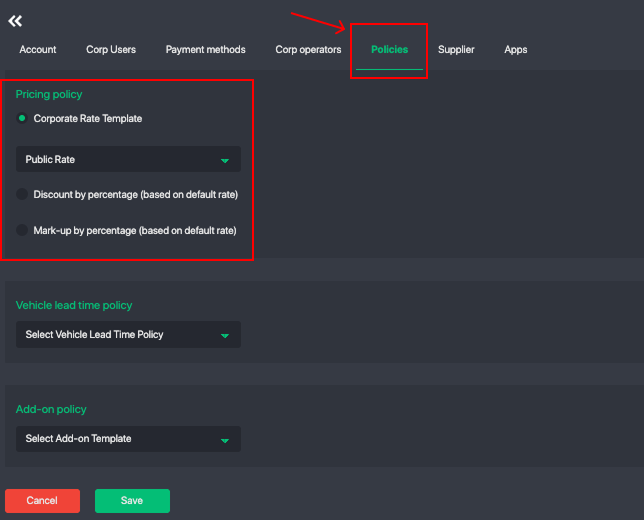
This allows you to fully control pricing per corporate partner.
Step 4: Generate & Share the Corporate Booking Link
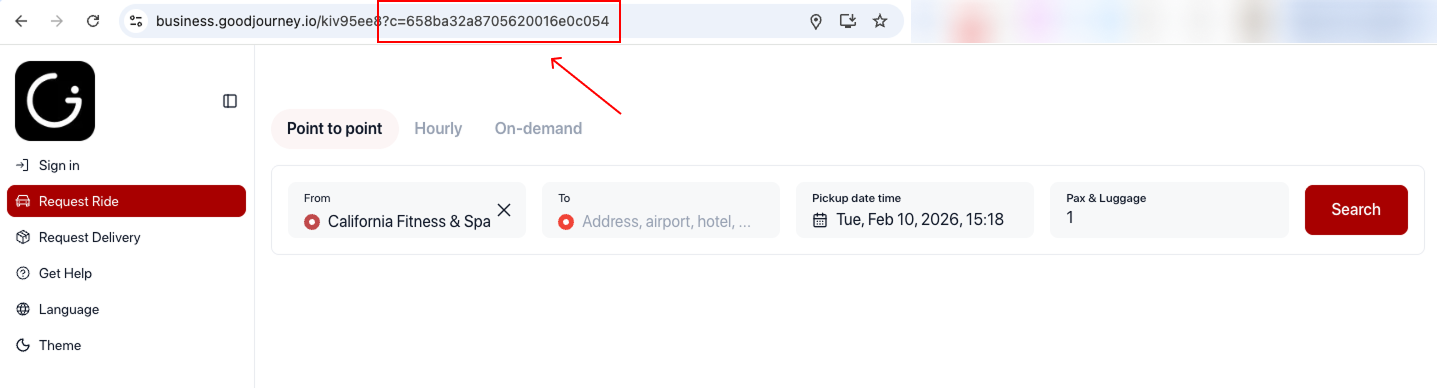
Each corporate account comes with a dedicated booking link.
To access it:
Open the Corporate Profile
Navigate to Apps
Copy the booking link or generate a QR code
You can share this link with:
Hotel front desks
Concierge teams
Corporate travel managers
Employees or guests
Any booking made through this link will automatically be tagged to the corporate account.
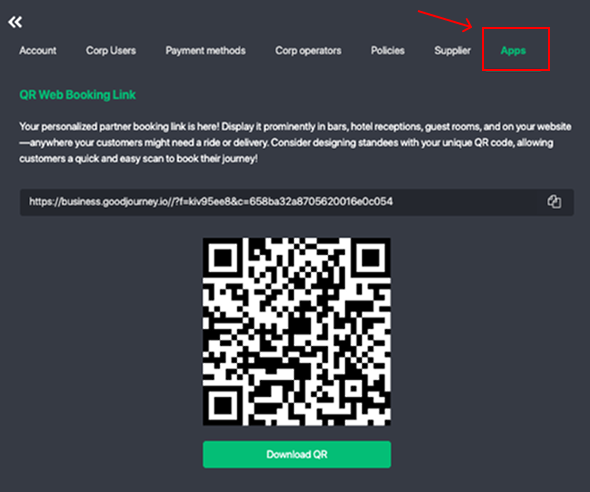
As long as this corporate identifier is added to your booking widget or web booking app the commissions and bookings for linked for this corporate account will be tracked for each booking.
Step 5: Track Bookings & Commissions
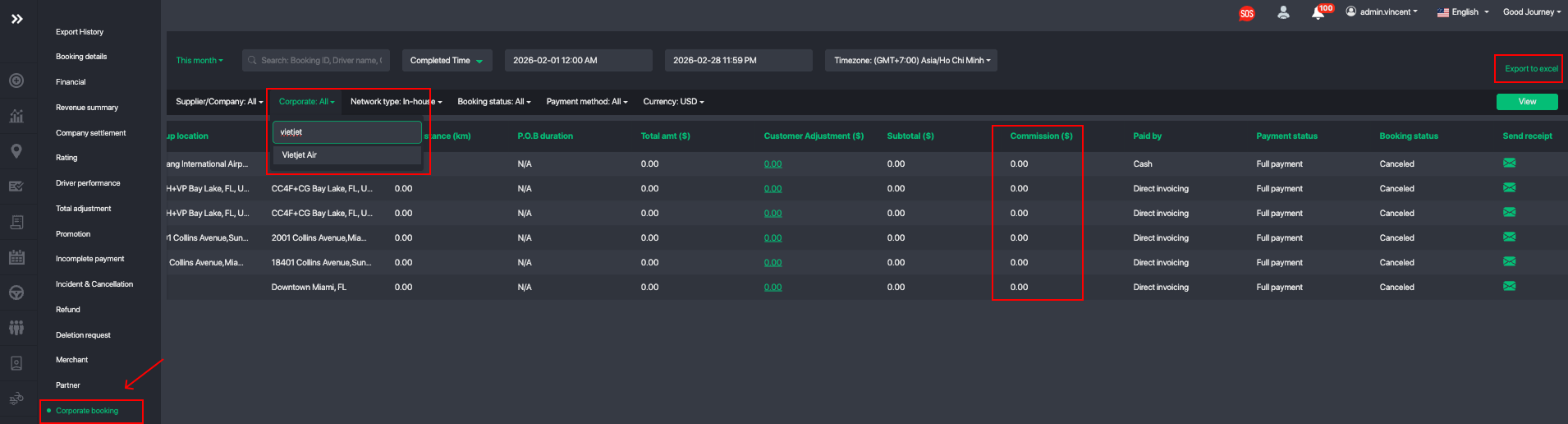
All bookings made under a corporate identifier are:
Automatically recorded
Fully traceable in reports
Easy to reconcile at month-end
This makes it simple to:
Calculate commissions
Review partner performance
Pay hotels or corporate partners accurately
Navigate to Reports > Corporate booking to pull the commission data for each partner:
Summary
With corporate accounts, you can:
Assign commissions per partner
Control pricing with custom policies
Share a dedicated booking link or QR code
Track all corporate bookings and commissions in one place
This setup is ideal for hotels, corporates, travel agencies, and long-term partners who need a seamless booking experience with transparent reporting.
Was this article helpful?
That’s Great!
Thank you for your feedback
Sorry! We couldn't be helpful
Thank you for your feedback
Feedback sent
We appreciate your effort and will try to fix the article