If you work with large booking agents or OTAs such as HolidayTaxis, Booking.com, Klook, or other integrated partners, you may need to customize add-on services and pricing for each OTA or corporate account.
This guide explains how to create OTA-specific or corporate-specific add-on pricing using add-on templates.
Why This Matters
Different OTAs and corporate clients often have:
Different pricing agreements
Different supported add-ons
Different rules for how extras are displayed or charged
Using add-on templates allows you to manage these differences without duplicating logic or manual overrides.
Step 1: Create a New Add-On Template
Start by creating a new add-on template for the OTA or corporate client.
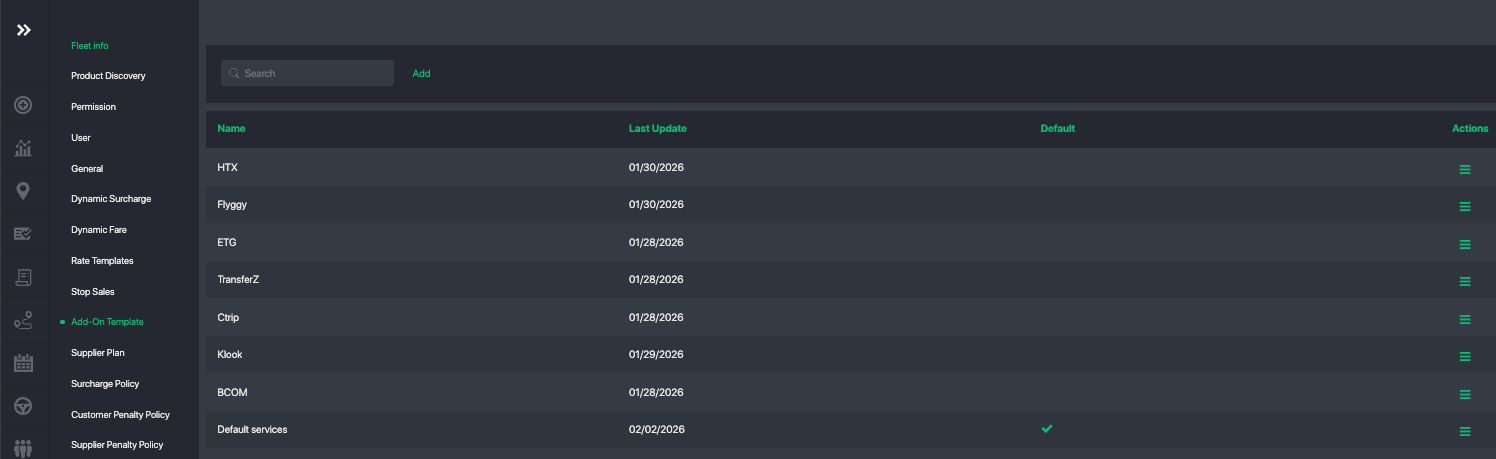
In the template, you can:
Define which add-ons are available
Set custom prices specific to that OTA or corporate account
Control whether add-ons are optional, required, or included
Each template acts as a pricing and availability profile.
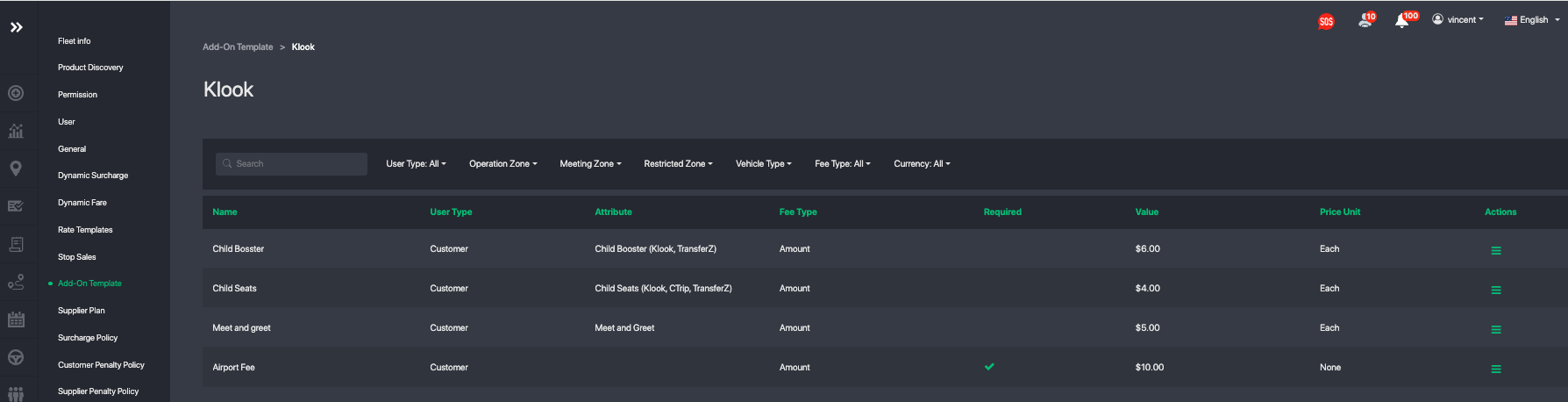
Step 2: Create Add-Ons and Set Correct Attribute
When creating or editing add-ons, make sure the correct attribute is selected.
Attributes are used to:
Map your internal add-ons to the OTA’s own add-on / extras structure
Ensure correct matching and reporting across systems
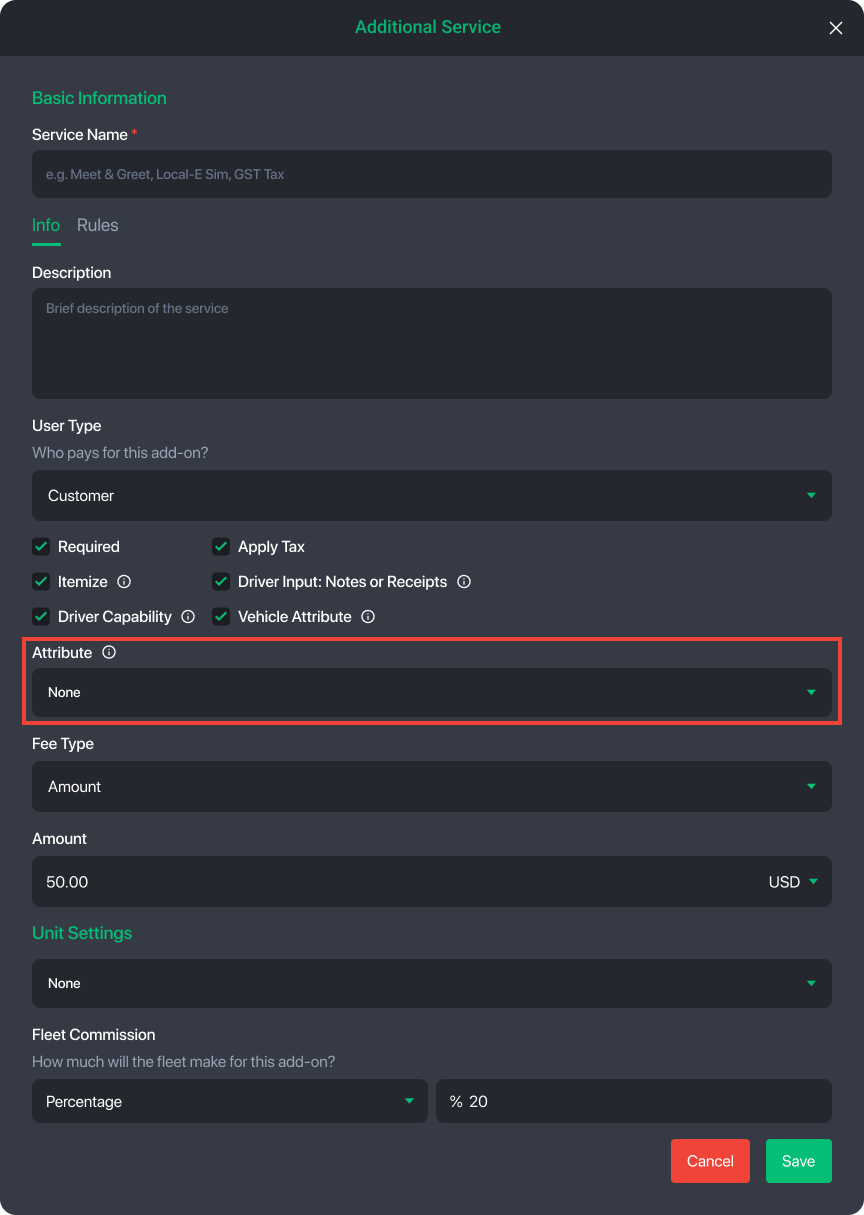
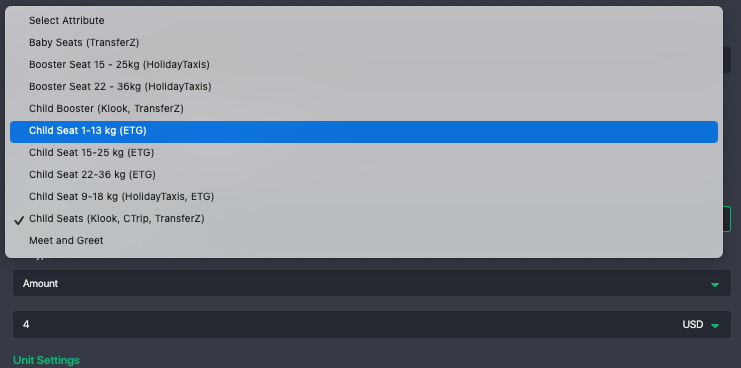
⚠️ If the attribute is incorrect or missing, the add-on may not map properly to the OTA.
Step 3: Link the Template to a Corporate / OTA Profile
Next, assign the add-on template to the correct corporate or OTA account:
Open the Corporate Profile
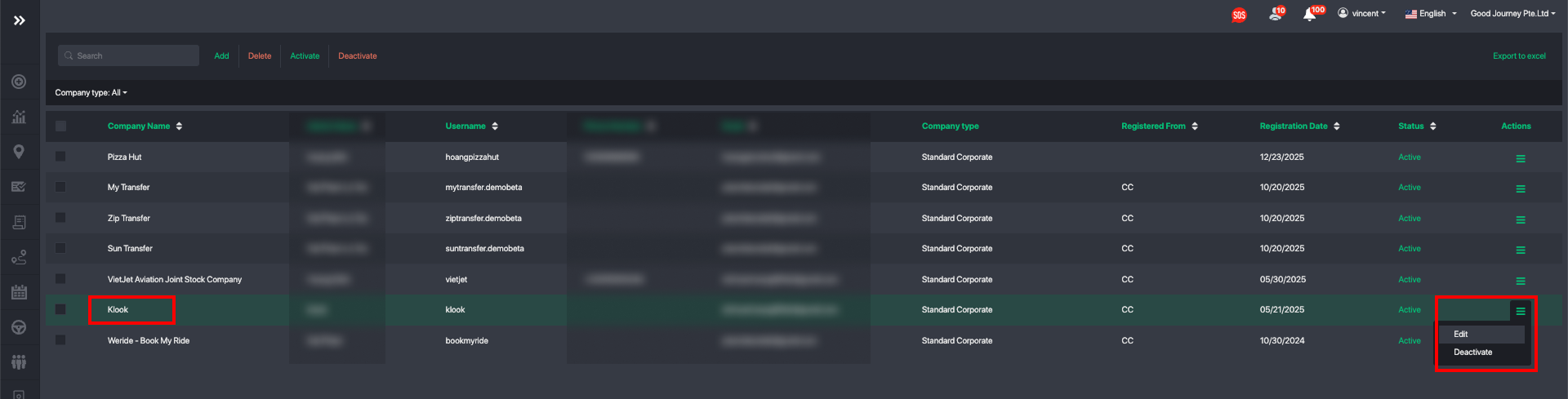
Go to the Policies section
Link the appropriate Add-On Template
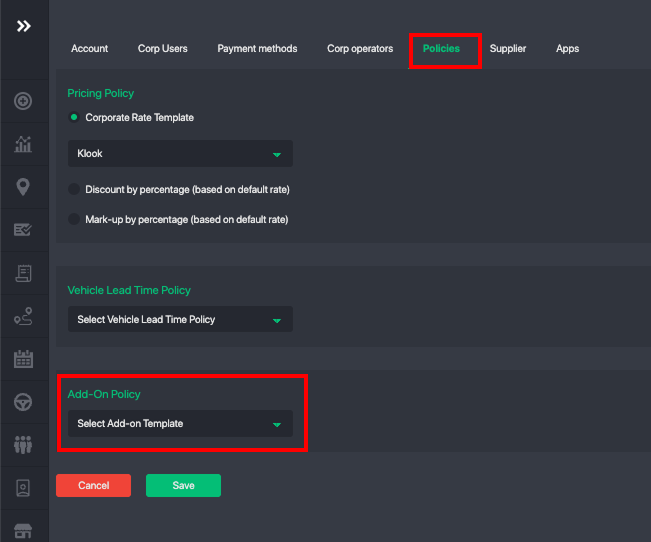
Once linked, only the add-ons and prices defined in that template will apply to bookings from that OTA or corporate client.
This allows you to:
Sell different add-ons to different OTAs
Apply different prices for the same add-on
Fully isolate pricing rules per partner
Missing Attributes?
If you don’t see the attribute you need, contact support@goodjourney.io.
Our commercial and backend teams will review the request and determine whether the attribute should be added to the global list.
Summary
Using add-on templates, you can:
Create custom add-on pricing per OTA or corporate client
Control which extras are sold to which partners
Maintain clean, scalable configurations as you grow
This approach is recommended for fleets working with multiple OTAs or high-volume corporate accounts.
Was this article helpful?
That’s Great!
Thank you for your feedback
Sorry! We couldn't be helpful
Thank you for your feedback
Feedback sent
We appreciate your effort and will try to fix the article