The Add-On Service Framework allows fleets to add additional fees or sell additional services in a structured and scalable way.
Additional Service Add-Ons (Customer Charges)
Additional Service Add-Ons are used to apply extra charges on top of the ride fare. These add-ons help fleets monetize optional services, recover operational costs, and comply with local or regulatory requirements — all without manual adjustments.
Each add-on is explicitly defined as either a Customer Add-On or a Driver Add-On, ensuring clear pricing, reporting, and settlement.
Customer Add-Ons
Customer add-ons are fees charged to the passenger during booking or after the trip, depending on configuration.
Common examples include:
Meet & Greet
Child seats
Wi-Fi / eSIM services
Bottled water or premium amenities
Airport pickup surcharges
Customer add-ons are:
Visible to customers (Web App, Native App, or OTA where supported)
Included in the booking total and receipt
Fully traceable in reports and invoices
Customer's Point of View
Here are some screenshots from the customer's perspective booking from the web app:
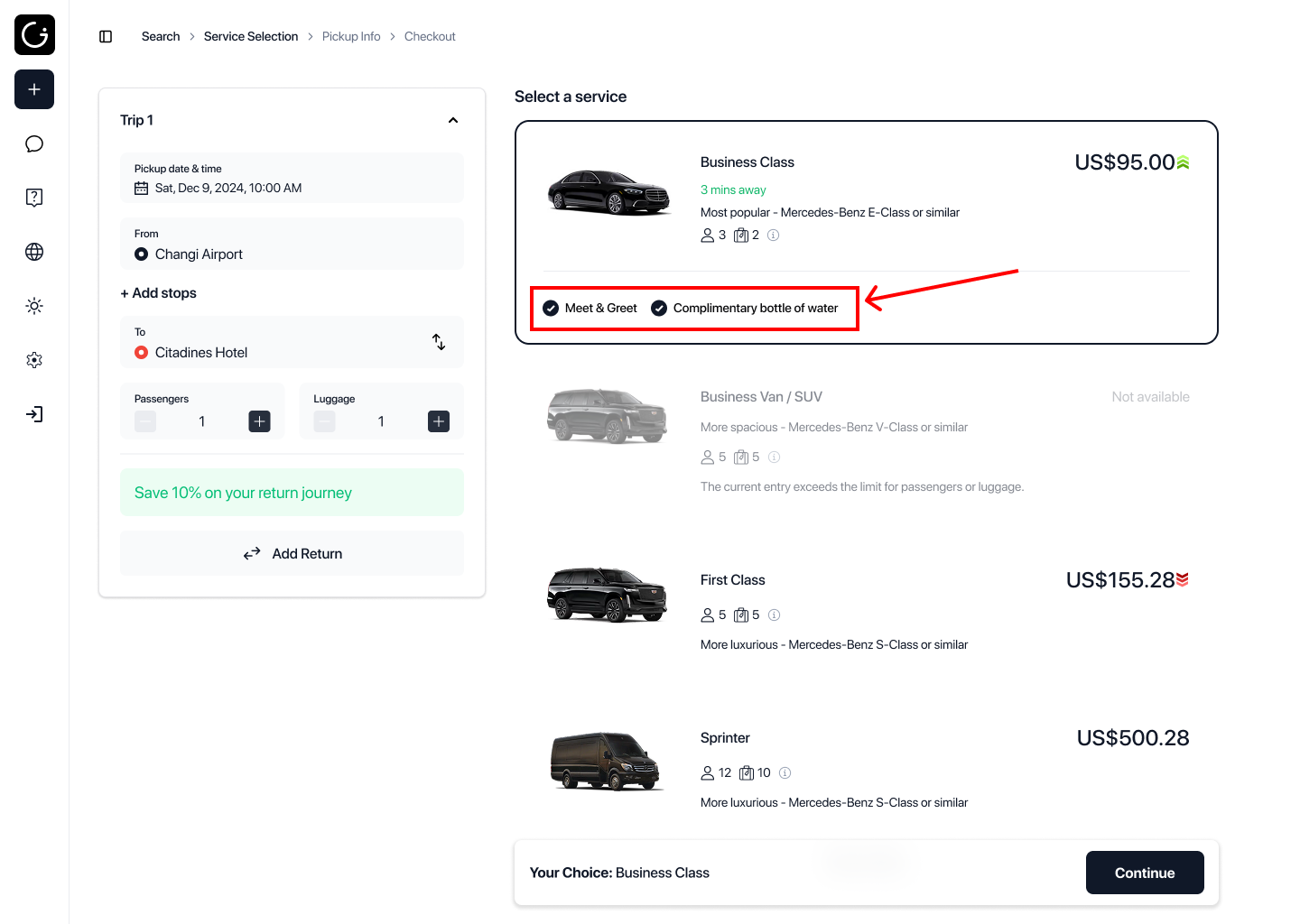
You can create complimentary or included add-ons. These are required and included add-ons with zero cost.
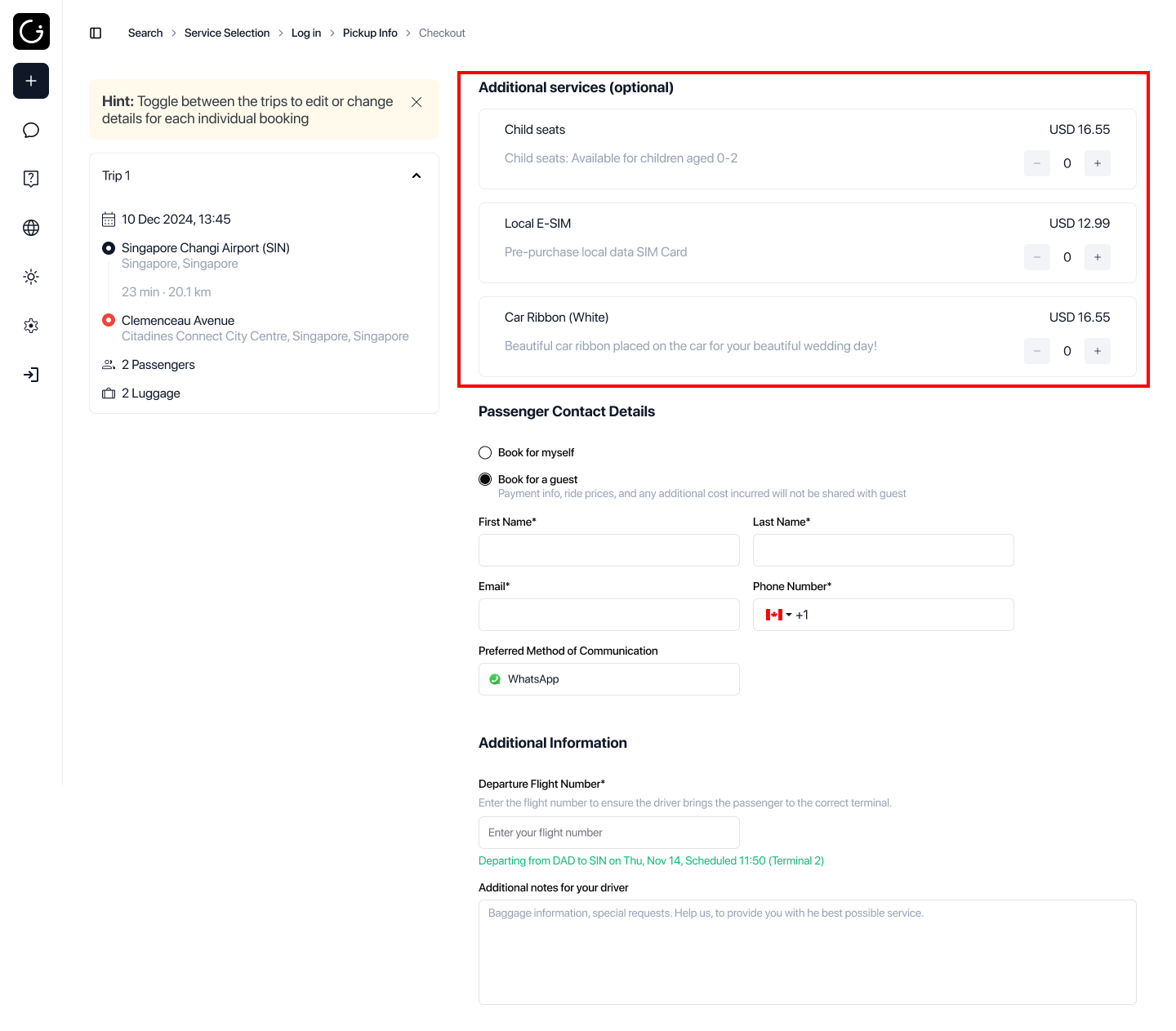
As shown above, the passengers will also have a section to select optional add-ons.
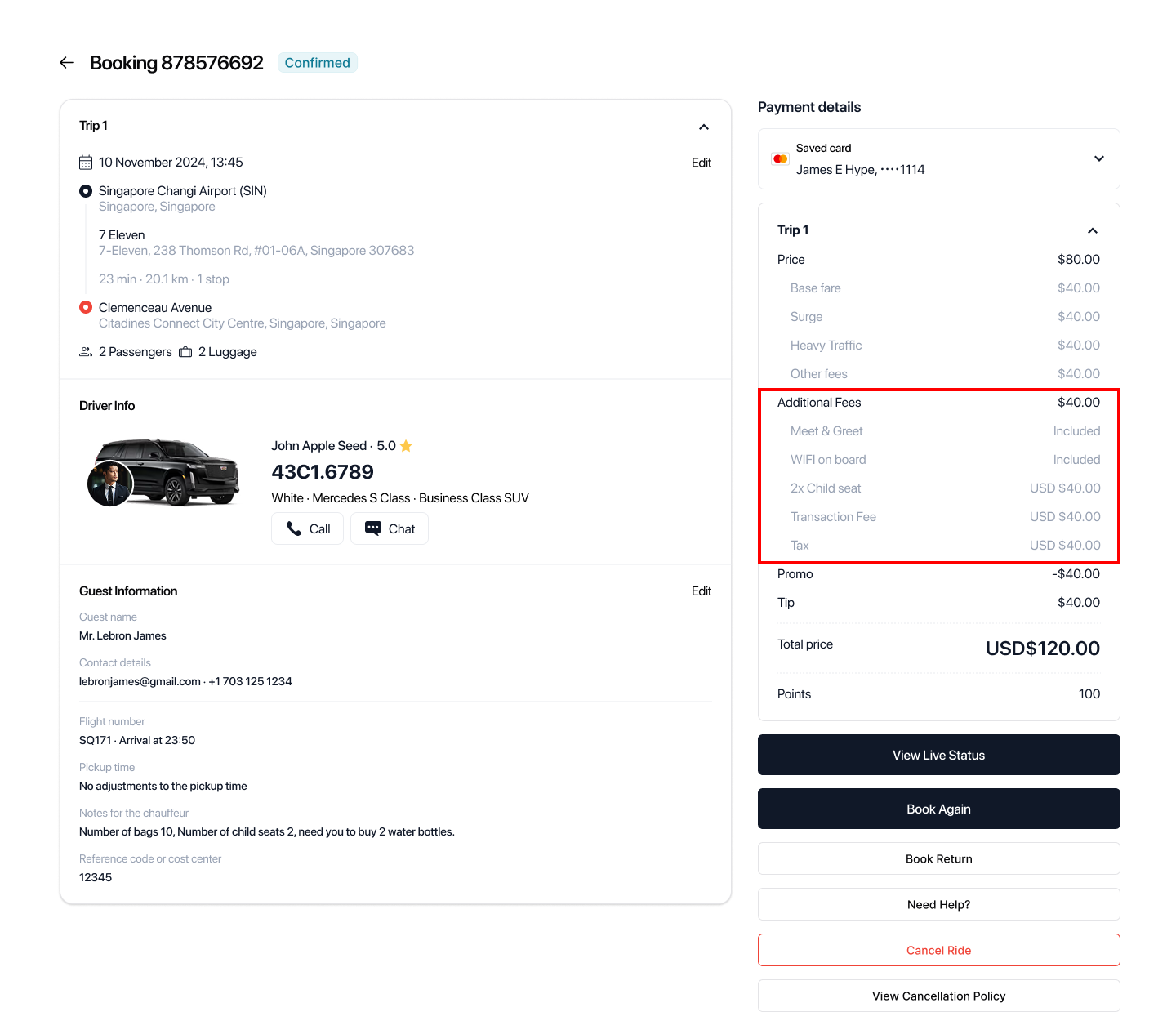
Before making payment or viewing booking details history the customer can see a breakdown of all the included and additional fees charged clearly.
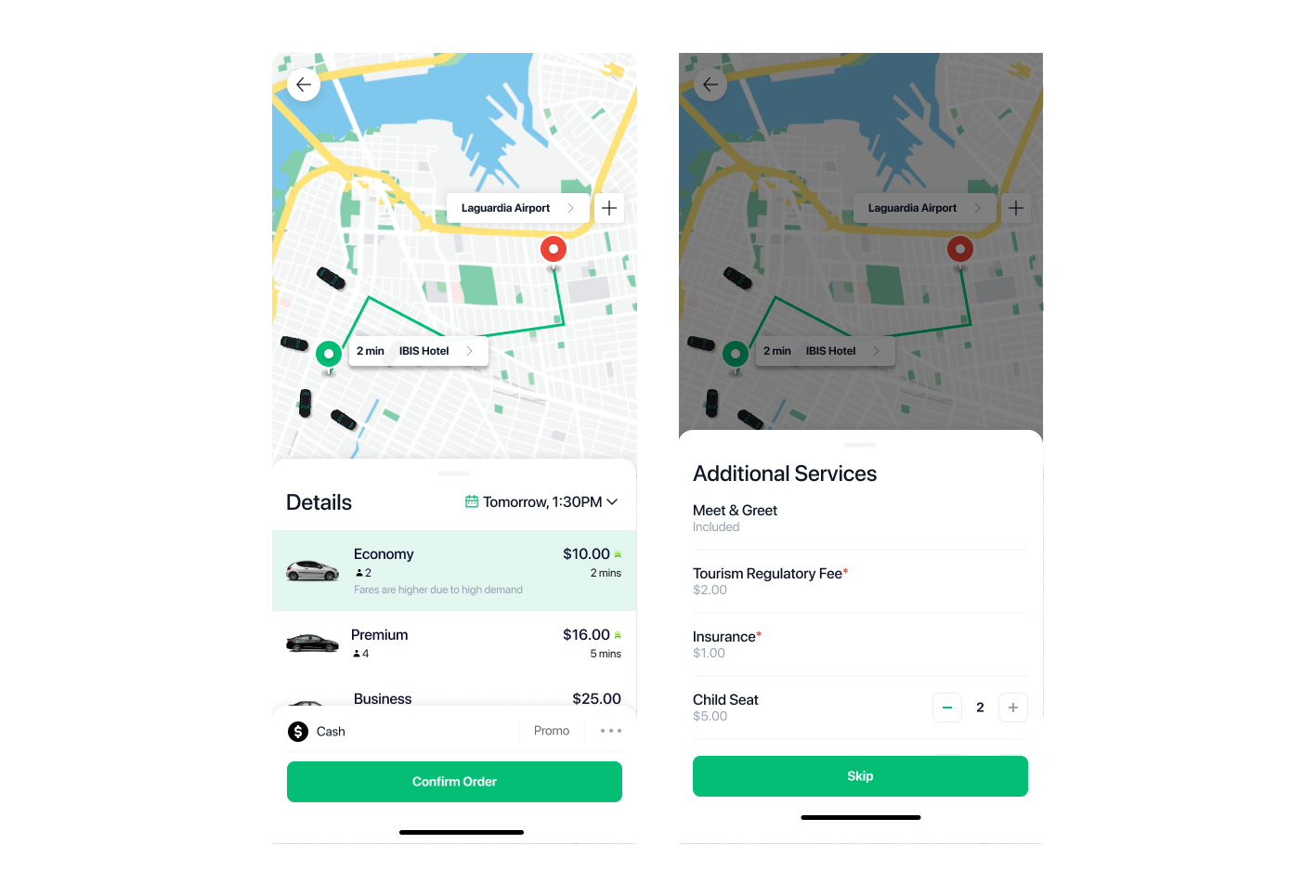
Here is a sample of how it looks like on the customer/passenger native app:
Dispatcher’s Point of View
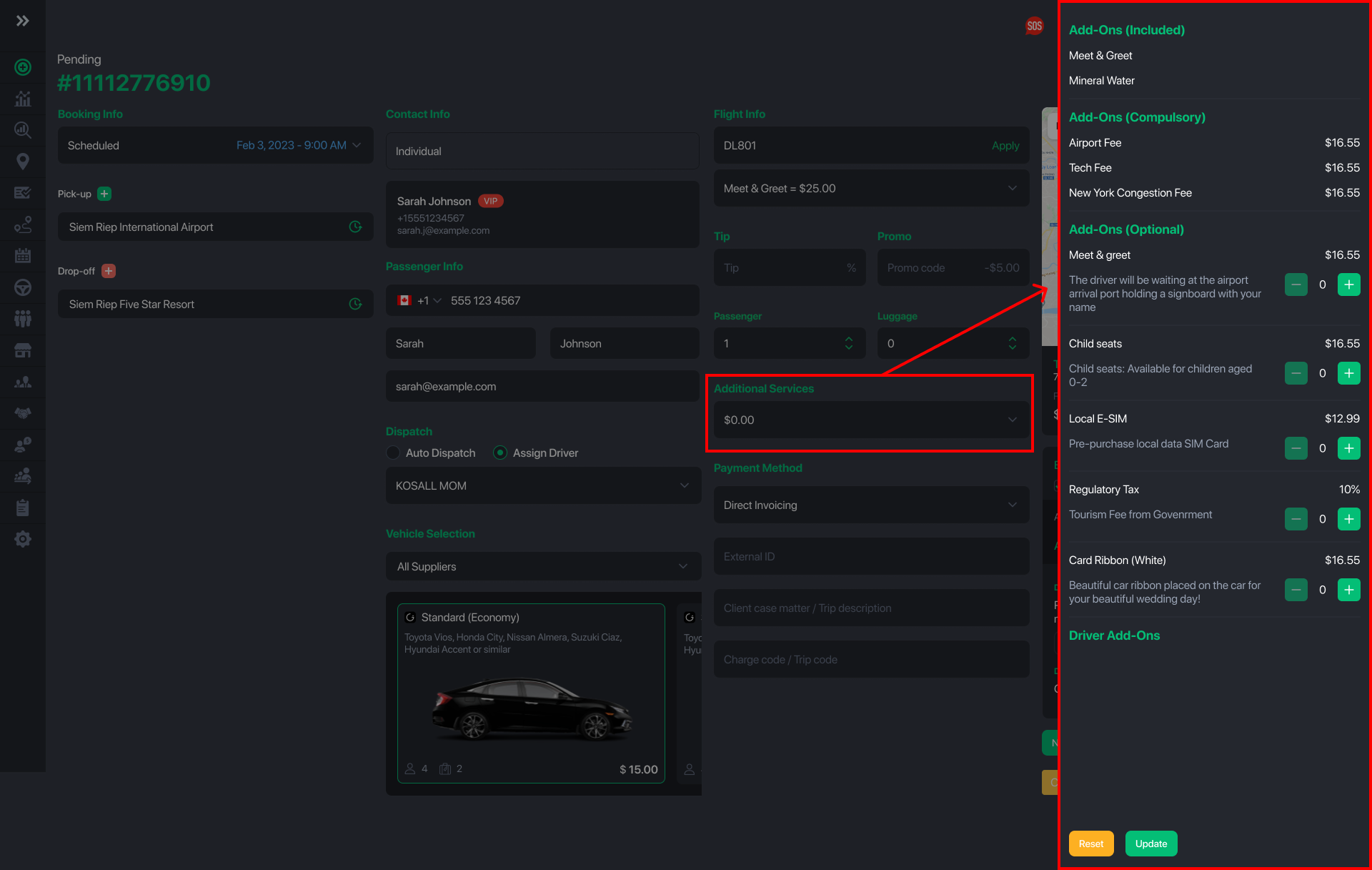
From the dispatcher’s perspective, add-ons can also be added or updated during booking creation or updates.
Dispatch operators can quickly select, add, or adjust applicable add-ons to ensure the correct services, requirements, and charges are applied—maintaining pricing accuracy, service compliance, and a clear breakdown for the customer.
Driver’s Point of View
- Drivers can view full booking details, including any additional add-ons or services requested by the customer, directly in the Driver App.
Driver Native App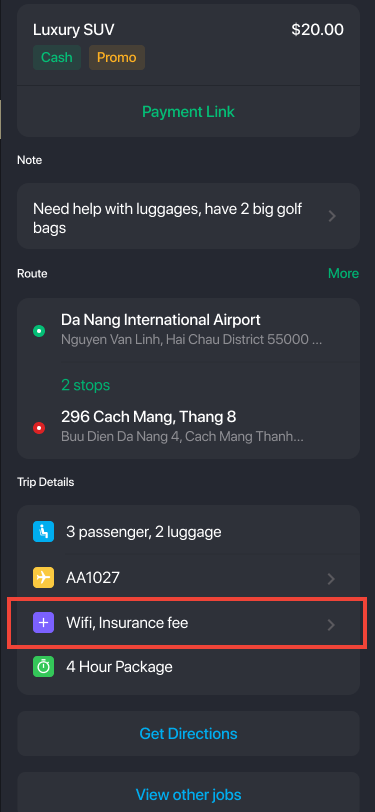
Driver Web App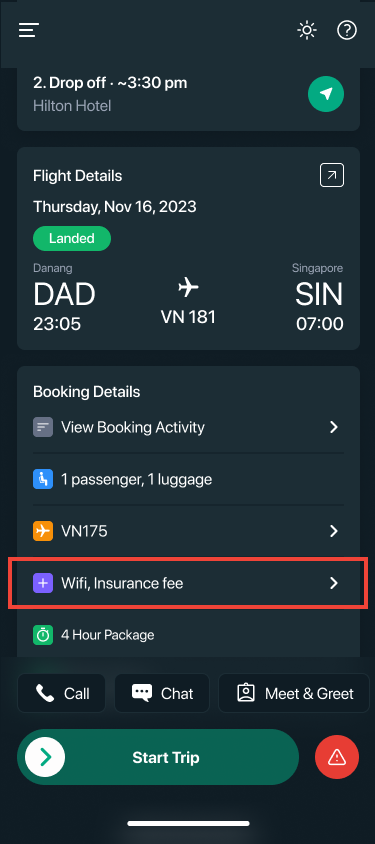
- Drivers can add additional fees before closing out the trip.
Driver Native App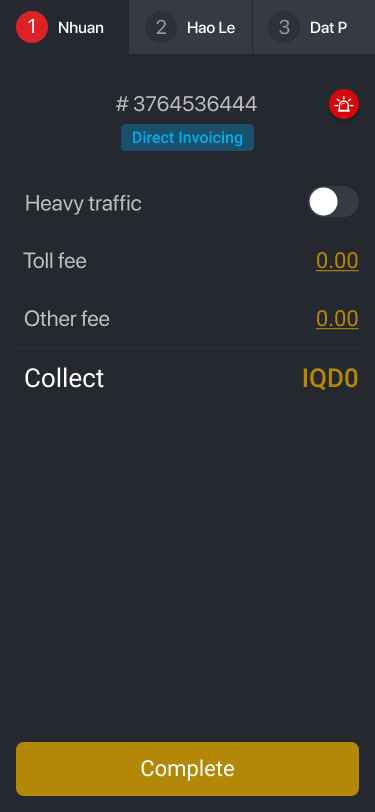 Driver Web App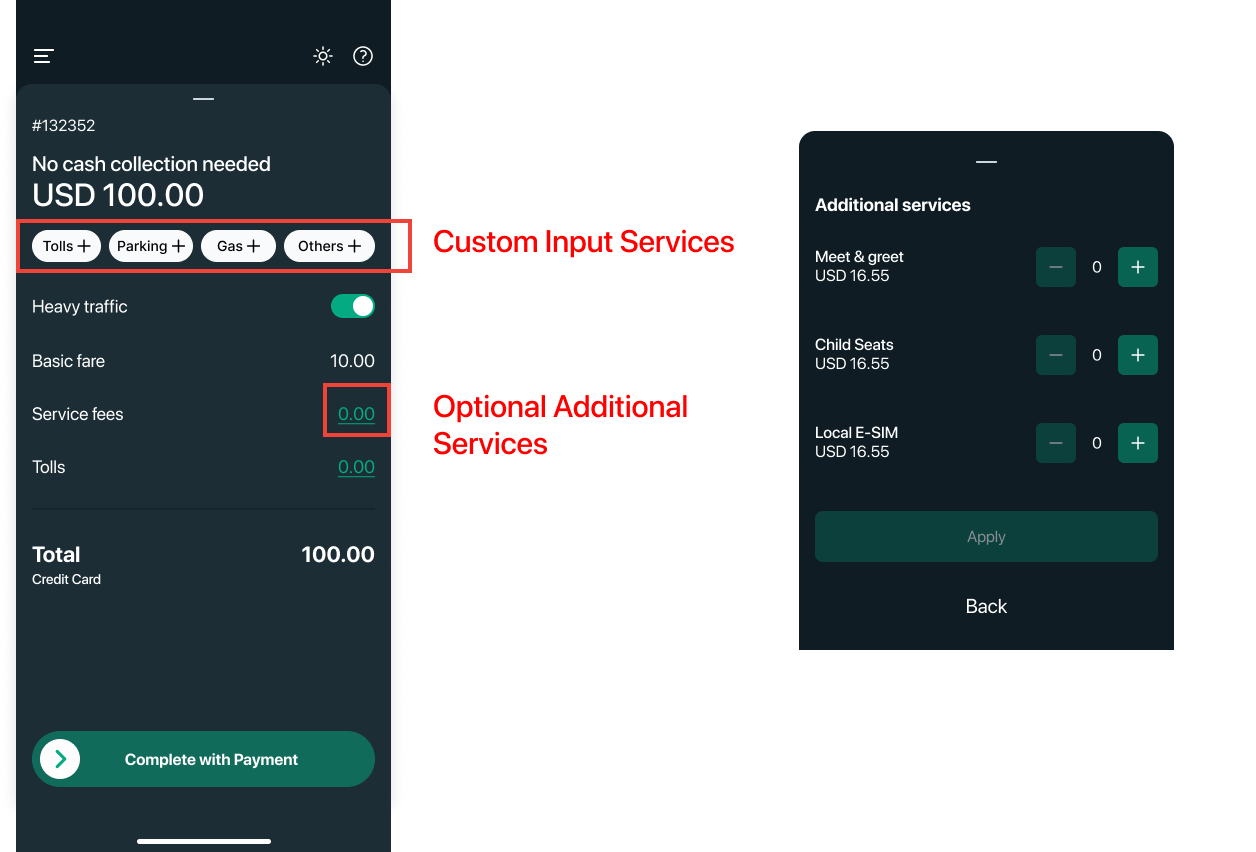
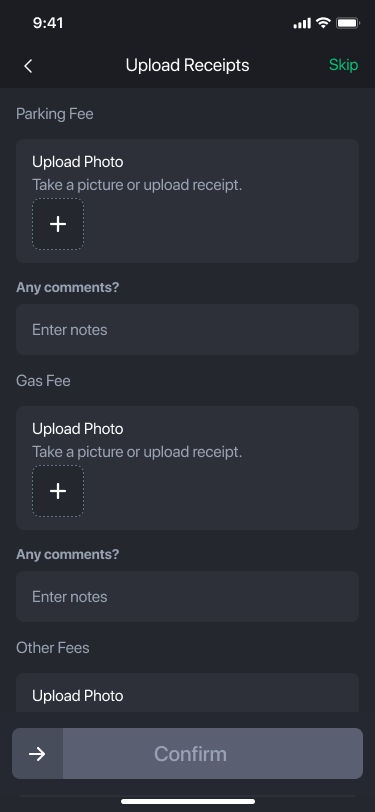
- At the end of a trip, drivers may be required to upload supporting receipts or add notes related to specific add-ons or incurred expenses. Examples include parking fees, toll charges, or other trip-related costs.
- Fleets can optionally enable a setting that allows drivers to manage their own driver attribute preferences. This gives drivers control to opt out of certain attributes and avoid receiving specific types of bookings that do not match their preferences.
Driver Native App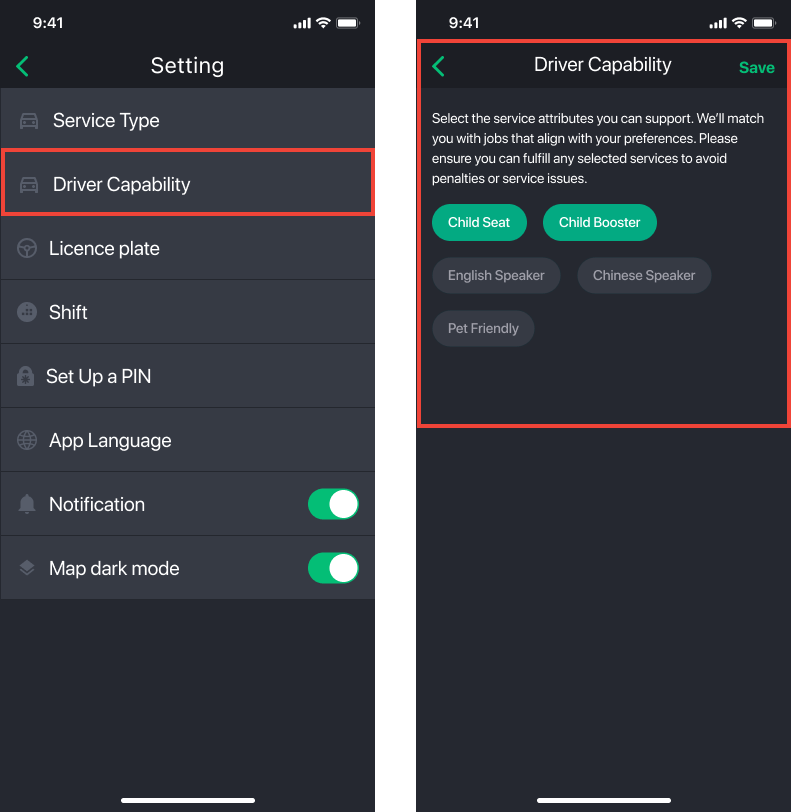
Driver Web App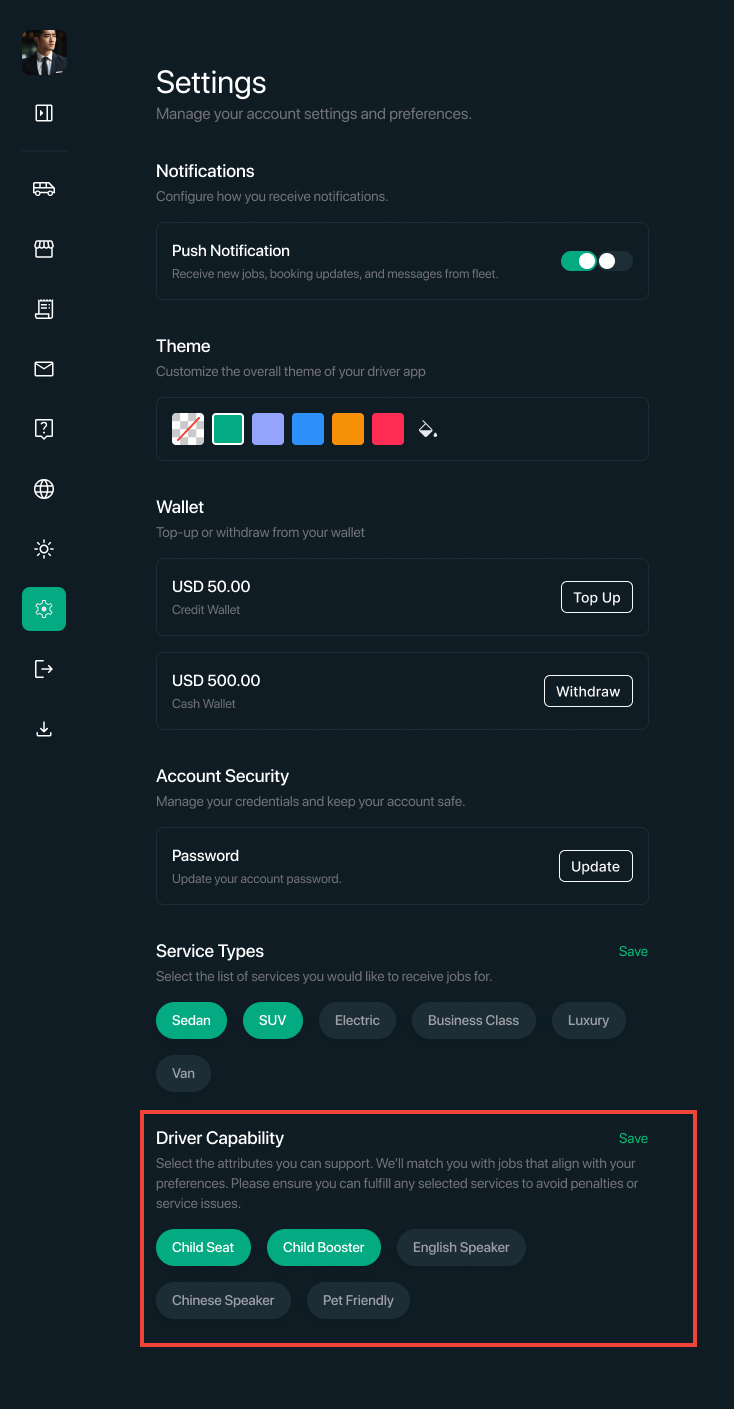
Additional Service Add-Ons (Driver Charges)
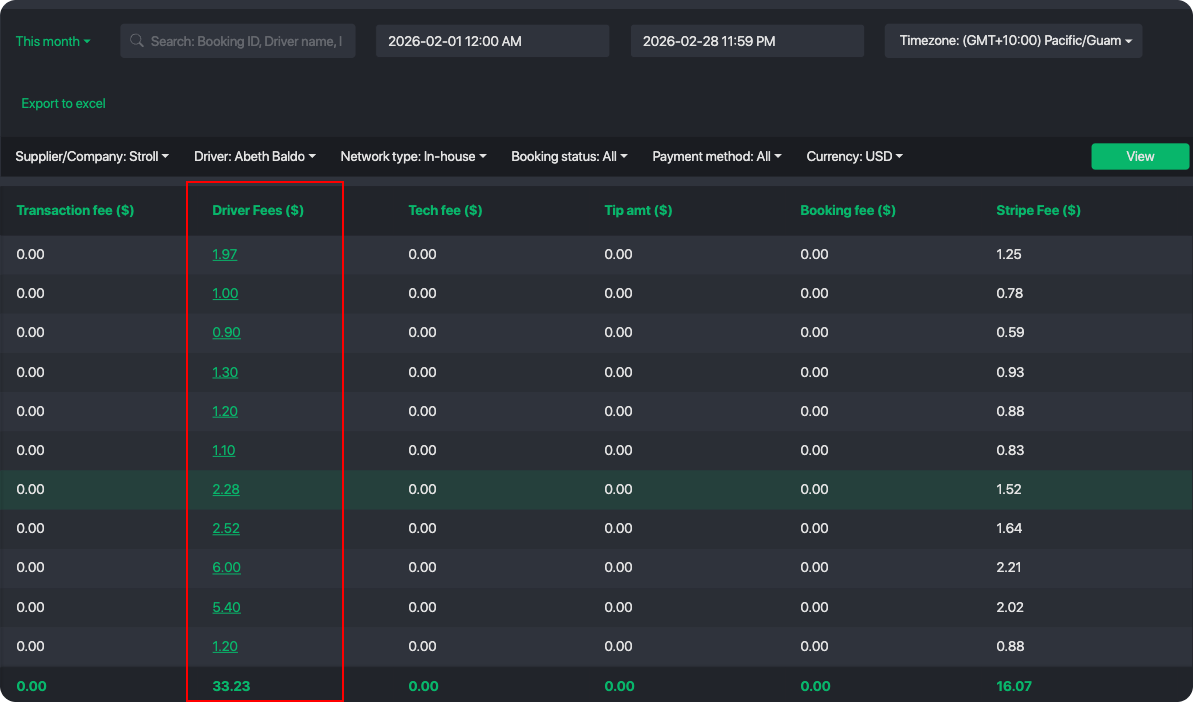
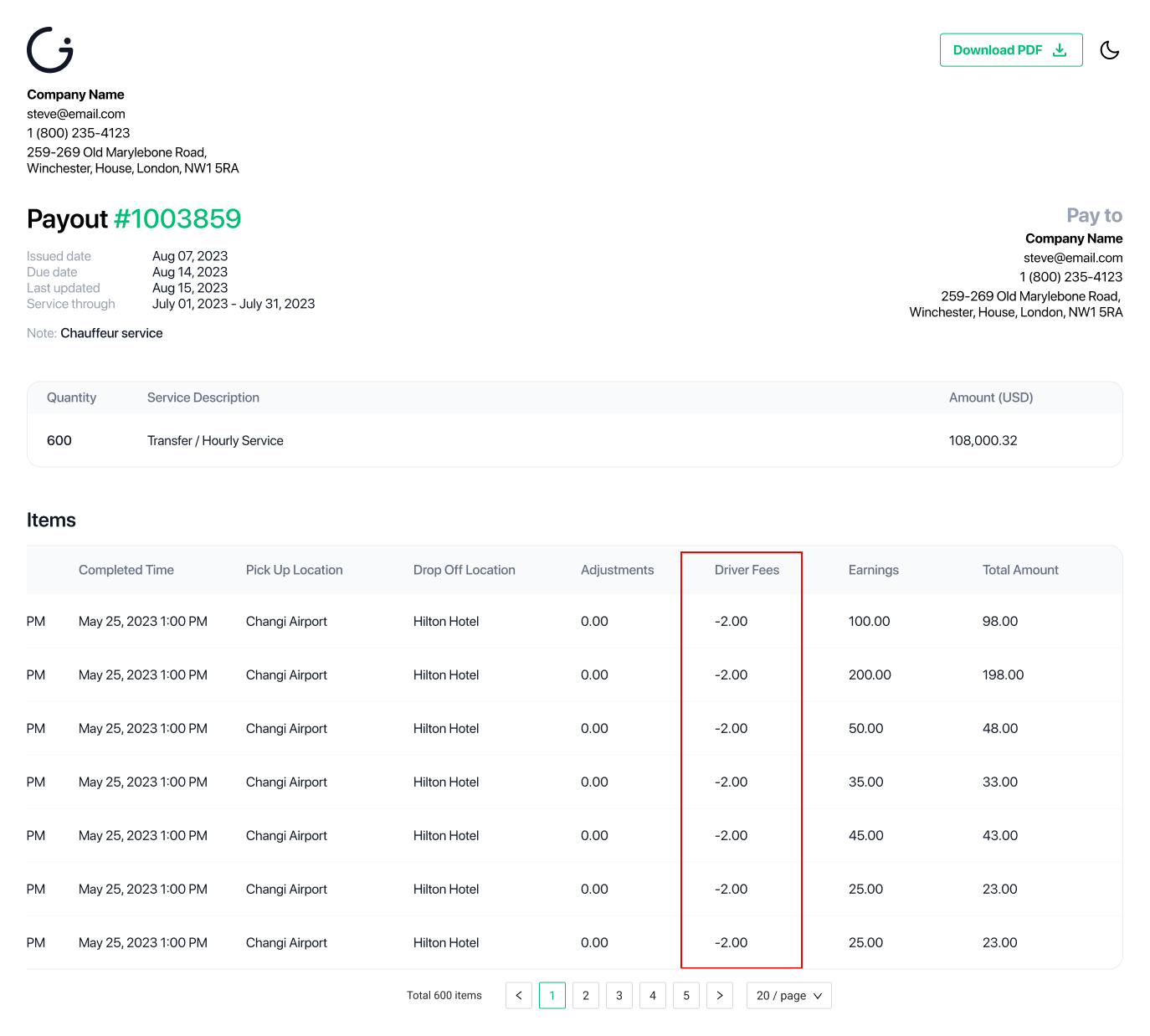
In addition to charging customers, fleets can also apply fees to drivers or suppliers using Driver Add-Ons. These add-ons represent costs charged on the supply side and are automatically accounted for during settlement. All driver add-on fees are clearly reflected in driver wallets, payout statements, and driver financial reports, ensuring full transparency and accurate accounting.
Common examples include:
Technology or platform fees
Government-mandated insurance fees
Airport access or regulatory fees
Operational or compliance-related charges
Driver add-ons are:
Applied internally by the fleet
Clearly itemized for transparency
Reflected and deducted from driver wallet
Fleet's will be able to track and generate reports for all additional fees for each bookings driver completed.
* Driver payout is an advance module
In addition partners using the advance payout module will also include driver fees deducted from their wallets and shown in payout statements
Was this article helpful?
That’s Great!
Thank you for your feedback
Sorry! We couldn't be helpful
Thank you for your feedback
Feedback sent
We appreciate your effort and will try to fix the article