Besides creating add-ons you can mark an add-on as an attribute. These attributes can be apply to a specific driver or vehicle profile.
Note: This is an advanced add-on feature required to be configured by our backend team. If interested please contact support@goodjourney.io
An add-on can be configured to:
Apply a charge (to the customer or driver), and
Act as a matching attribute used during dispatch and assignment.
This means a single add-on can be both chargeable and enforce matching rules.
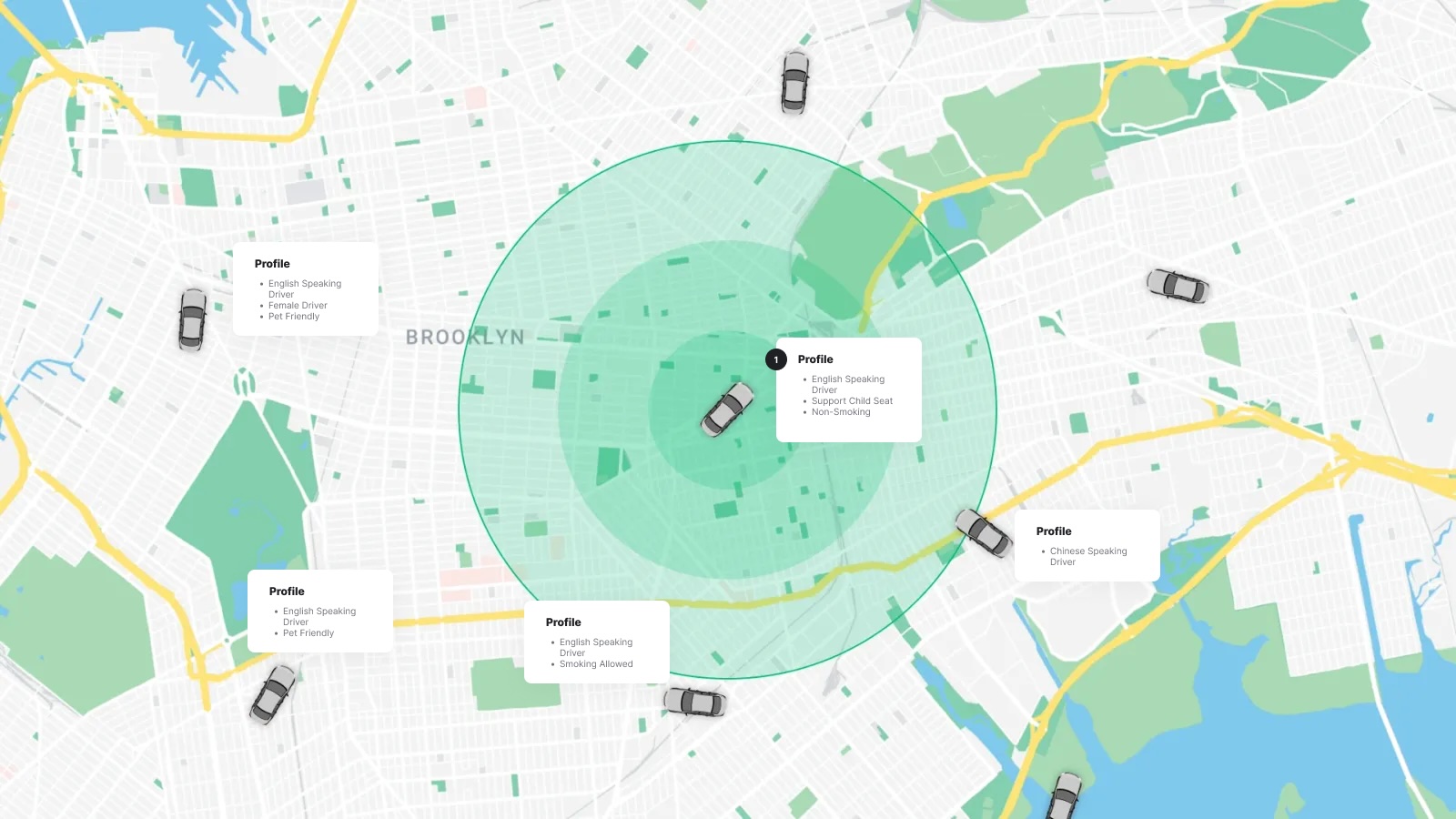
Examples of Chargeable Attribute Add-Ons
Driver-based attributes
English-speaking driver
Additional language support
Certified or trained driver
Child Seat
Vehicle-based attributes
Non-smoking vehicle
Smoking-allowed vehicle
Pet-friendly vehicle
Special vehicle configuration
These add-ons may be:
Free (preference-only), or
Chargeable (premium service)
For example:
English-speaking driver → may include an additional fee
Non-smoking vehicle → may be offered as a free preference or a paid option
How Attribute-Based Add-Ons Work
When an attribute-based add-on is selected by the customer or applied internally:
The add-on is attached to the booking
The system checks whether the driver or vehicle has the required attributes
During dispatch, only matching drivers or vehicles are eligible
If a non-matching driver or vehicle is assigned, the system can display a warning
At the same time:
If the add-on is chargeable, the fee is included in the booking total and settlement
If it is free, it is used purely for matching and validation
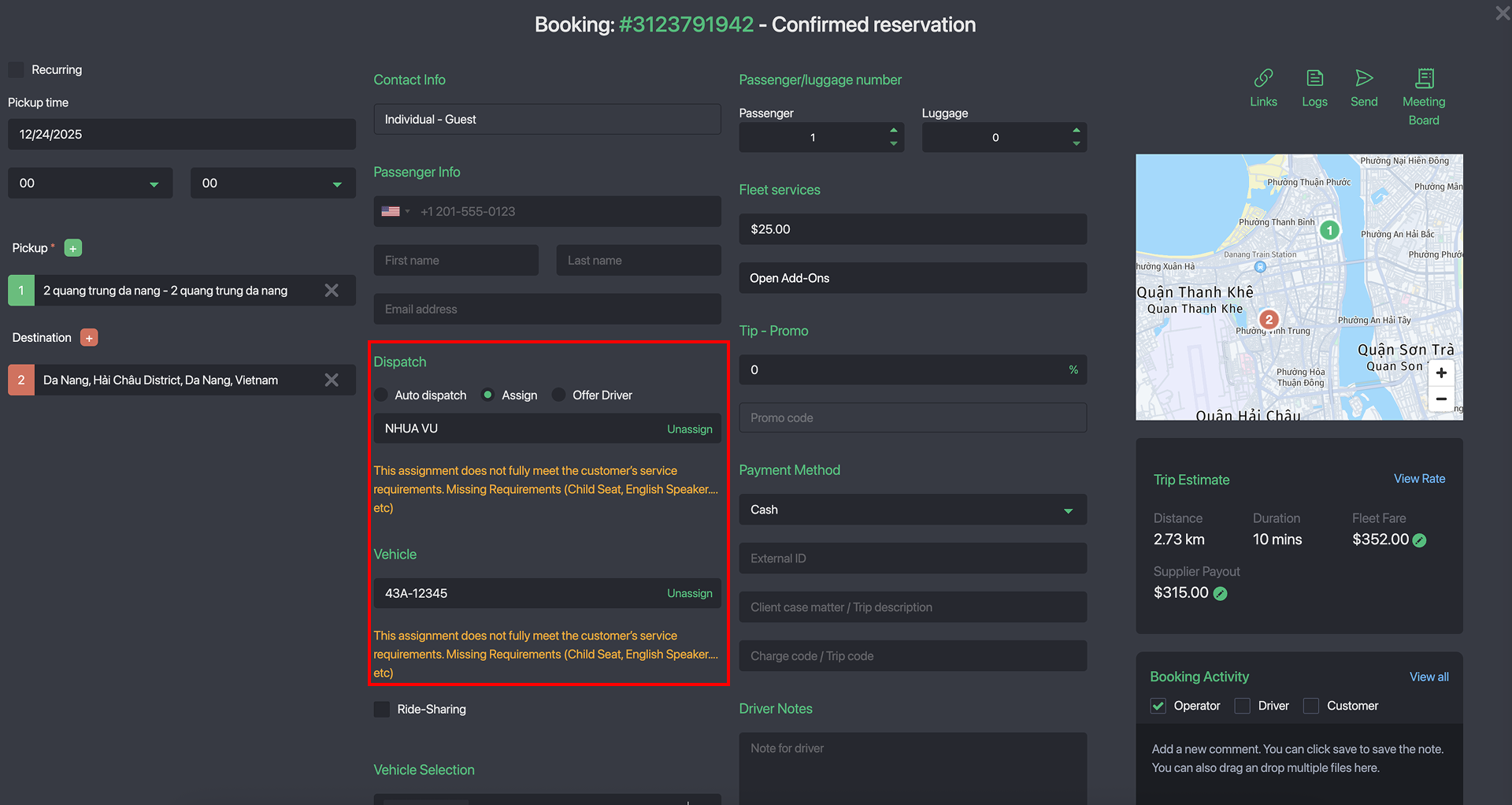
When operators assigning a driver or vehicle, the system automatically verifies whether they meet the required add-on attributes.
In auto-dispatch mode, bookings are dispatched only to drivers and vehicles that fully match the selected add-on requirements, ensuring accurate and compliant assignments.
How to Create a New Attribute
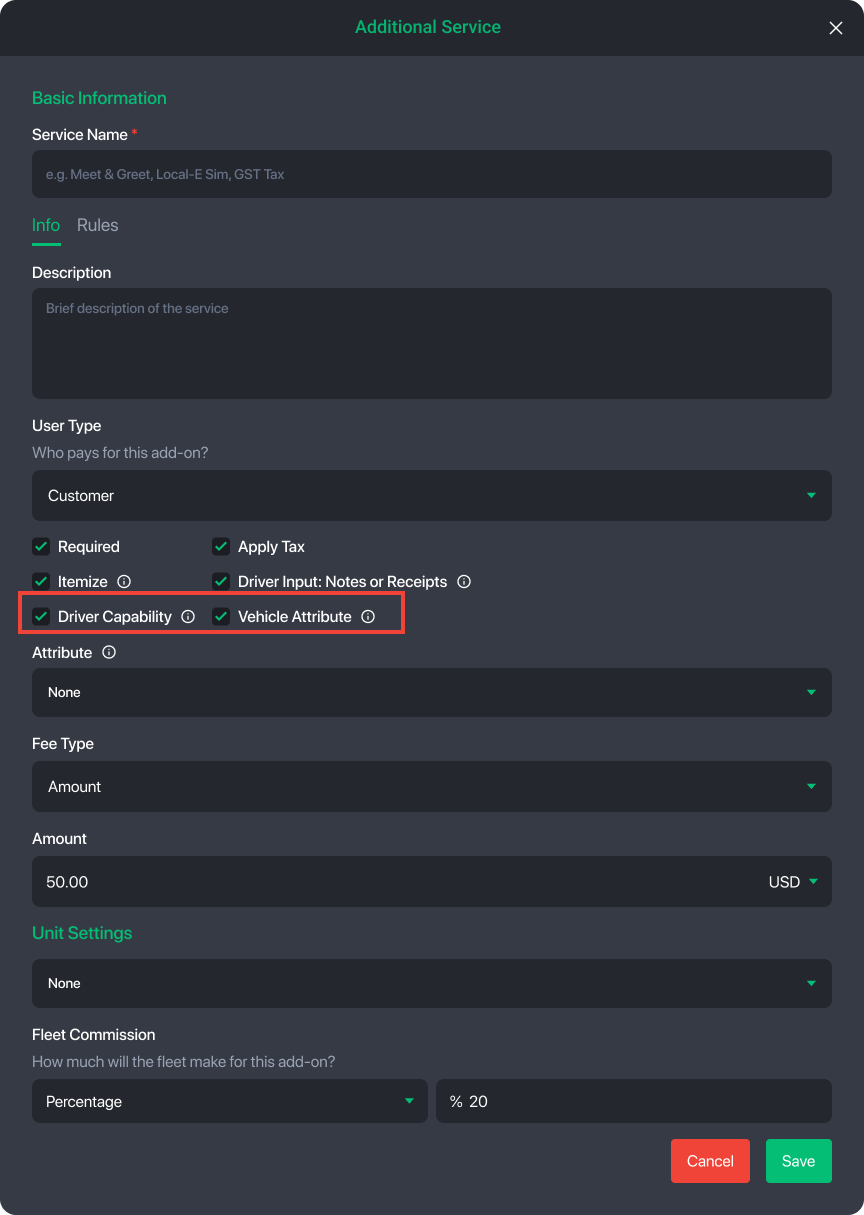
When creating an add-on, you can designate it as either a Driver Attribute (driver capability) or a Vehicle Attribute. This determines whether the add-on is used to match against driver profiles or vehicle profiles during dispatch and assignment.
Attributes are created as part of the standard add-on setup process. Once enabled as an attribute, the add-on can be linked to drivers or vehicles and used for matching, validation, and (optionally) charging.
For step-by-step instructions on creating add-ons, please refer to this guide.
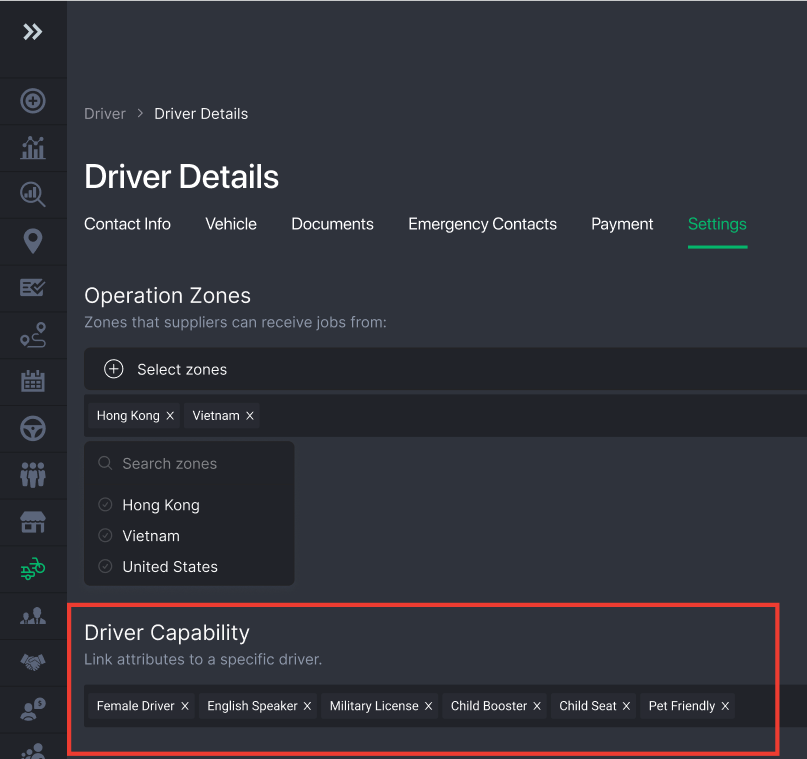
How to Link Attributes to Drivers & Vehicles
Attributes are linked directly within driver and vehicle profiles and define what each driver or vehicle is eligible to handle during dispatch.
- Driver attributes are managed inside the Driver Profile and represent driver capabilities or qualifications (for example: language skills, certifications, or special training).
- Vehicle attributes are managed inside the Vehicle Profile and represent vehicle-specific features or configurations (for example: non-smoking, pet-friendly, or special equipment).
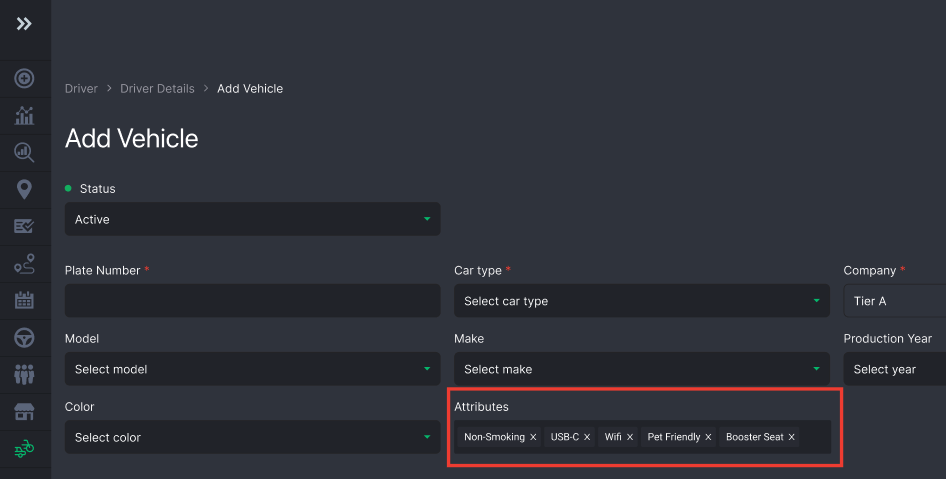
Once linked, these attributes are used automatically during manual or auto-dispatch to ensure only compatible drivers and vehicles are assigned to bookings that require them.
Please contact support@goodjourney.io to have this advanced dispatch matching feature enabled for your account.
How Drivers Can Adjust Attribute Preferences
Fleets can control whether drivers are allowed to edit their own attributes from the driver app. This setting can be enabled or disabled in General Settings.
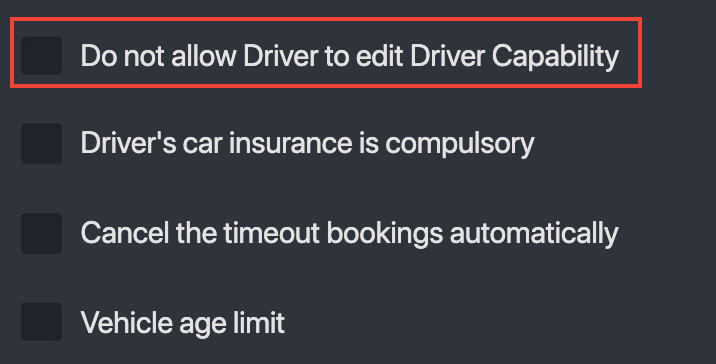
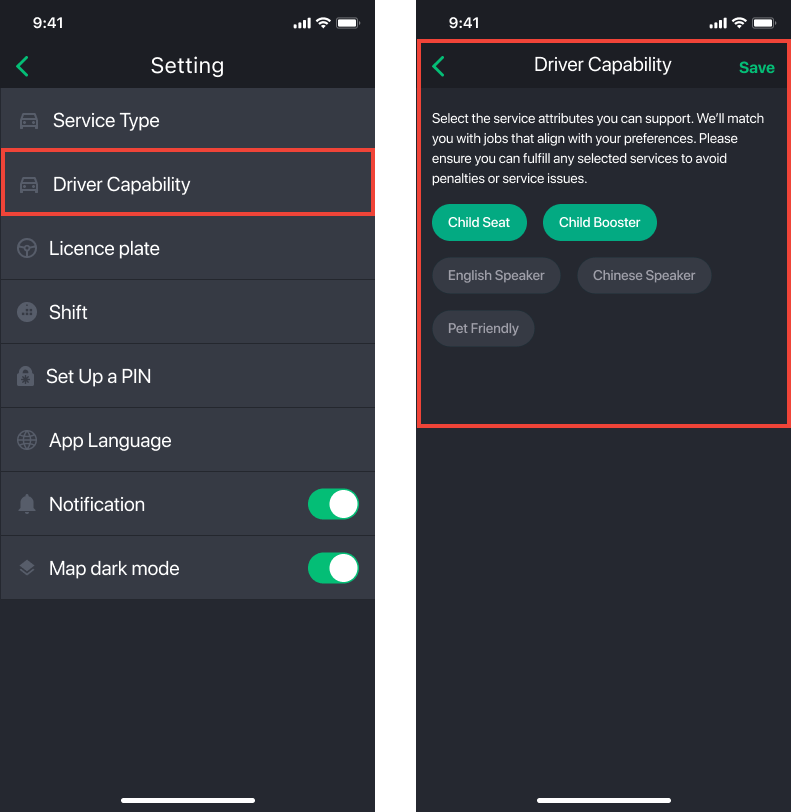
When enabled, drivers can access Settings within the Driver App (native or web) and update their attribute preferences directly.
Driver Native App
Driver Web App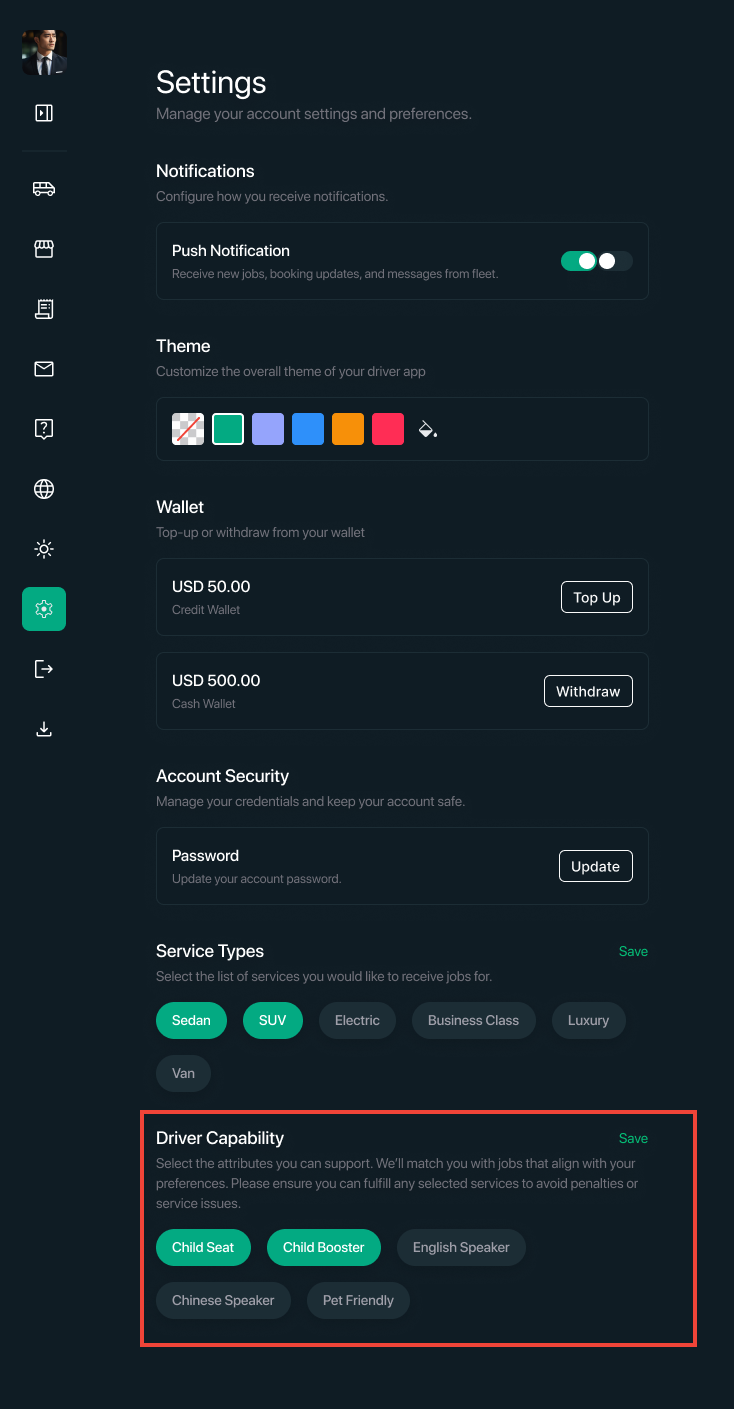
Was this article helpful?
That’s Great!
Thank you for your feedback
Sorry! We couldn't be helpful
Thank you for your feedback
Feedback sent
We appreciate your effort and will try to fix the article