Overview
To all existing fleet partners,
Based on extensive partner feedback, we’ve enhanced and upgraded how additional services and extra fees are managed across the platform.
This new Add-On Services framework gives you far greater flexibility and control when charging customers or drivers, while simplifying configuration and reducing manual work.
This guide is a quick migration overview to:
- Explain what has changed
- Show where existing settings are moving
- Clarify how add-on services will work going forward
Screenshots are included throughout this guide to help you locate each section easily.
- Additional Services Fees Overview V3
- How to Create New Add-ons
- Driver & Vehicle Attribute Matching
- Custom Add-On Pricing for OTAs & Corporate Clients
What Are Add-On Services?
In airport transfer, chauffeur, and limo operations, it’s common to apply additional fees on top of the base fare. With the new framework, add-on services can now be configured consistently for both customers and drivers.
Examples:
Customer-charged add-ons
- Child seat / booster seat
- Bottled water or refreshments on board
- Decorative ribbon or signage on the vehicle
- Extra stops
- Luggage or special handling
Driver-charged add-ons
- Insurance or compliance fees
- Airport or government fees
- Toll, parking, or congestion charges
- Other operational pass-through costs
What Changed — And Why
Previously, additional fees were configured in multiple locations, each with different rules and limitations.
Before
- General Settings
Used for global services such as seats, luggage, extra stops, or onboard items.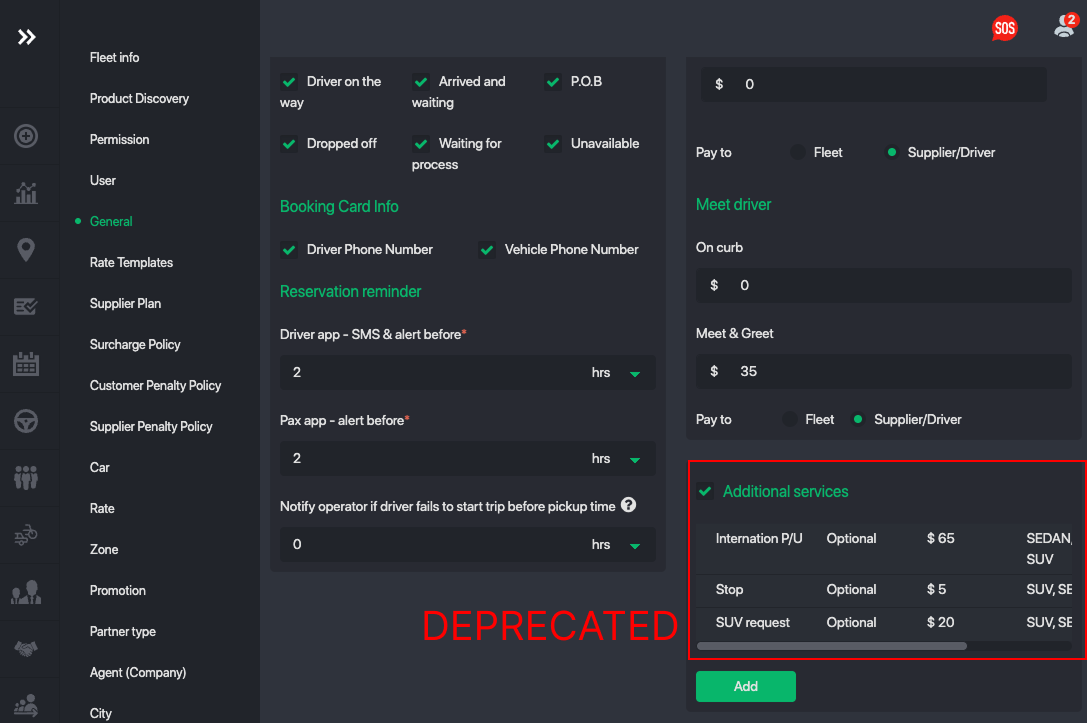
- Service Fees (by Region)
Used to define regional fees, custom charges, and revenue splits between fleets and drivers.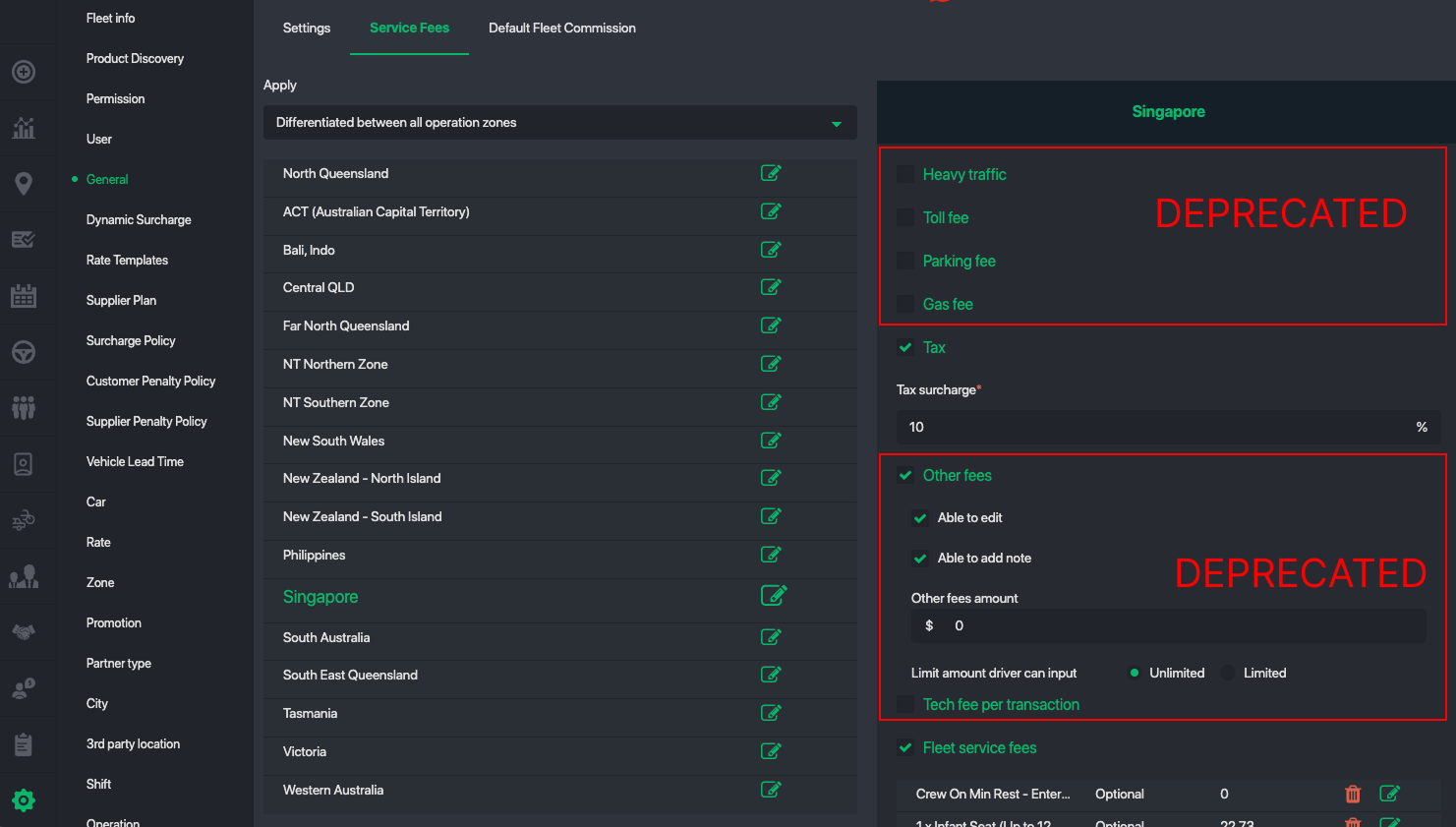
This resulted in several structural limitations:
Limited flexibility for future expansion
Fees could only be configured from a fixed, predefined list (such as Heavy Traffic, Toll Fee, Parking Fee, and similar charges).
This made it difficult to:
- Define fees for specific areas, zones, or regions
- Apply fees based on vehicle type or service type
- Charge or settle fees in different currencies
Difficult to scale at the API level
When integrating with multiple OTAs like Booking.com or HolidayTaxis, each partner uses different attributes, keys, and naming conventions for their internal add-ons.
This increased the complexity of mapping, normalization, and long-term maintenance.
No clean way to support truly custom fees
Fleets often needed to introduce one-off, operational, or situation-specific charges that did not fit naturally into the existing structure.
These constraints made it clear that a unified, attribute-driven add-on services model was required to support scale, API integrations, and future product growth.
Fees Being Migrated
The following legacy fee types are now deprecated and have been migrated into the new Add-On Services framework:
- Heavy traffic fees
- Toll fees
- Parking fees
- Fuel / gas fees
- Other miscellaneous fees
- Technical fee (per transaction)
- Fleet service fees
Why the New Framework Is Better
All additional fees — regardless of type — follow the same underlying rules.
You can access all your add-on services within Settings -> Add On Templates
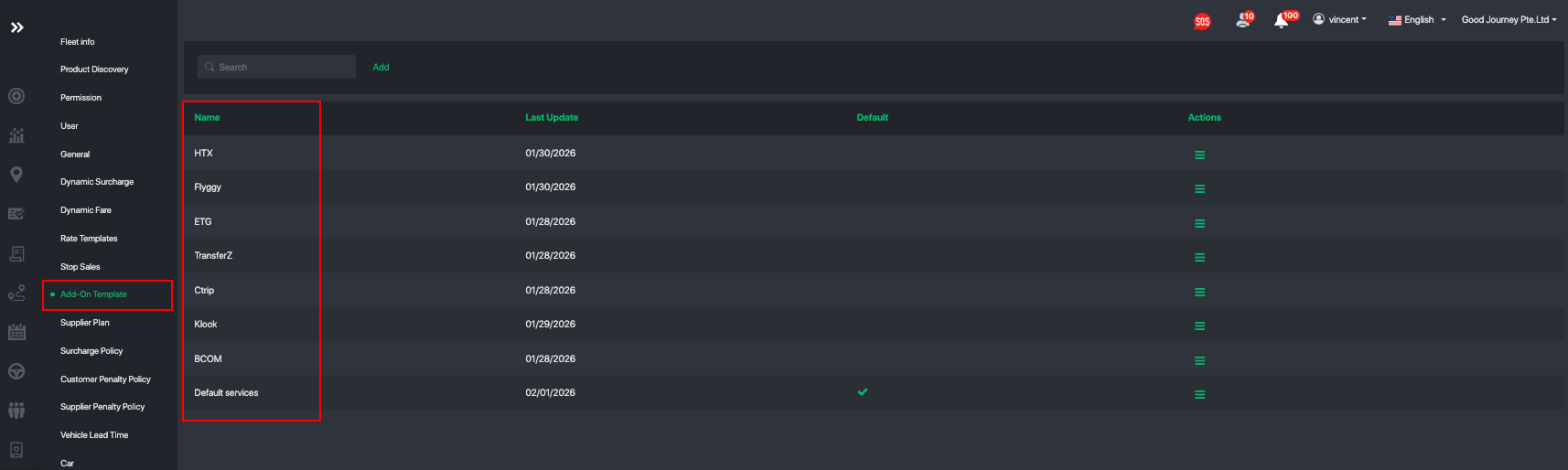
You can define many add-on templates. This will be useful if you want to sell different add-ons to different companies or corporate accounts you serve.
Within each add-on template you can define your list of add-ons:
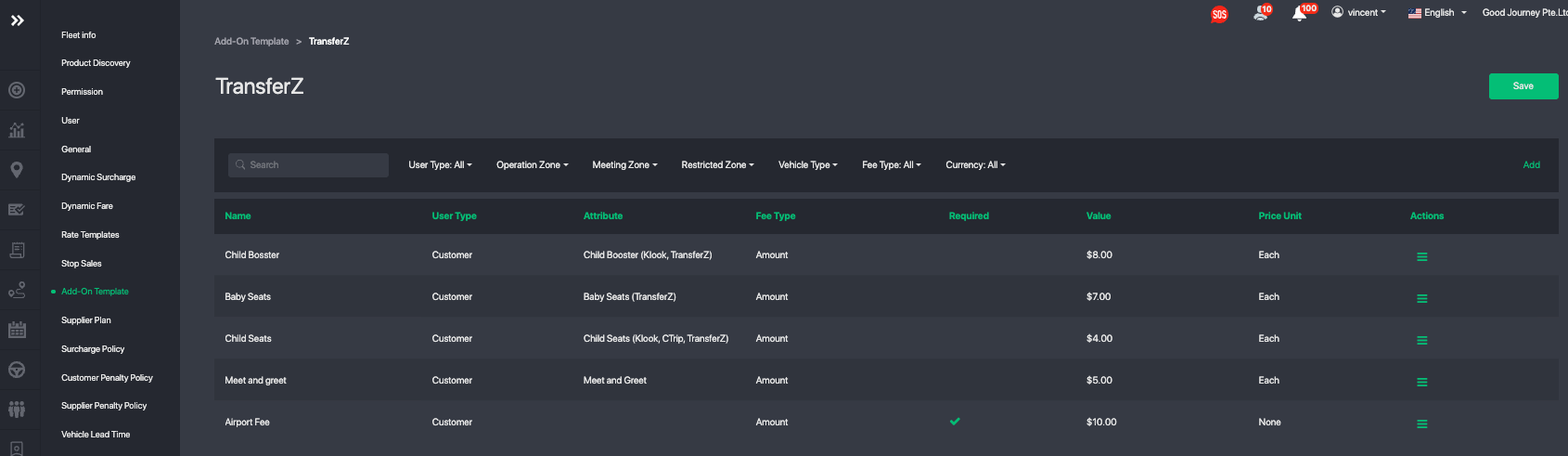
With the new Add-On Services framework, you can define:
- Who is charged (Customer or Driver)
- How the fee is calculated (fixed amount, per unit, per person, per day, etc.)
- Who receives the payout (Fleet or Driver)
- Whether the add-on is optional or required
- Whether the driver must:
- Enter the amount
- Upload a receipt
- Add notes or comments
- Attribute linking
(e.g. driver-specific, vehicle-specific, or service-specific attributes)
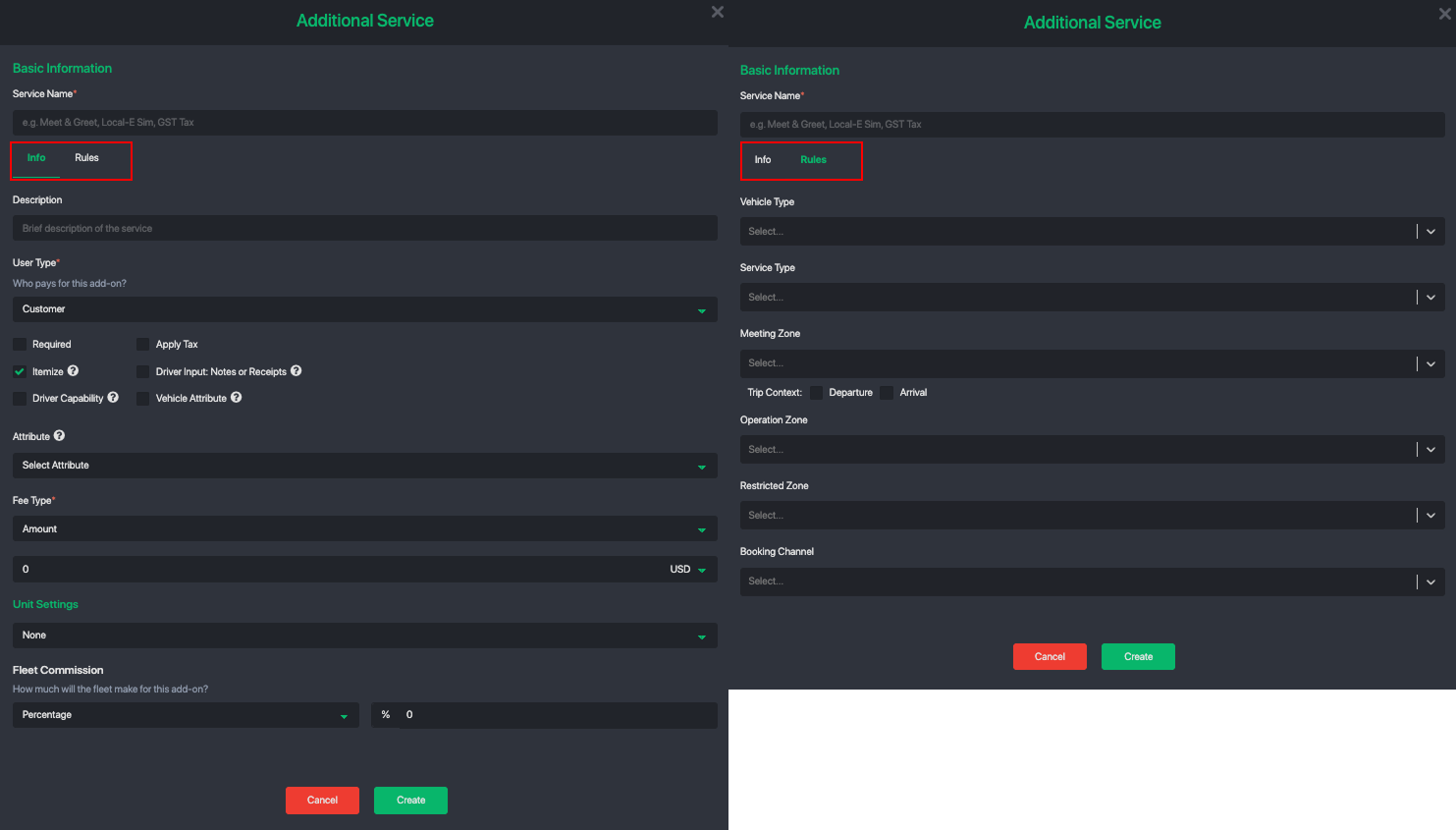
Below is an example of how to configure a single add-on:
- Info defines the add-on itself, including its name, type, pricing method, and who is charged.
- Rules control when and how the add-on is applied, such as by service type, vehicle, location, or other conditions.
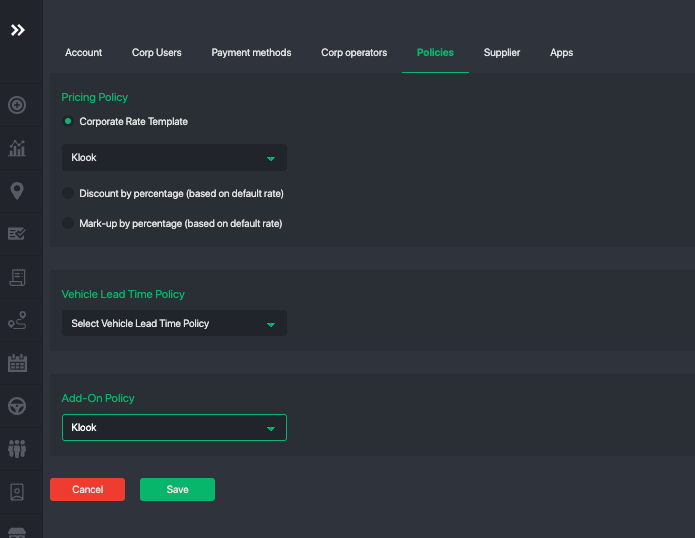
Add-On Policy for Corporate
You can also define custom add-ons you would like to sell to a specific corporate account. Just go to the corporate account's profile under Policies and select the add-on template you would like to apply.
What’s New Going Forward
With the new framework, you now have:
- One unified place to manage all add-on services
- Dynamic fields for advanced customization
- Support for multiple unit types (each time, per trip, per day, per passenger, etc.)
- A scalable foundation for future features and automation
This change makes the system more consistent, easier to manage, and ready to scale as your operation grows.
Next Steps
- Review your migrated add-on services
- Confirm pricing and rules
- Adjust optional vs required settings if needed
If you have any questions or need help reviewing your migrated services, our team is happy to assist.
Was this article helpful?
That’s Great!
Thank you for your feedback
Sorry! We couldn't be helpful
Thank you for your feedback
Feedback sent
We appreciate your effort and will try to fix the article