Vehicle Lead Time Policy
Vehicle Lead Time defines how far in advance a customer can place a booking. You can set different lead times for your public customers and assign specific lead time policies for individual & corporate accounts.
Global Setting
If no default Vehicle Lead Time Policy has been created, the system will fallback to the Global Dispatch Setting, which includes the minimum and maximum book-ahead time for all vehicles.
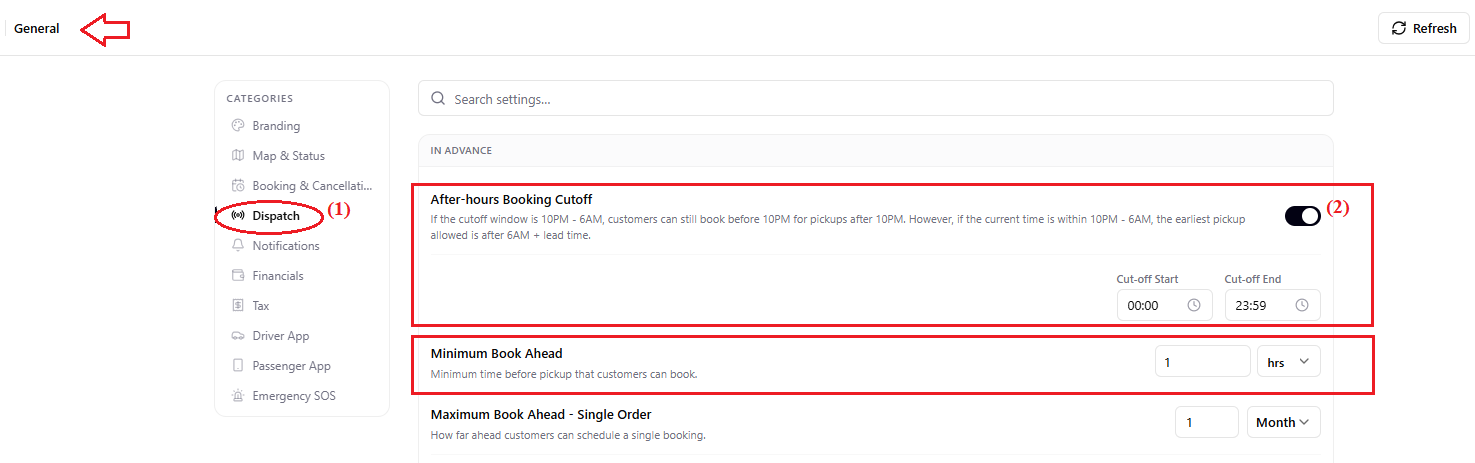
If you require more granular control (e.g., different lead times per vehicle type), you should create a Vehicle Lead Time Policy and mark it as the Default Policy.
- Navigate to Settings > Vehicle Lead Time
- Tap on Add policy to create a new vehicle lead time policy
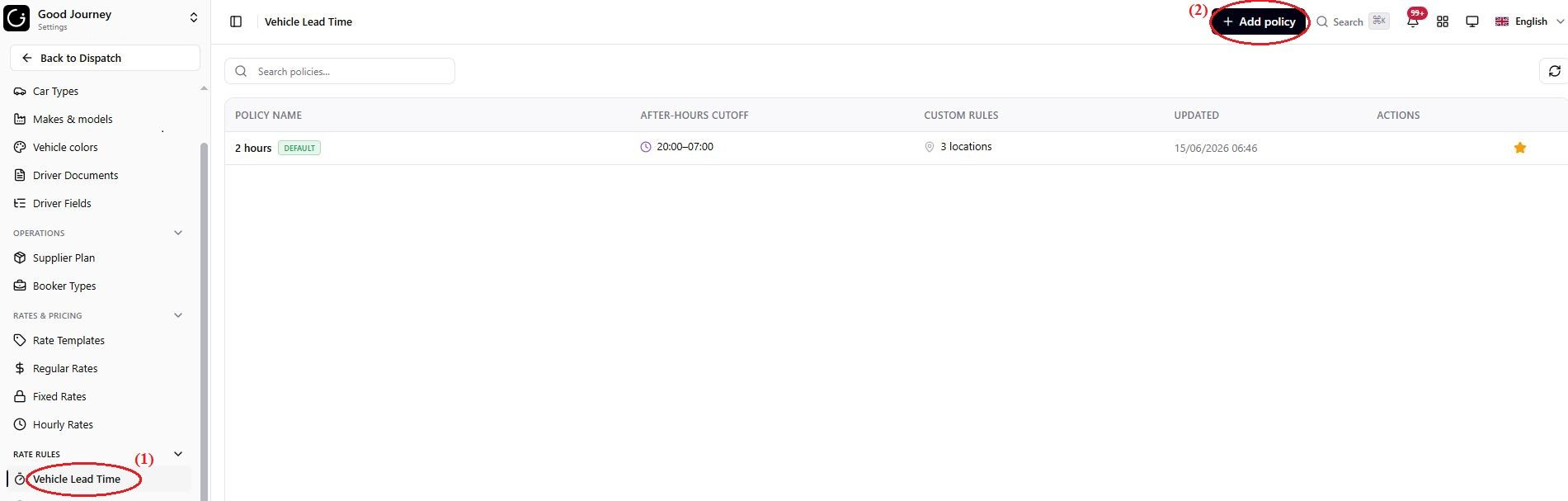
You can see as an example I can create different lead time policy for different use cases.
- Setting a vehicle lead time policy as Default means the policy applies to customers booking directly with me.
- You can also link a policy to a corporate account. This means that travelers under this corporate account will follow another lead time policy.
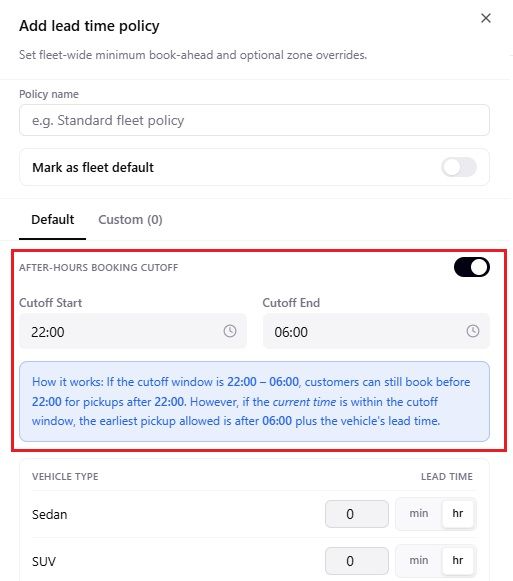
1. Cutoff Period (After-Hours Booking Restriction)
The cutoff period prevents customers from placing bookings during hours when your operations team is unavailable.
Example:
If a customer books at midnight for a 2 AM pickup, your team may be offline and unable to assign a supplier or driver in time.
How it works:
If your cutoff is 10 PM – 6 AM:
- Customers booking before 10 PM can schedule rides normally (as long as they meet the lead time).
- Customers booking between 10 PM – 6 AM can only select pickup times after 6 AM, ensuring your team has enough time to process the booking.
This ensures operational reliability and protects your workflow.
2. Vehicle Lead Time
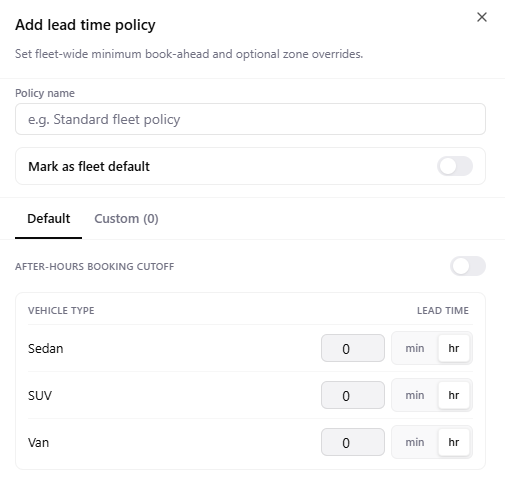
Lead time defines the minimum number of hours required before a customer can book a specific car type.
Examples:
- Sedan: 2 hours
- Business Van: 4 hours
- Luxury Class: 6 hours
3. Default Policy
Your Default Policy applies to all customers unless a custom policy is assigned.
It includes:
- After-hours booking cutoff
- Lead time for each vehicle type
4. Custom Lead Time Policies
You can create custom policies for specific OTAs, corporate accounts, or operation zones when different rules are required.
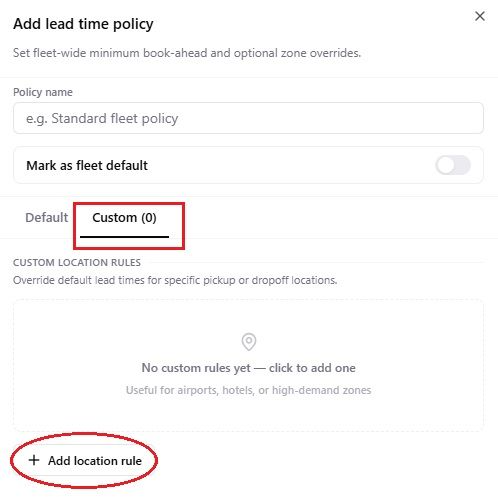
Examples:
- Different lead times for Booking.com vs TripAdvisor
- Custom policies for cities with limited or higher driver availability
- Separate policies for corporate clients requiring guaranteed service levels
These custom policies provide flexibility across various partners and regions.
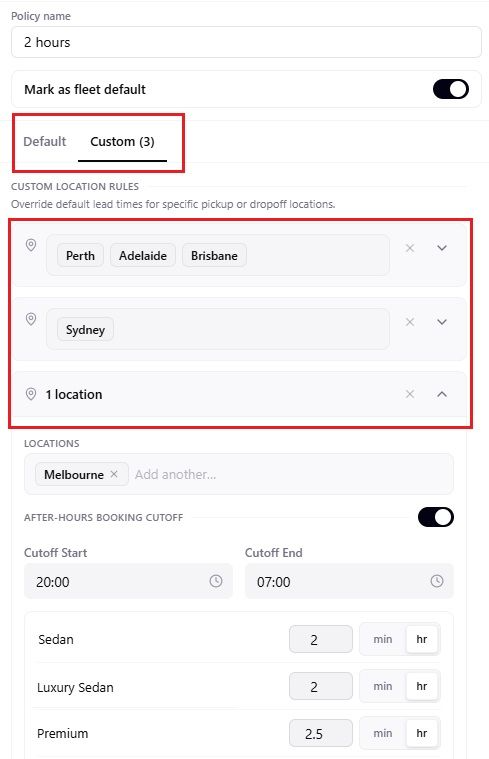
5. Linking Custom Vehicle Lead Time Policy to Corporate Account
- Go to the corporate account’s profile
- Open the Policies tab
- Find the Vehicle Lead Time Policy section
- Assign the correct custom lead time policy to that corporate accountBy setting proper lead times and cutoff periods, your system ensures customers can only book within realistic operational limits—supporting punctuality, service quality, and smooth supplier/driver allocation.
Was this article helpful?
That’s Great!
Thank you for your feedback
Sorry! We couldn't be helpful
Thank you for your feedback
Feedback sent
We appreciate your effort and will try to fix the article