Stop Sale Policy lets you block customers from booking rides during specific dates or time periods.
Use it when your company is fully booked, assigned to a large corporate event, operating with limited capacity, or closed for certain days.
Create a Stop Sale Policy
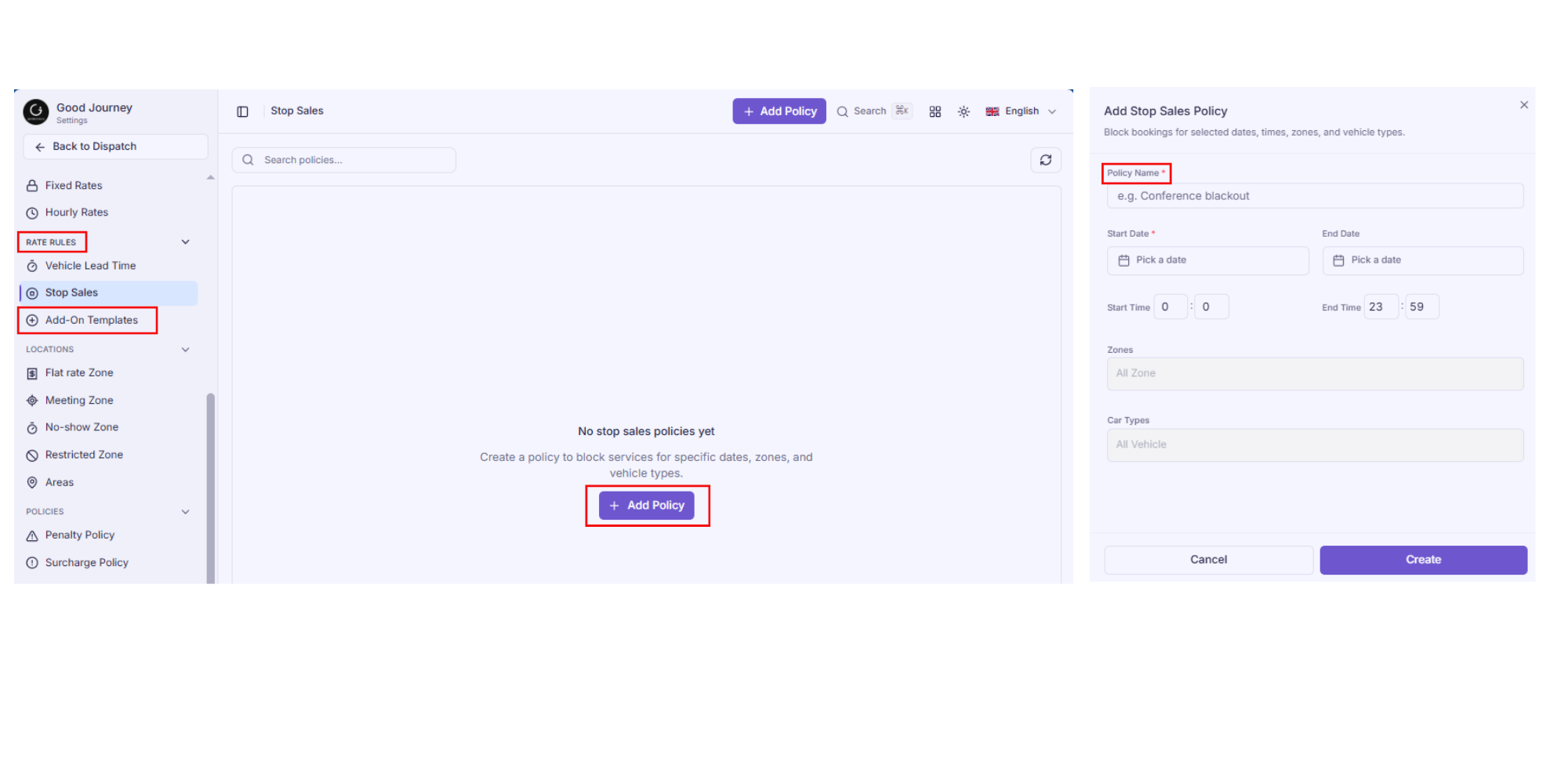
- Log in to the Good Journey Settings dashboard.
- From the left-hand menu, under Rate Rules, click Stop Sales.
- Click the + Add Policy button in the top-right corner.
- Fill in the policy details
- Click Create to finalise.
Managing Existing Policies
Policy Fields
- Policy Name: A clear, descriptive name for this policy (e.g. Conference Blackout, Public Holiday Closure)
- Start Date: The date the stop sale begins
- End Date: The date the stop sale ends. Leave blank if it's a single-day block
- Start Time: The time from which bookings are blocked (defaults to
0:00— midnight) - End Time: The time until which bookings are blocked (defaults to
23:59— end of day) - Zones: The zone(s) where bookings should be blocked. Leave as All Zone to apply across all zones
- Car Types: The vehicle type(s) to block. Leave as All Vehicle to apply across your entire fleet.
Was this article helpful?
That’s Great!
Thank you for your feedback
Sorry! We couldn't be helpful
Thank you for your feedback
Feedback sent
We appreciate your effort and will try to fix the article