The Penalty Policy module allows you to define cancellation and no-show rules for your customers, while automatically calculating driver or supplier compensation when applicable.
You can configure separate policies for:
- Reservation bookings
- On-Demand bookings
- No-Show events
When a customer cancels a booking, the system automatically determines whether a cancellation fee applies based on the configured policy.
Before You Start
Before creating a Penalty Policy:
- Decide how cancellation fees should be charged.
- Define when customers are eligible for free cancellation.
- Determine how drivers or suppliers should be compensated.
- Configure your preferred payment method for collecting penalties.
How Penalty Charges Work
The system handles penalty charges differently depending on the booking's payment method.
Online Payments
If the booking was paid online:
- The system automatically charges or captures the applicable cancellation fee using the customer's saved payment method.
Offline Payments
If the booking uses offline payment:
- The penalty is added to the customer's outstanding balance.
You can also configure:
- Outstanding balance warnings.
- Booking restrictions when a customer's outstanding balance exceeds a specified limit.
Create a Penalty Policy
Navigate to Settings → Penalty Policy
Click Add Policy.
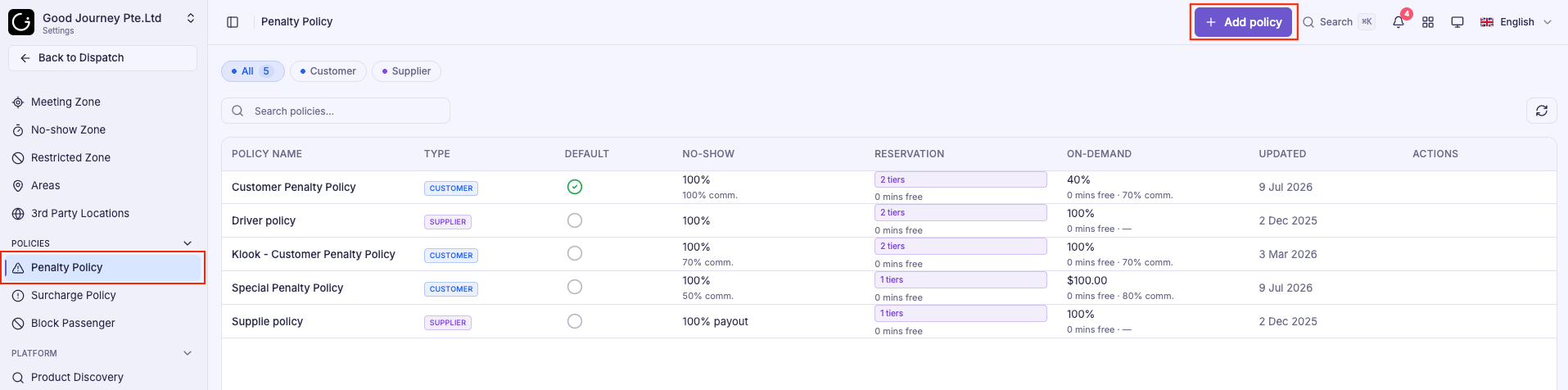
Step 1: Enter Policy Information
Provide:
- Policy Name
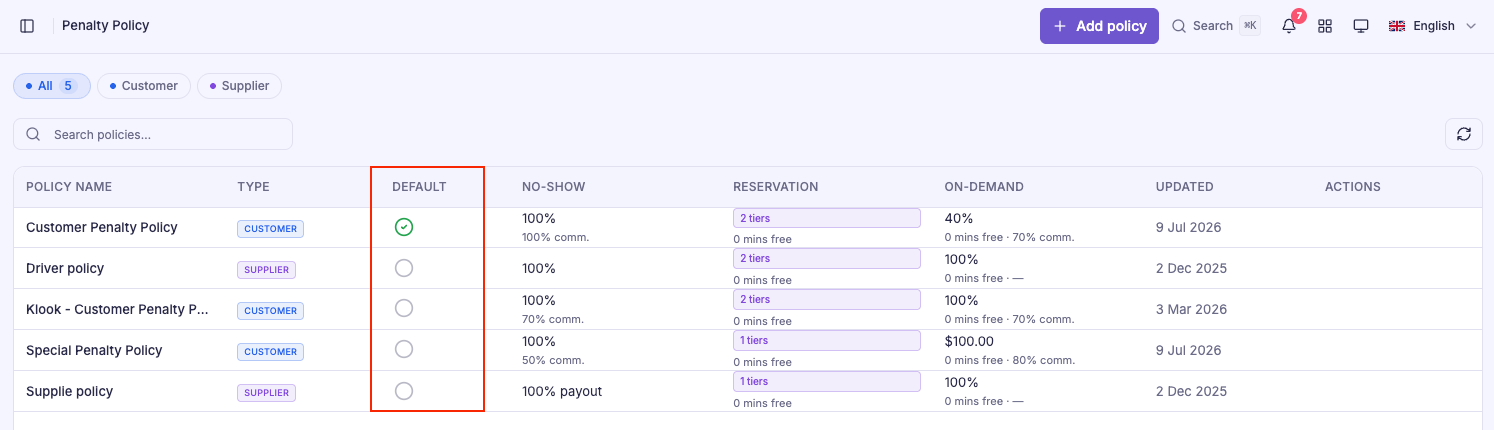
- Set as Default Policy (optional)
The Default Policy is automatically applied unless a rate-specific policy is assigned.
Step 2: Configure Reservation Rules
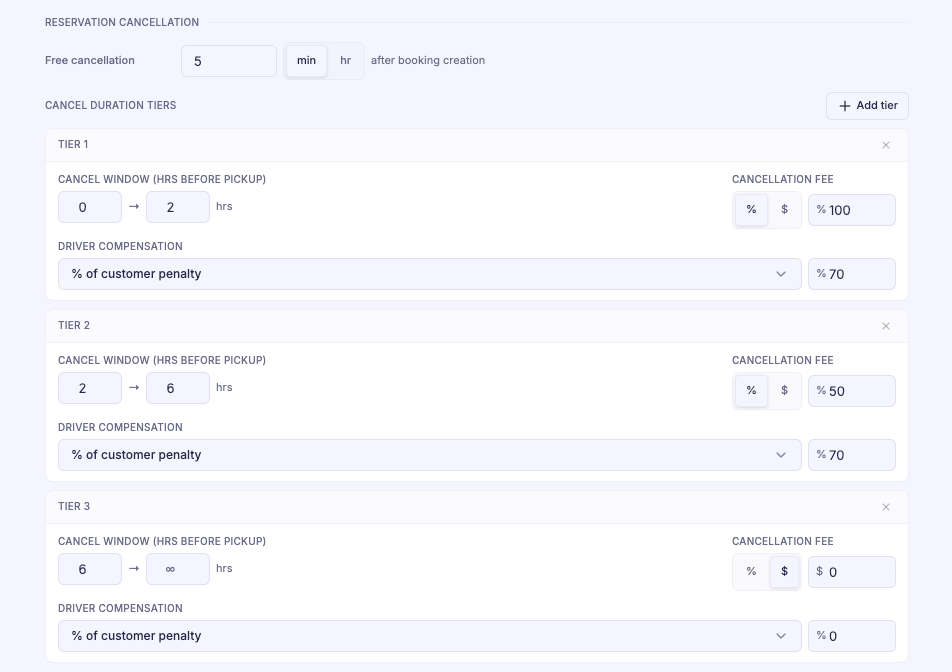
Scroll to Reservation Cancellation section.
Free Cancellation
Specify how long customers may cancel a reservation without incurring a penalty.
Cancellation Tiers
Create one or more time-based tiers according to how far in advance the booking is cancelled.
For each tier, configure:
- Time before pickup
- Charge Type
- Fixed Amount
- Percentage of Fare
- Penalty Amount
Driver Compensation
For each cancellation tier, choose how compensation is calculated.
Available options include:
- Percentage of customer penalty
- Percentage of supplier payout
- Fixed amount
Example:
| Cancellation Time | Penalty |
|---|---|
| More than 6 hours | No penalty |
| 2–6 hours | 50% of fare |
| Less than 2 hours | 100% of fare |
Step 3: Configure On-Demand Rules
Scroll to On-Demand Cancellation section.
Configure:
- Free cancellation period.
- Customer cancellation fee.
- Driver compensation.
Compensation can be calculated using:
- Percentage of customer penalty.
- Percentage of driver payout.
- Fixed amount.

Step 4: Configure No-Show Rules
Scroll to No-Show Penalty section.
Configure:
- Customer no-show penalty.
- Charge type (Fixed Amount or Percentage).
- Driver compensation.
Example:
- Customer charged 100% of the fare.
- Driver receives 70% of the collected penalty.

Configure No-Show Waiting Time
The No-Show penalty works together with the driver's waiting time settings.
Navigate to Settings → General → Booking & Cancellation
Configure:
- Free waiting time before a driver may mark a booking as No-Show.
- Driver location radius required before the No-Show action becomes available.
- Area-specific waiting times (optional).
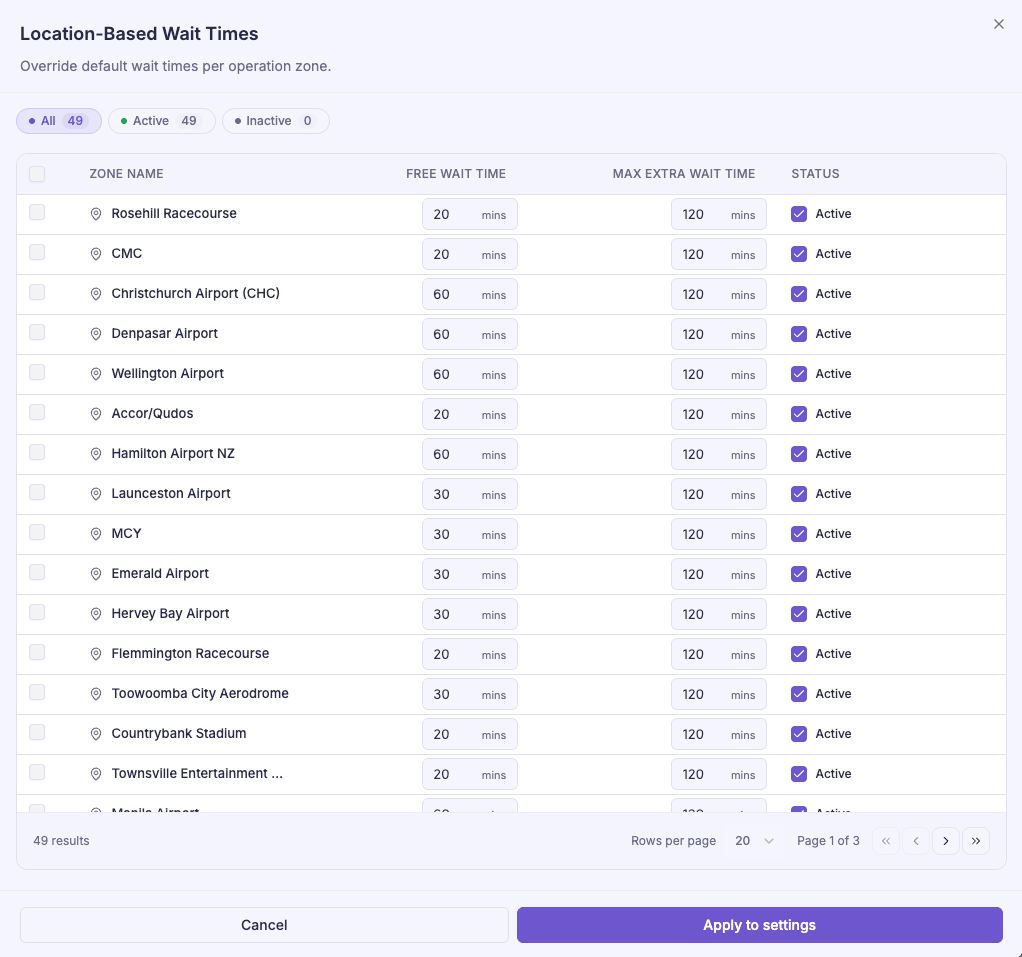
These settings help ensure that No-Show penalties are applied fairly to both customers and drivers.
Link a Penalty Policy to a Rate
Penalty Policies can be applied at two levels.
Default Policy
A Default Policy applies automatically across your system.
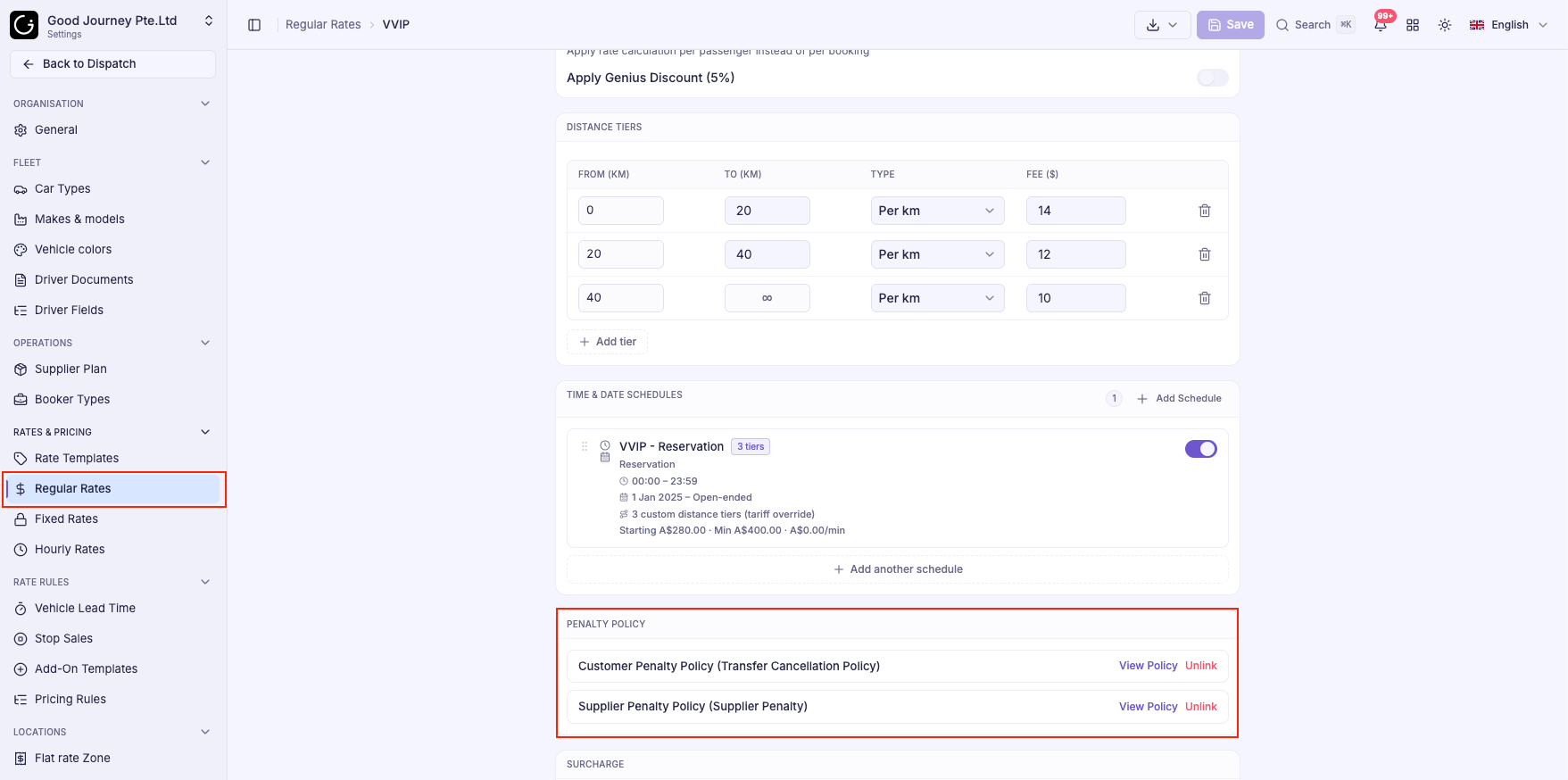
Rate-Specific Policy
If different services require different cancellation rules:
- Open the desired Rate.
- Navigate to the Penalty Policy section.
- Select the appropriate Penalty Policy.
This allows you to use different cancellation policies for:
- Corporate customers
- VIP services
- Special contracts
- Premium pricing
Best Practices
To create fair and effective cancellation policies:
- Offer a reasonable free cancellation period.
- Use time-based cancellation tiers for Reservation bookings.
- Provide fair compensation for drivers during late cancellations and No-Shows.
- Warn customers about outstanding balances before restricting future bookings.
- Display cancellation rules clearly during the booking process to reduce disputes.
- Use Rate-Specific Policies only when different customer groups require different cancellation terms.
Tip: Keep a single Default Policy for most bookings, and create additional policies only when special customer contracts or premium services require different cancellation rules.
Was this article helpful?
That’s Great!
Thank you for your feedback
Sorry! We couldn't be helpful
Thank you for your feedback
Feedback sent
We appreciate your effort and will try to fix the article