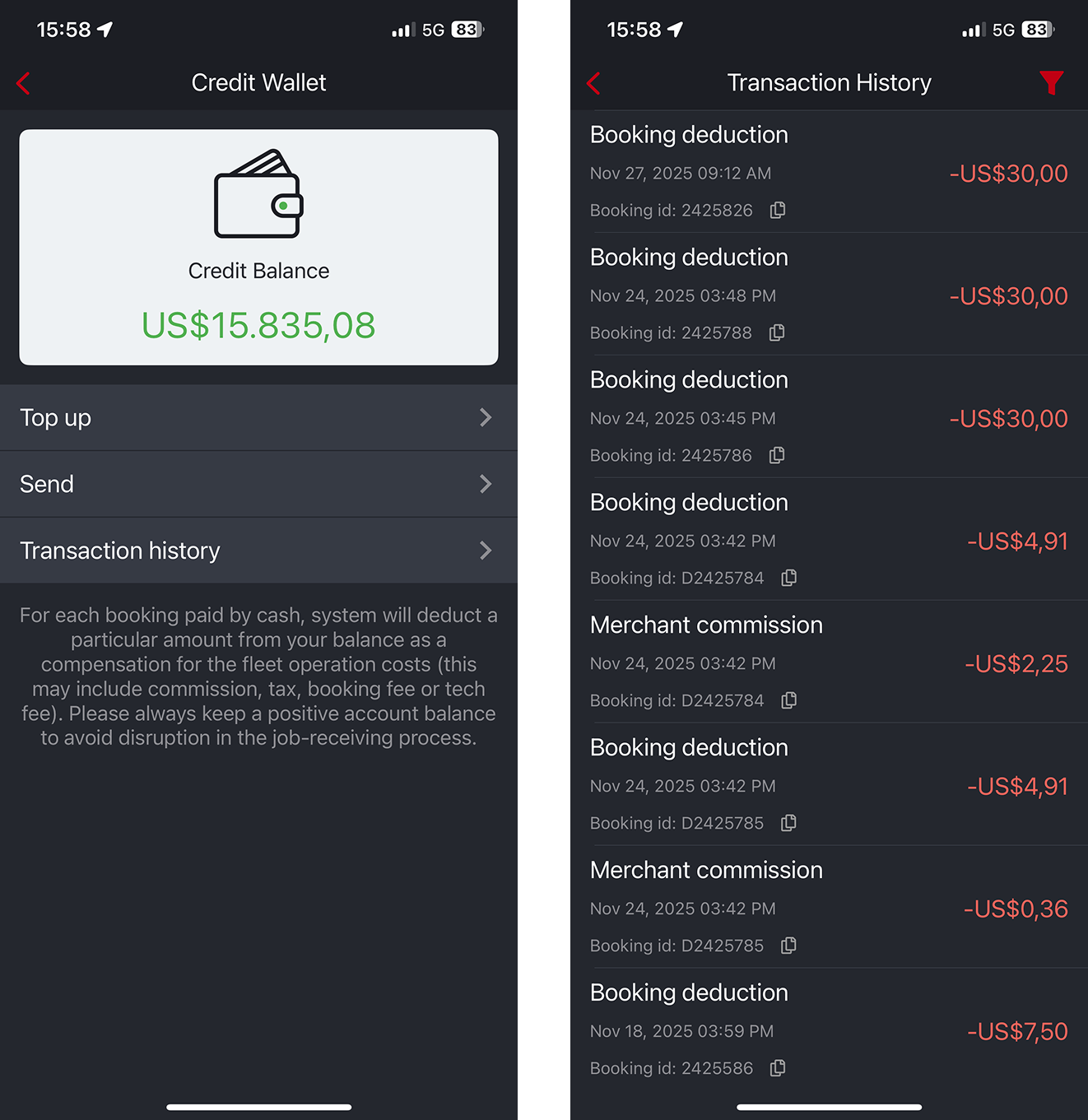
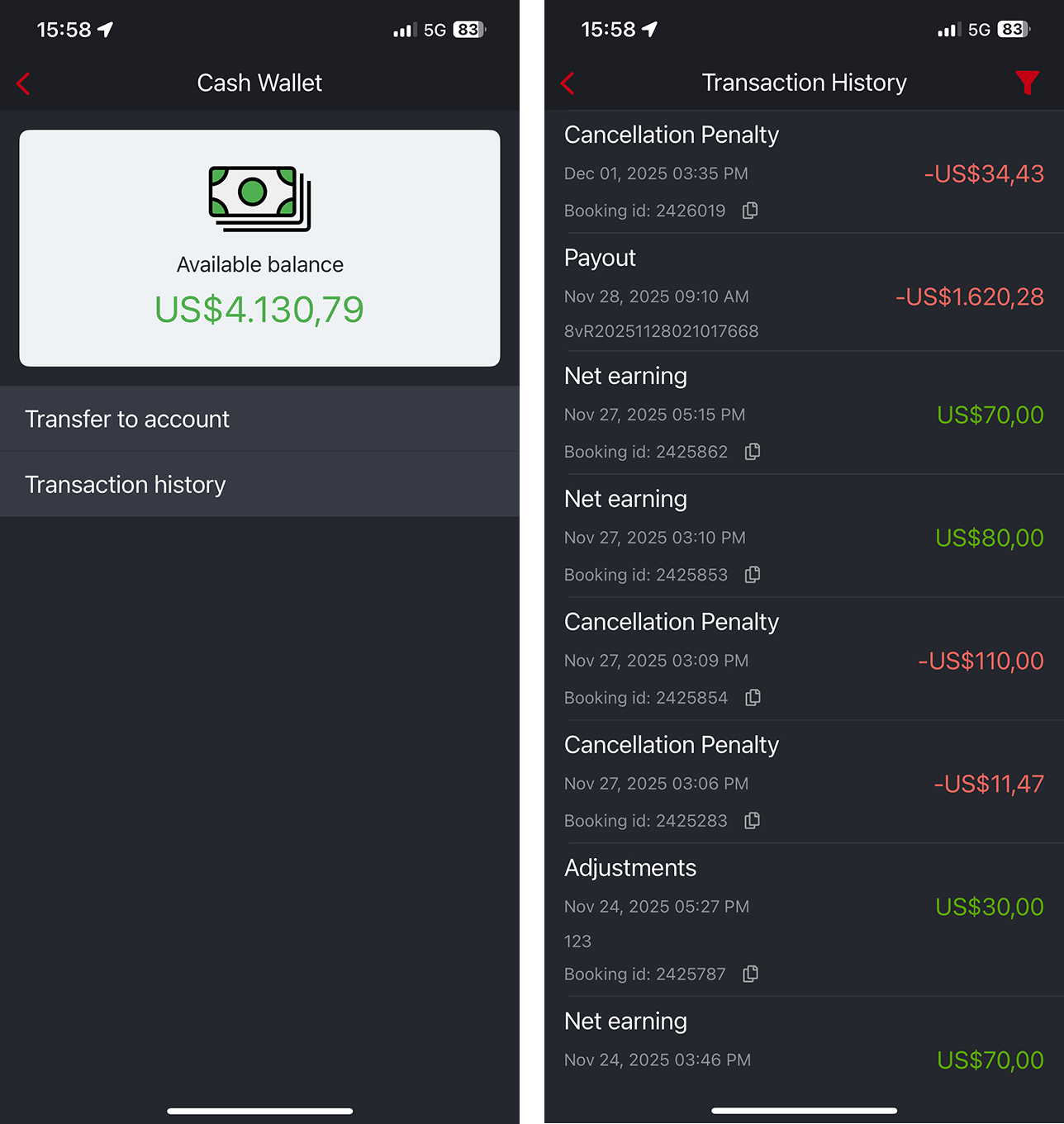
Within the driver app, drivers can view two balances: Credit Wallet and Cash Wallet.
- Credit Wallet is used for offline (cash) bookings. Drivers collect cash for the fleet, and fleets may require top-ups to keep the balance positive. Fleet commissions are automatically deducted here to simplify collection.
- Cash Wallet tracks the driver’s earnings. After each payout, the Cash Wallet balance is updated and deducted.
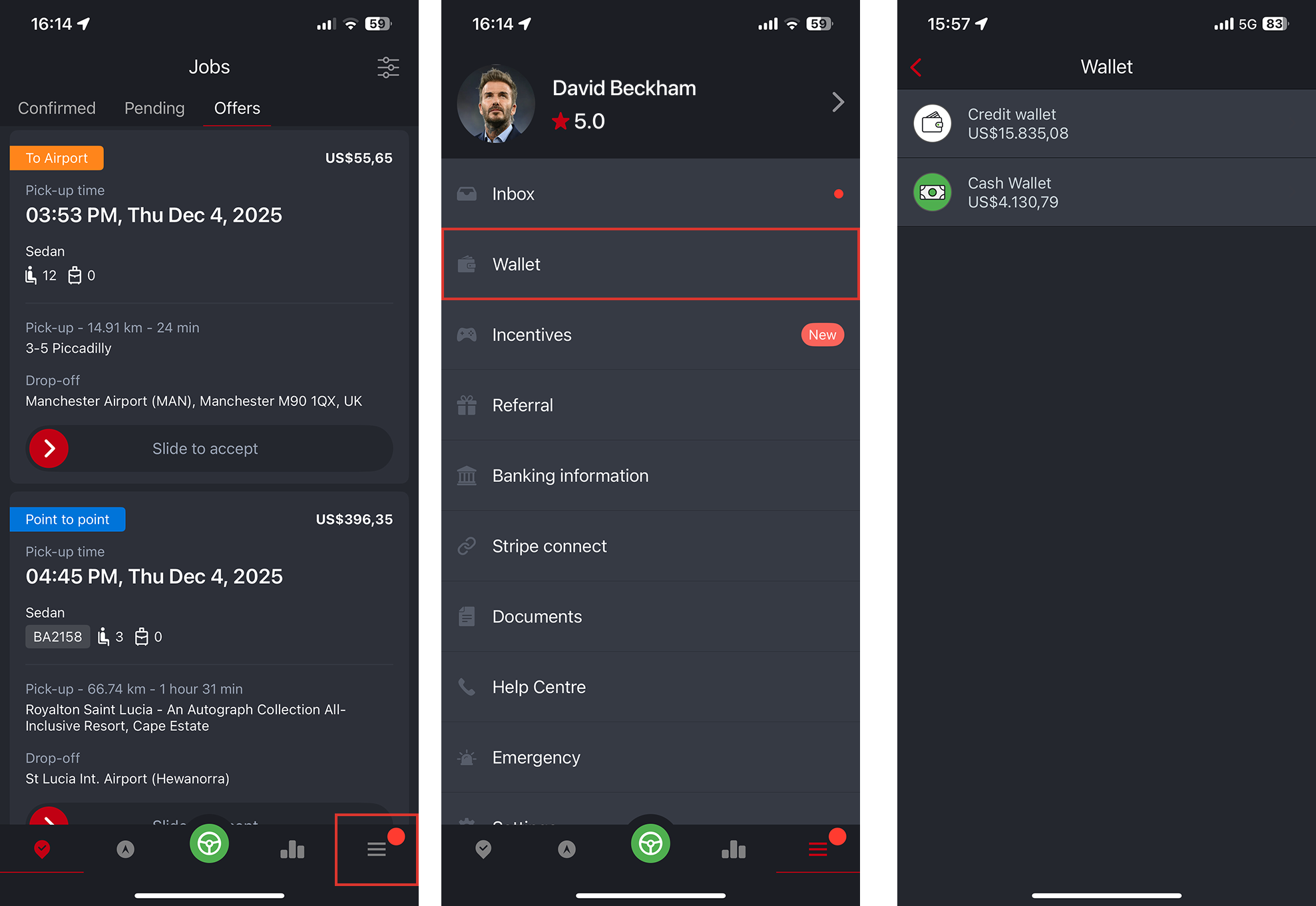
How Drivers Access Wallet
- Within the driver app navigate to menu
- Tap on Wallet menu
- You will see either the Credit Wallet or Cash Wallet. These can be enabled or disabled by Good Journey. If your fleet does not accept cash bookings, the Credit Wallet can be turned off so drivers will only see a single wallet.
Driver Credit Wallet
Within the Credit Wallet, drivers can:
- Top up their balance at any time to maintain sufficient credit for cash bookings.
- Send wallet funds to another driver — a feature commonly used by driver leaders who collect top-ups on behalf of drivers in their area (operating like a mini ATM).
- View all booking-related deductions for cash jobs, with a full transaction history for transparency.
Driver Cash Wallet
With the Driver Cash Wallet, drivers can:
- Transfer their earnings to the Credit Wallet to maintain a sufficient balance for receiving cash bookings.
- View a complete transaction history, including cancellations, payouts, earnings, and any adjustments applied to their account.
How to adjust driver wallets manually?
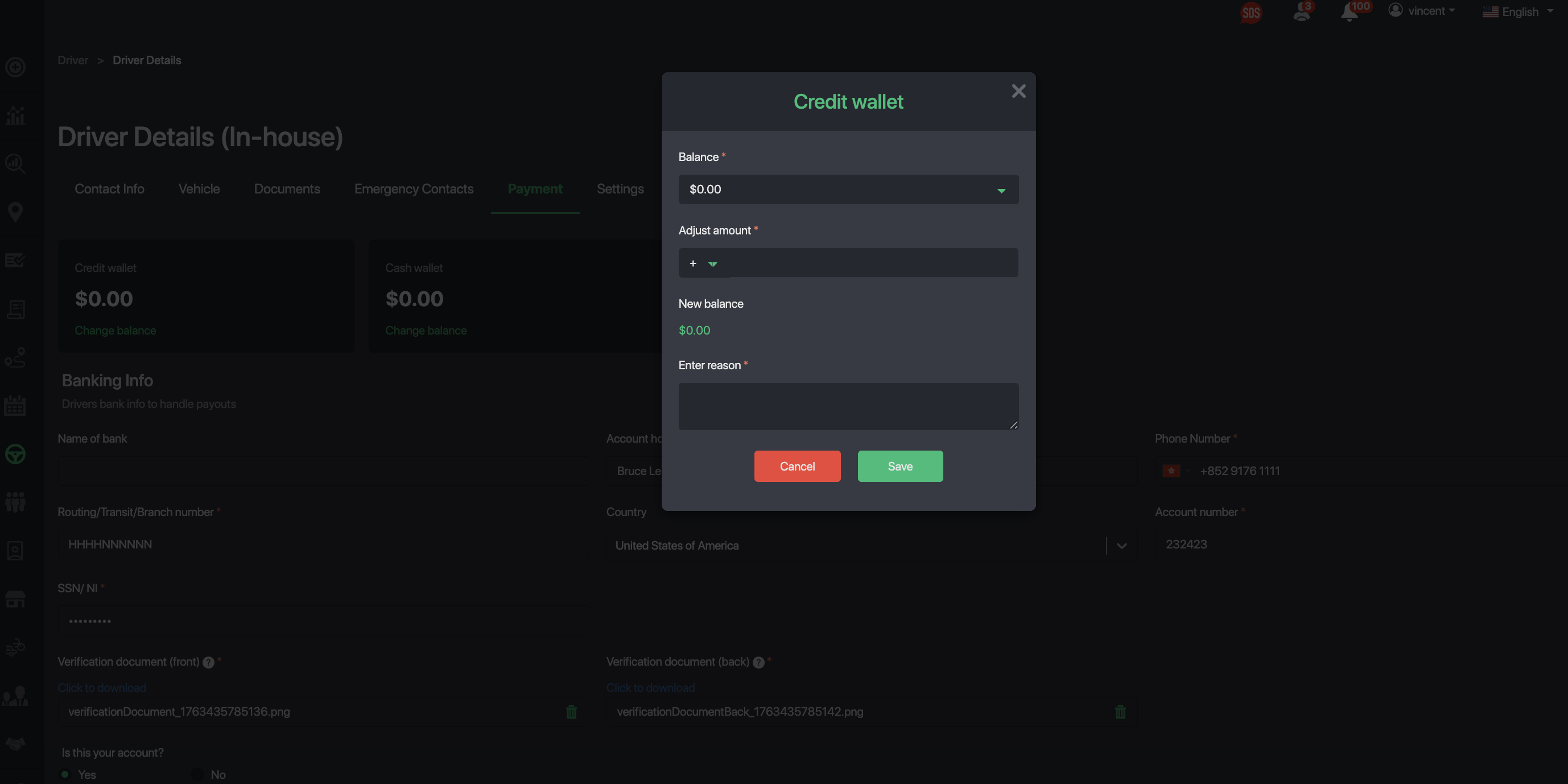
Go to their profile and open the Payment tab to view their Credit and Cash Wallets.
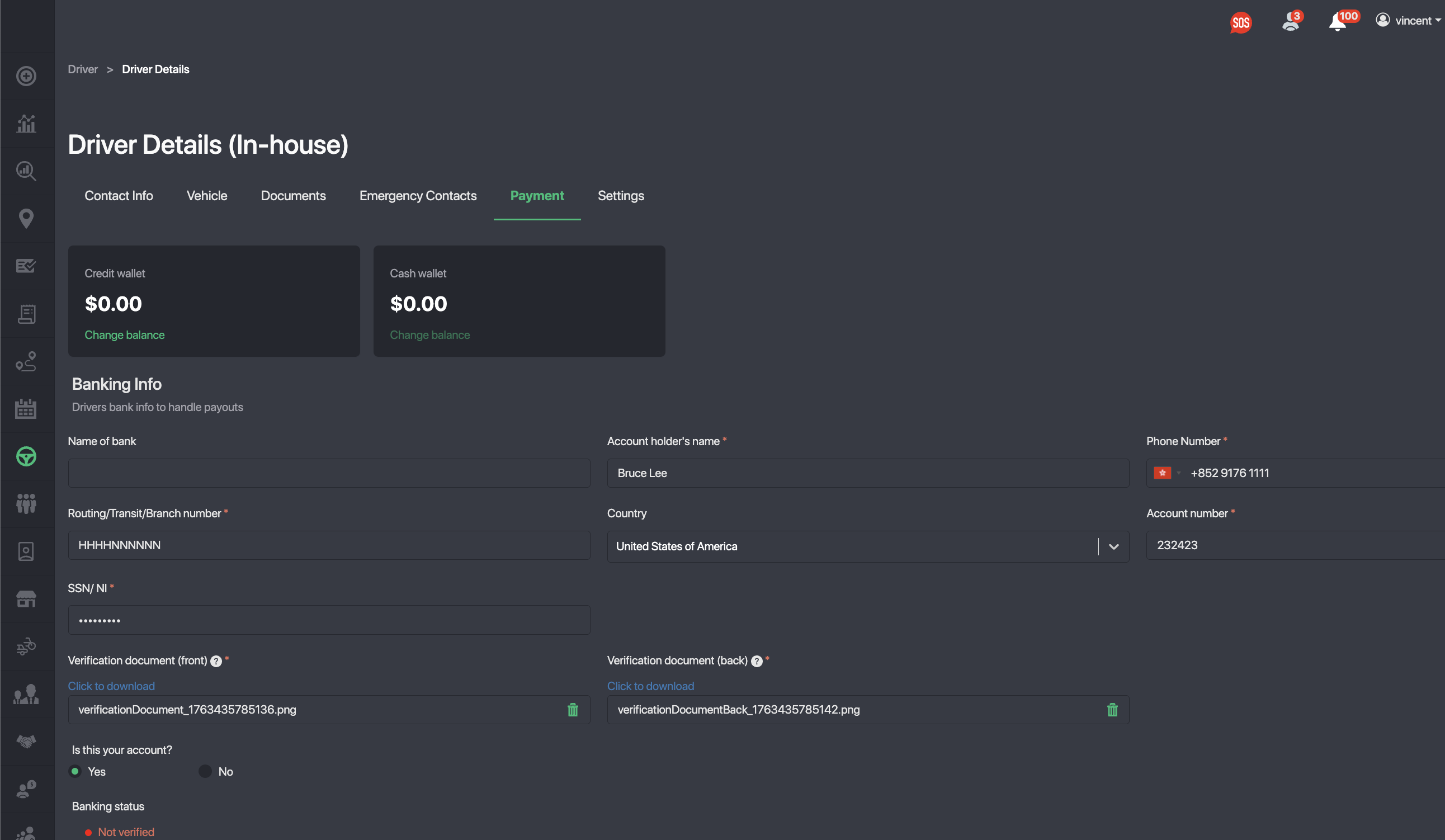
Tap Change Balance to top up or deduct funds, and include a note explaining the adjustment.
Adjust payout for a Specific Booking
- Open a completed booking.
- Tap the Edit Fare icon.
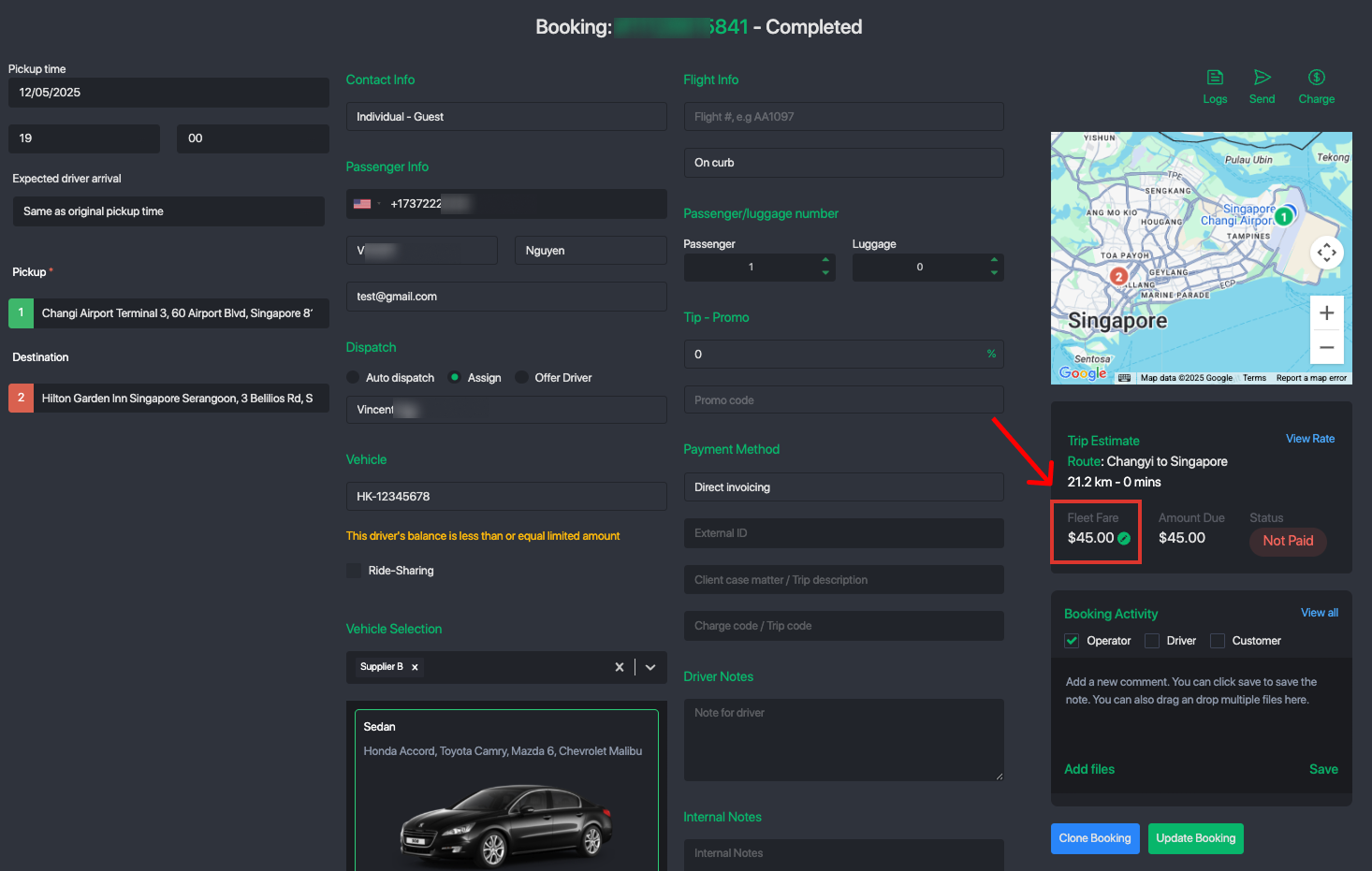
- Add an adjustment for the supplier or driver — enter a positive value to compensate, or a negative value to apply a deduction or penalty.
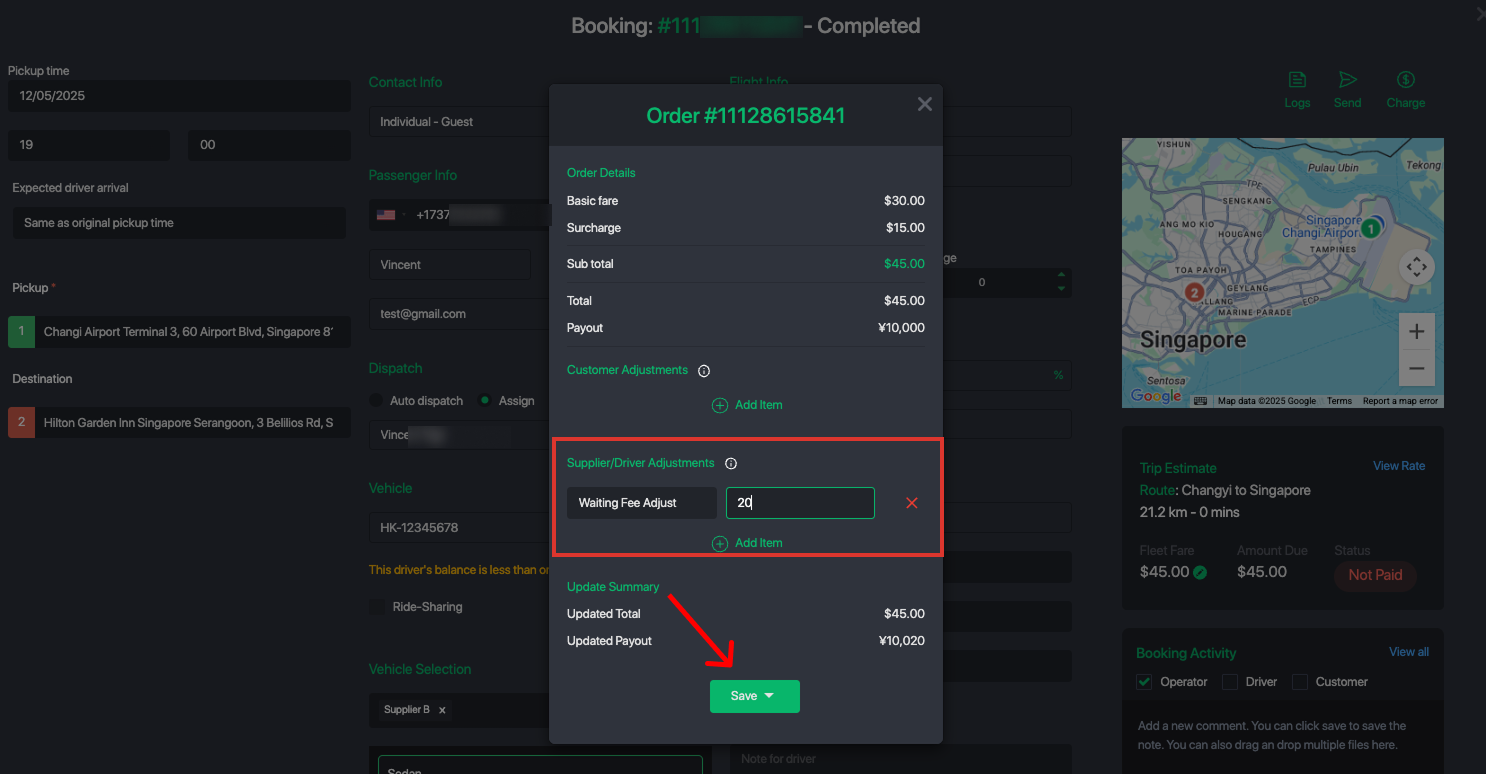
- Save the changes. The system will automatically update the supplier/driver wallet balance and record the transaction.
Was this article helpful?
That’s Great!
Thank you for your feedback
Sorry! We couldn't be helpful
Thank you for your feedback
Feedback sent
We appreciate your effort and will try to fix the article