Sometimes, you may need to adjust a driver or supplier’s earnings after a trip is completed — for example, to apply a late penalty, correct an incorrect payout, or add a cleaning fee when necessary.
Adjust payout from a Specific Booking
- Open a completed booking.
- Tap the Edit Fare button.
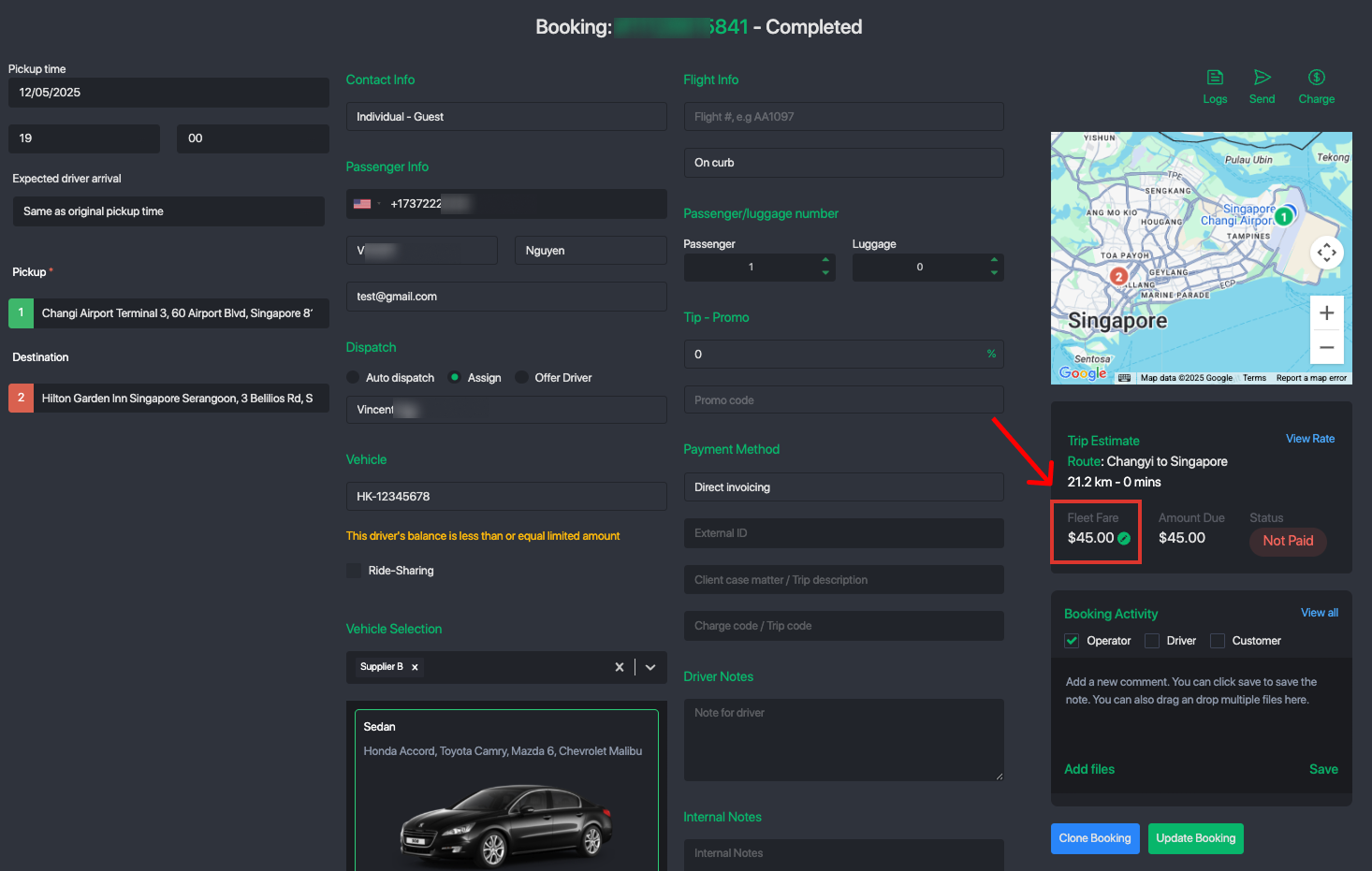
- Add an adjustment for the supplier or driver — enter a positive value to compensate, or a negative value to apply a deduction or penalty.
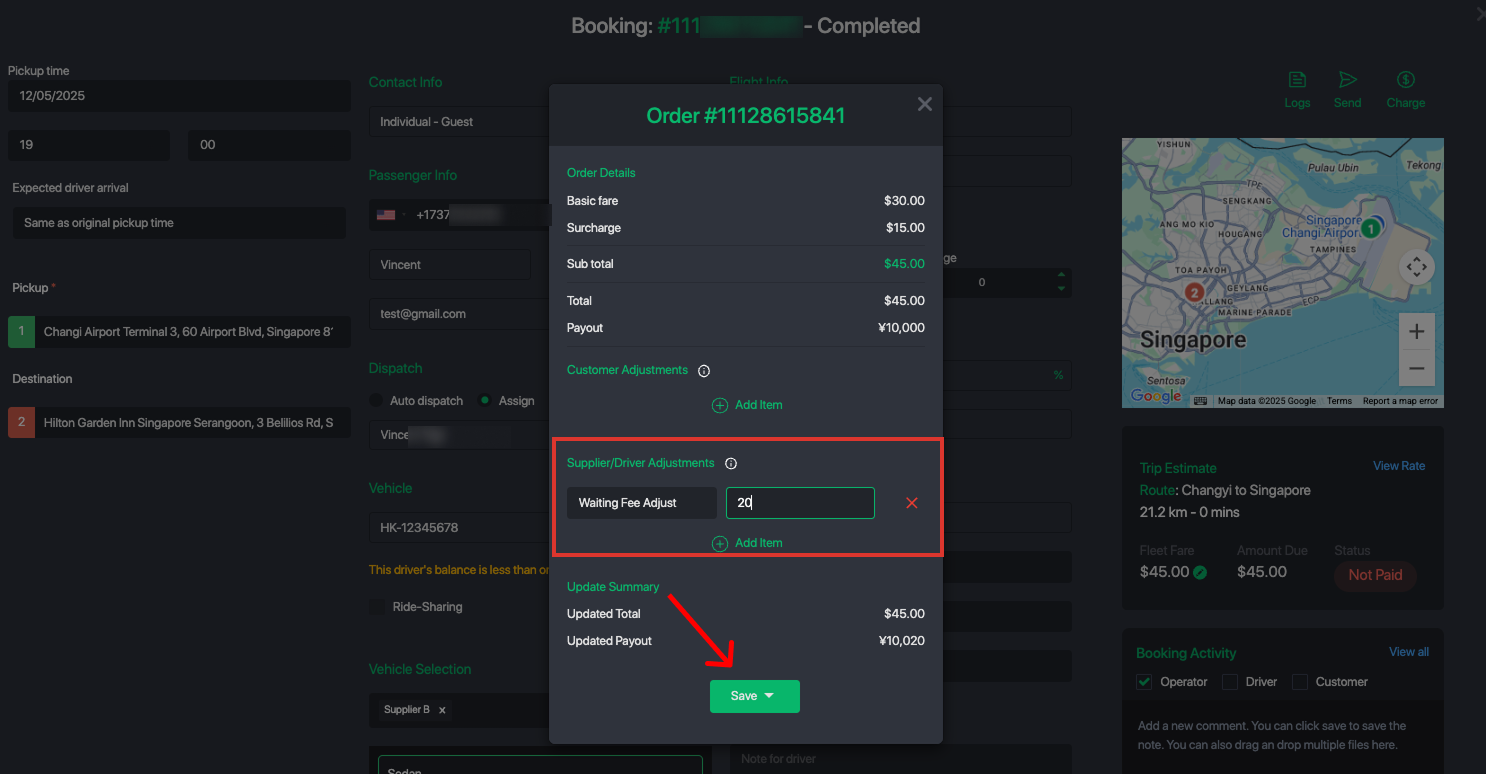
- Save the changes. The system will automatically update the supplier/driver wallet balance and record the transaction.
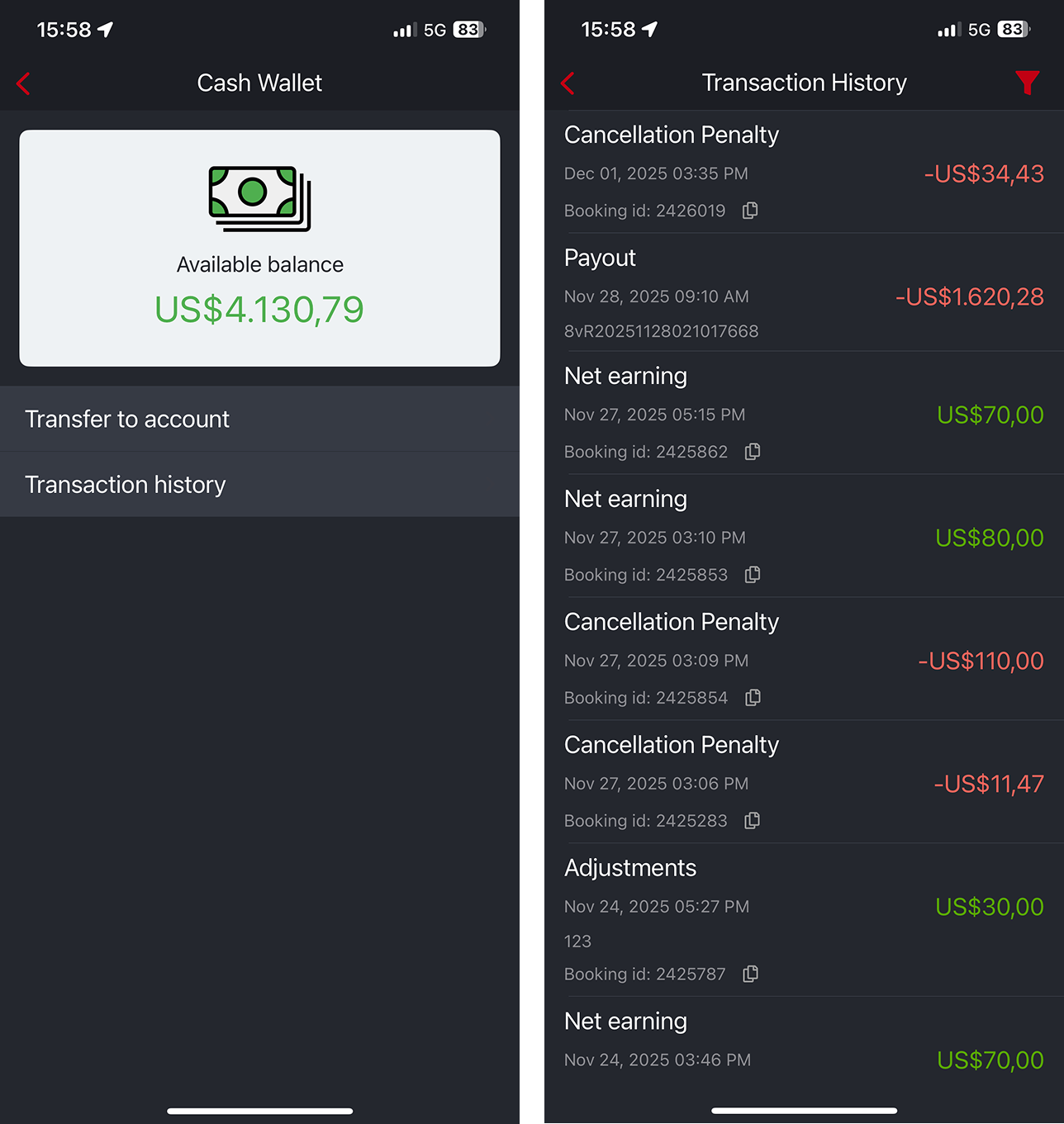
Once you save this should reflect in the driver or supplier's wallet history as shown below:
Was this article helpful?
That’s Great!
Thank you for your feedback
Sorry! We couldn't be helpful
Thank you for your feedback
Feedback sent
We appreciate your effort and will try to fix the article