Dispatch Log
Tracks every event related to a booking, from creation through completion.
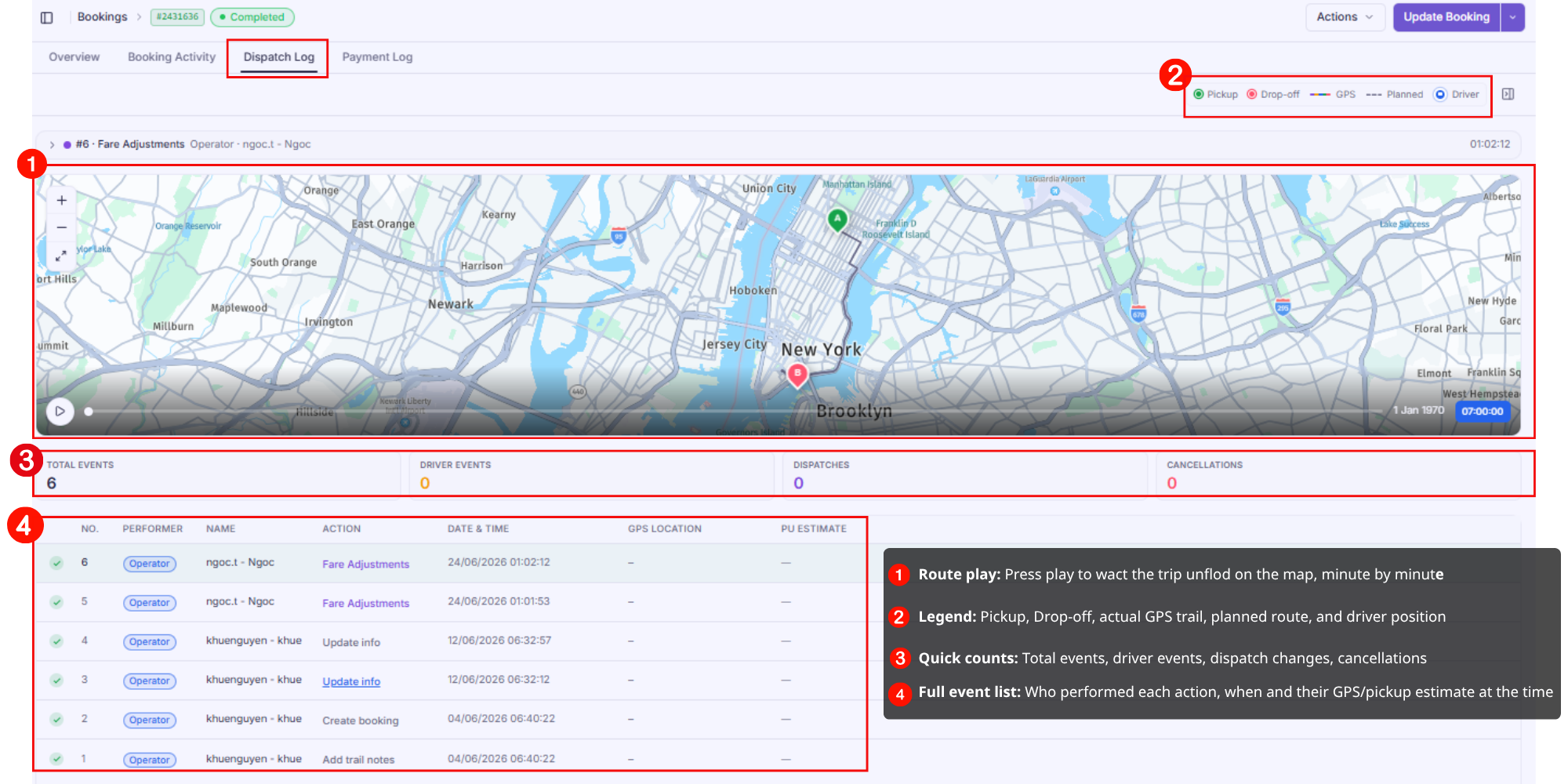
Show Image
- Route replay — press play to watch the trip unfold on the map, minute by minute, with pickup/drop-off pins, the planned route, and the driver's actual GPS trail
- Summary counts — total events, driver events, dispatch changes, and cancellations at a glance
- Event table — every action logged with performer, timestamp, GPS location, and pickup-time estimate at that moment
Fare adjustments made in the Payment Log show up here too, so you always have one place to see who changed what and when. This is what you'll use to investigate incidents, verify service quality, and resolve disputes — e.g. confirming whether a driver action happened inside or outside the instructed pickup/drop-off area.
Payment Log
Record of all payment transactions for the booking.
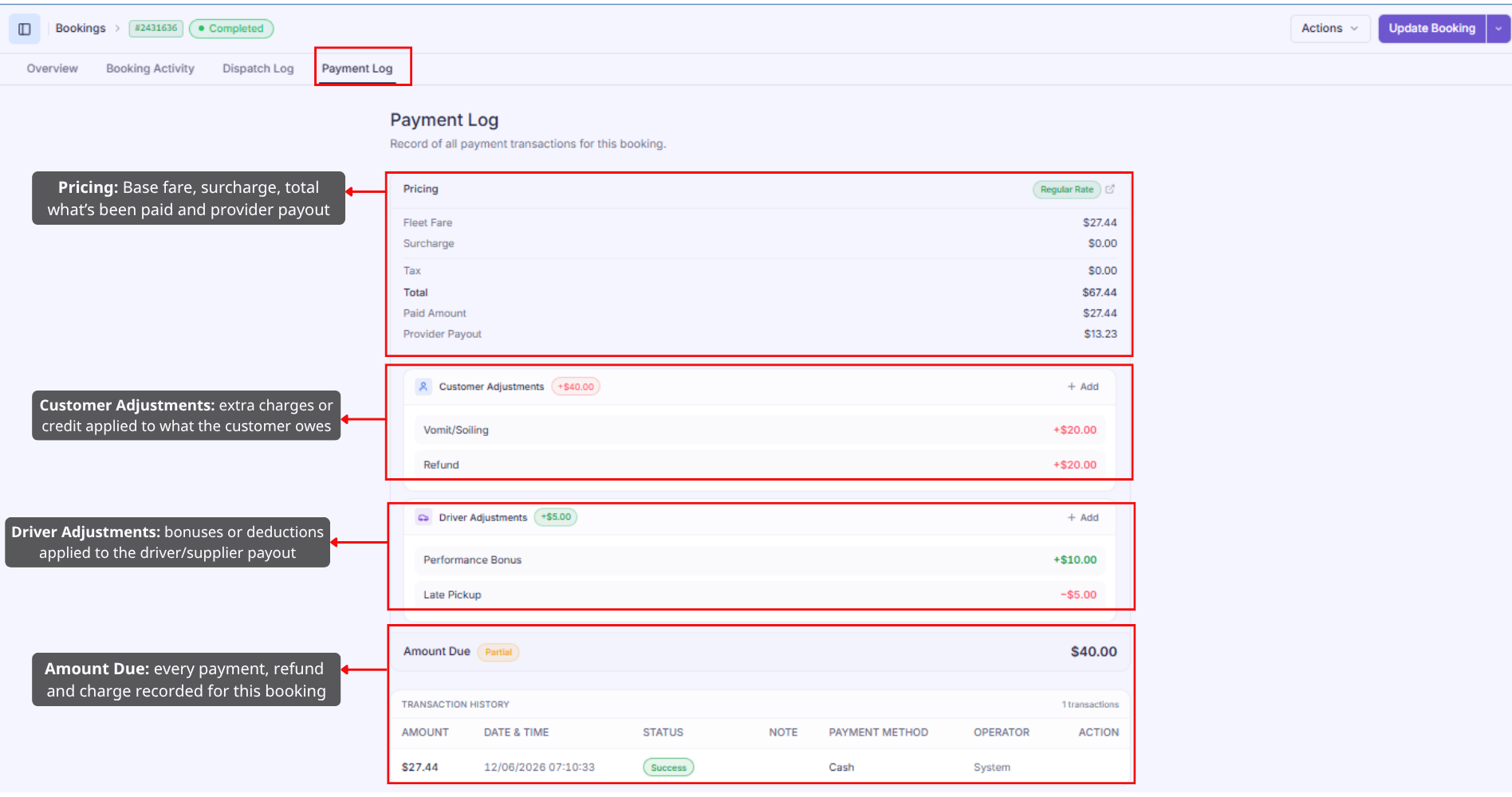
- Pricing — base fare, surcharge, tax, total, what's been paid, and provider payout
- Customer Adjustments — extra charges or credits applied to what the customer owes
- Driver Adjustments — bonuses or deductions applied to the driver/supplier payout
- Amount Due — updates live as adjustments are added, with a status (e.g. Partial, Paid)
- Transaction History — every payment recorded for this booking
Adjustments and refunds are handled directly on this page — there's no separate modal or dialog to open.
Adding a Customer Adjustment (including refunds)
Click + Add next to Customer Adjustments to open the form:
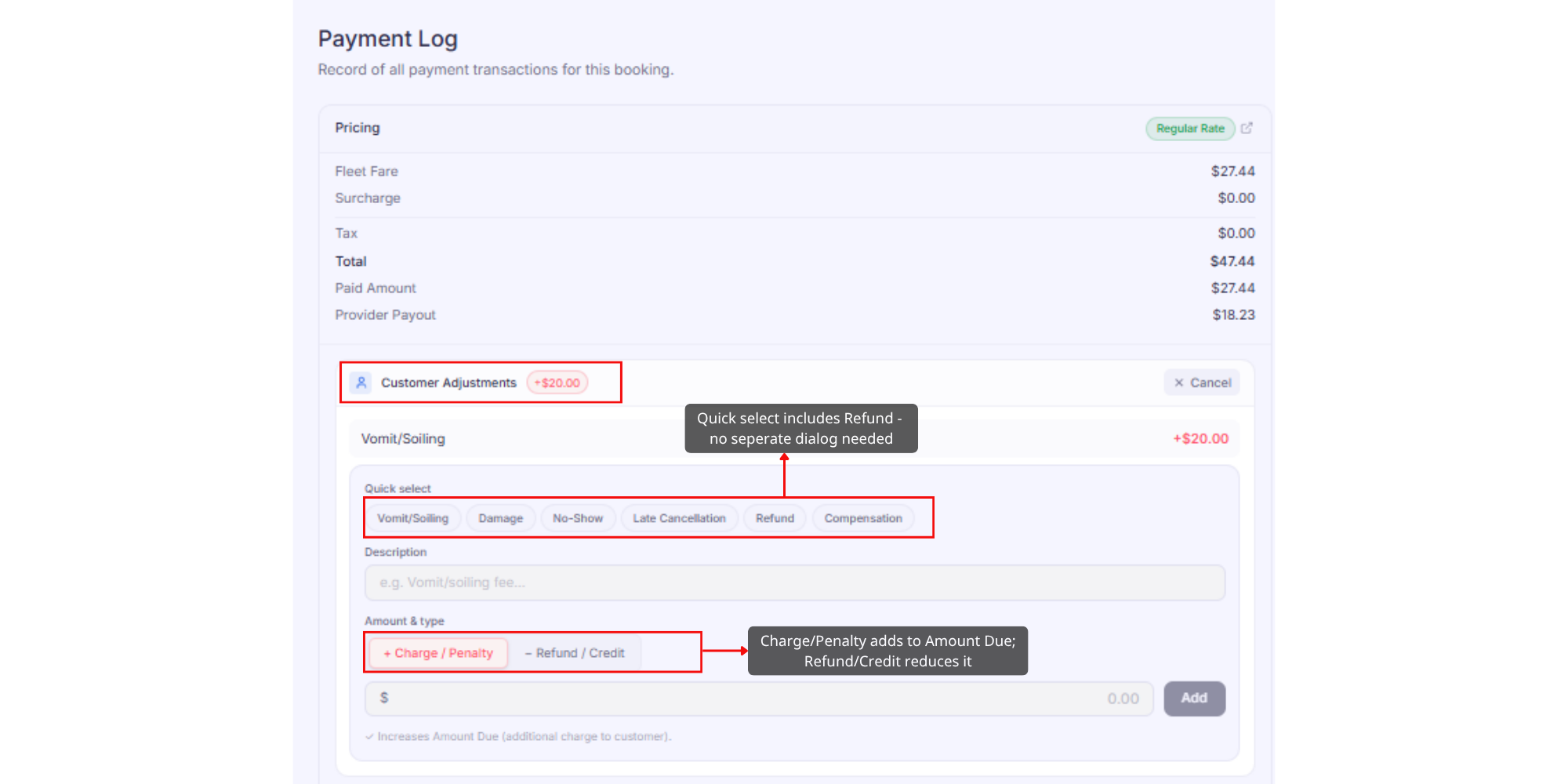
- Quick select gives you common reasons (Vomit/Soiling, Damage, No-Show, Late Cancellation, Refund, Compensation) that pre-fill the description
- Amount & type controls the direction: + Charge/Penalty adds to Amount Due, − Refund/Credit reduces it
- Enter the amount and click Add to create the line item
Since a refund is just a Customer Adjustment set to − Refund/Credit, there's no separate "Refund Customer" dialog — you apply it the same way as any other adjustment.
Adding a Driver Adjustment
Click + Add next to Driver Adjustments to open a matching form:
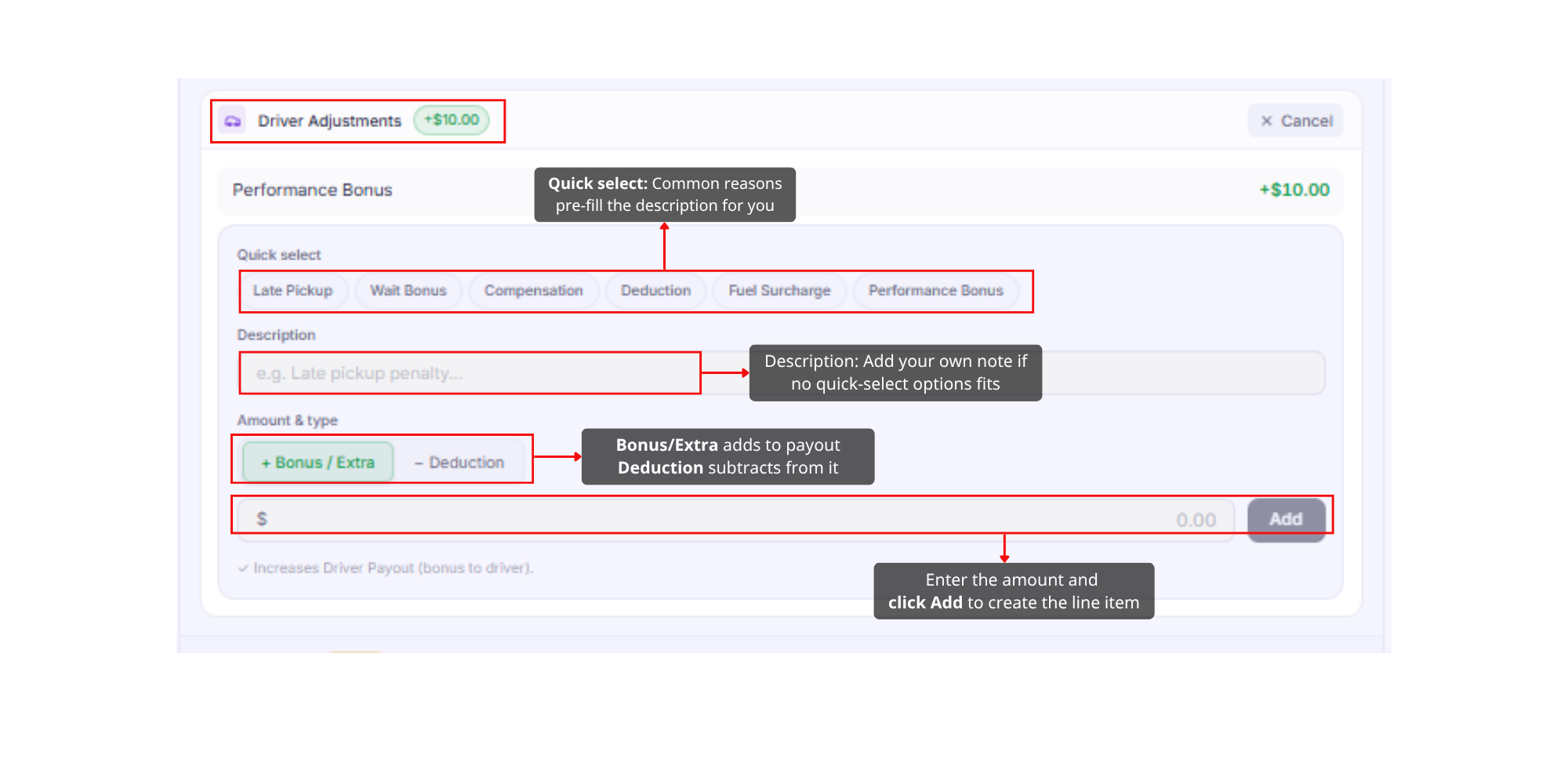
- Quick select: Late Pickup, Wait Bonus, Compensation, Deduction, Fuel Surcharge, Performance Bonus
- Amount & type: + Bonus/Extra increases the driver payout, − Deduction decreases it
- Enter the amount and click Add
Was this article helpful?
That’s Great!
Thank you for your feedback
Sorry! We couldn't be helpful
Thank you for your feedback
Feedback sent
We appreciate your effort and will try to fix the article