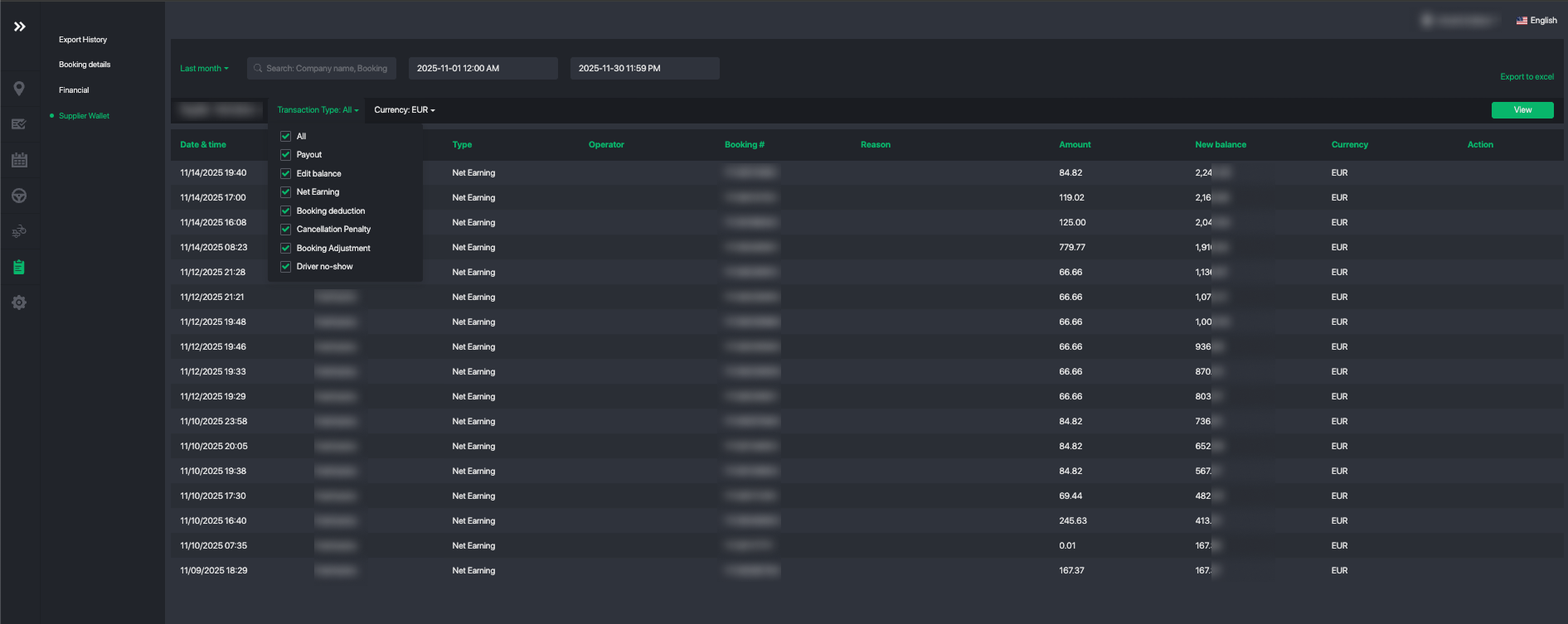
Supplier Wallet is used to manage all booking-related transactions for each supplier — including earnings, cancellation penalties, no-show penalties, deductions, and manual adjustments. Each supplier has one unified wallet where all credits and deductions are tracked in a single place.
How Suppliers can view their earnings?
Suppliers can log in to their Supplier Portal at any time to view their current earnings:
- Navigate to Settings. The wallet balance for the current period will be displayed.
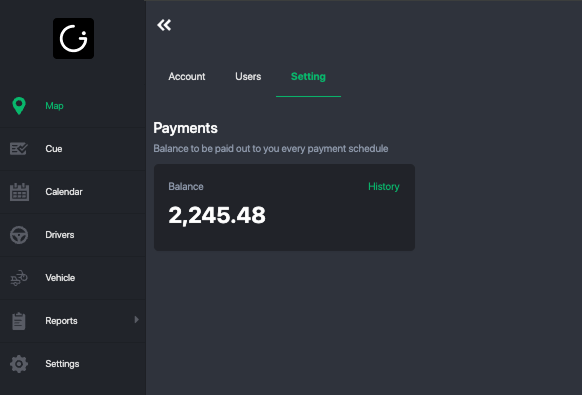
- Tap History to view all transactions in detail. They can also export the full transaction list if needed.
How can fleet operators adjust a supplier’s wallet or earnings?
Fleet operators can adjust the wallet for external suppliers only. In-house suppliers are managed through the Driver Payout Management module.
Two ways to adjust:
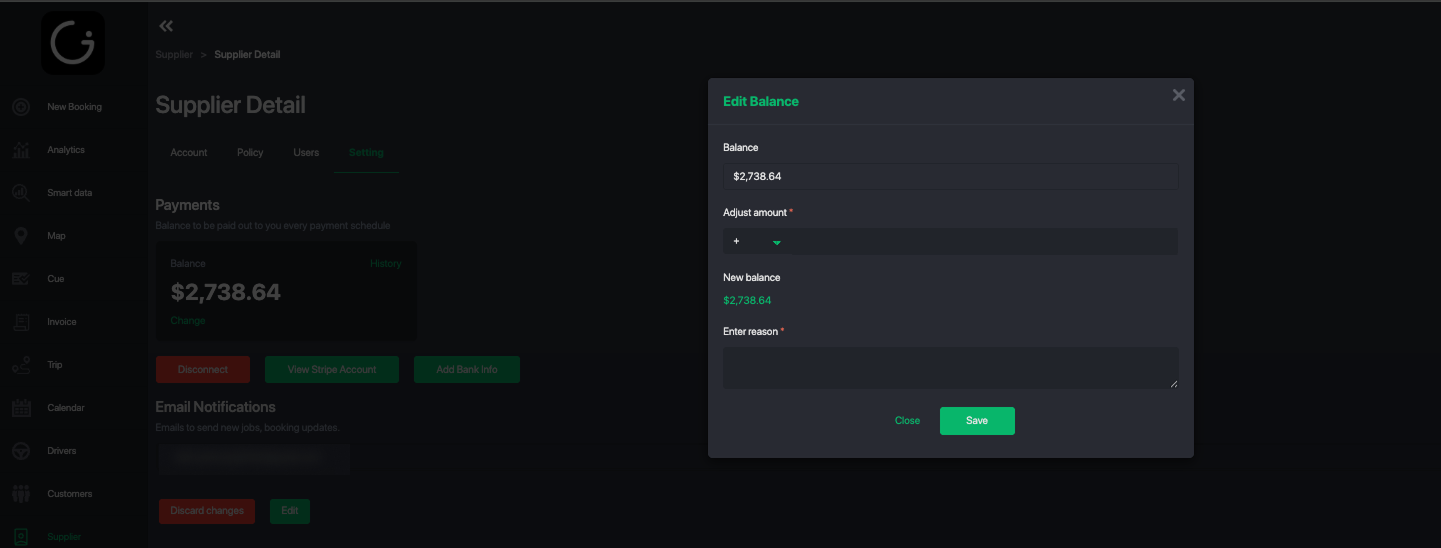
- From the supplier profile — add a manual increase or deduction.
- From a specific booking — add an adjustment linked directly to that booking for clearer tracking.
Adjust from Supplier Profile
1. Navigate to the external supplier's profile
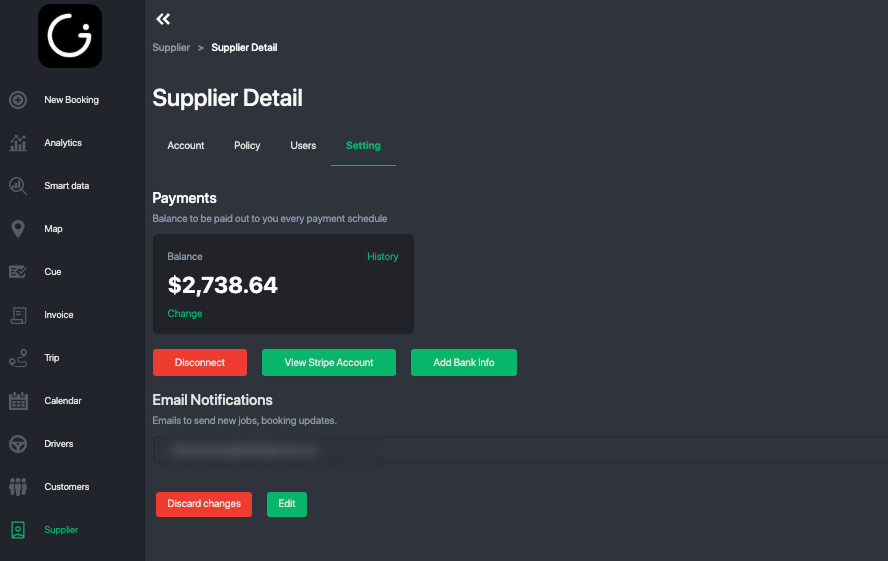
2. Tap on the Setting tab
3. Tap on Change button to perform adjustment or deduction.
Adjust payout from a Specific Booking
- Open a completed booking.
- Tap the Edit Fare icon.
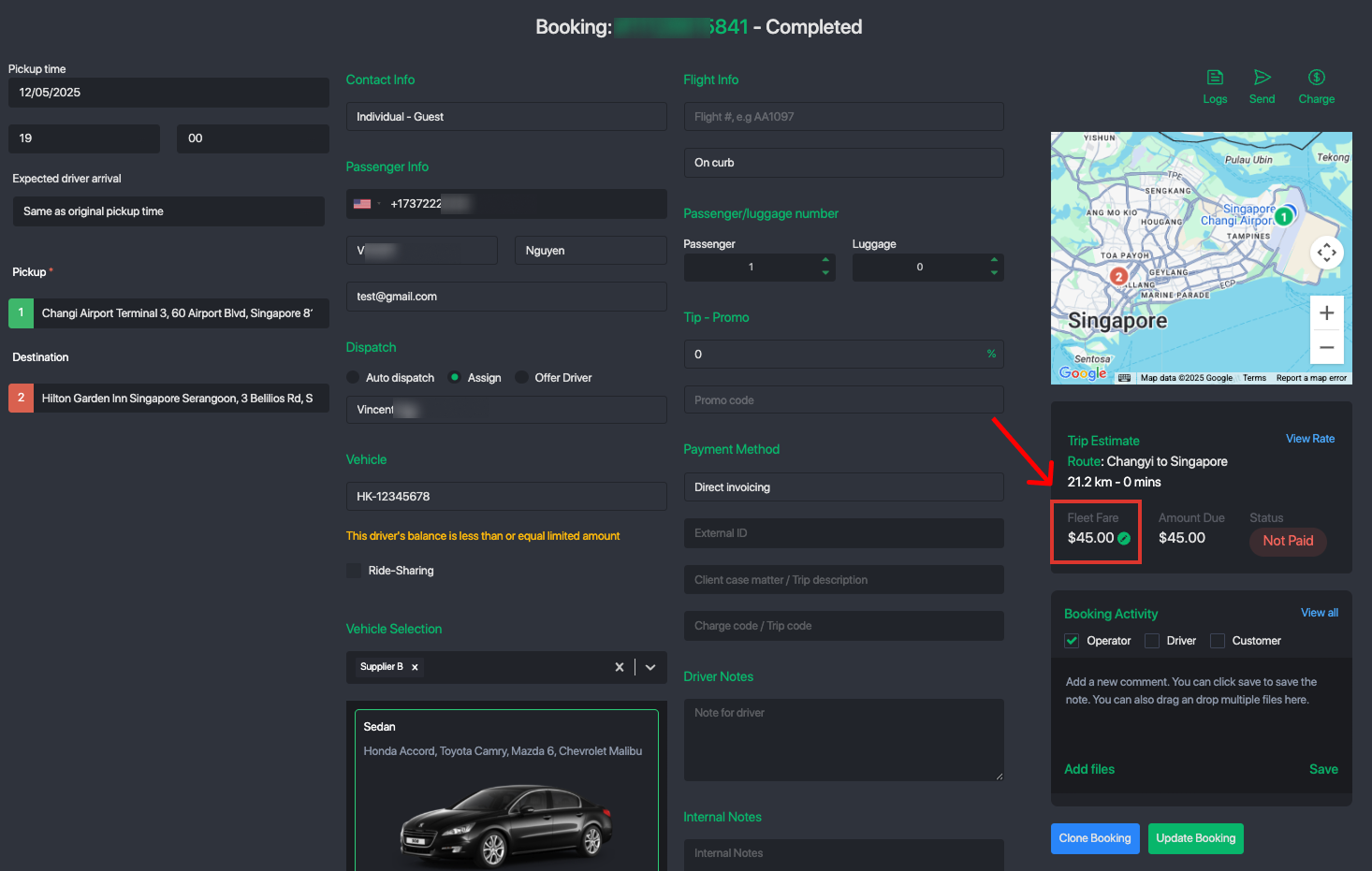
- Add an adjustment for the supplier or driver — enter a positive value to compensate, or a negative value to apply a deduction or penalty.
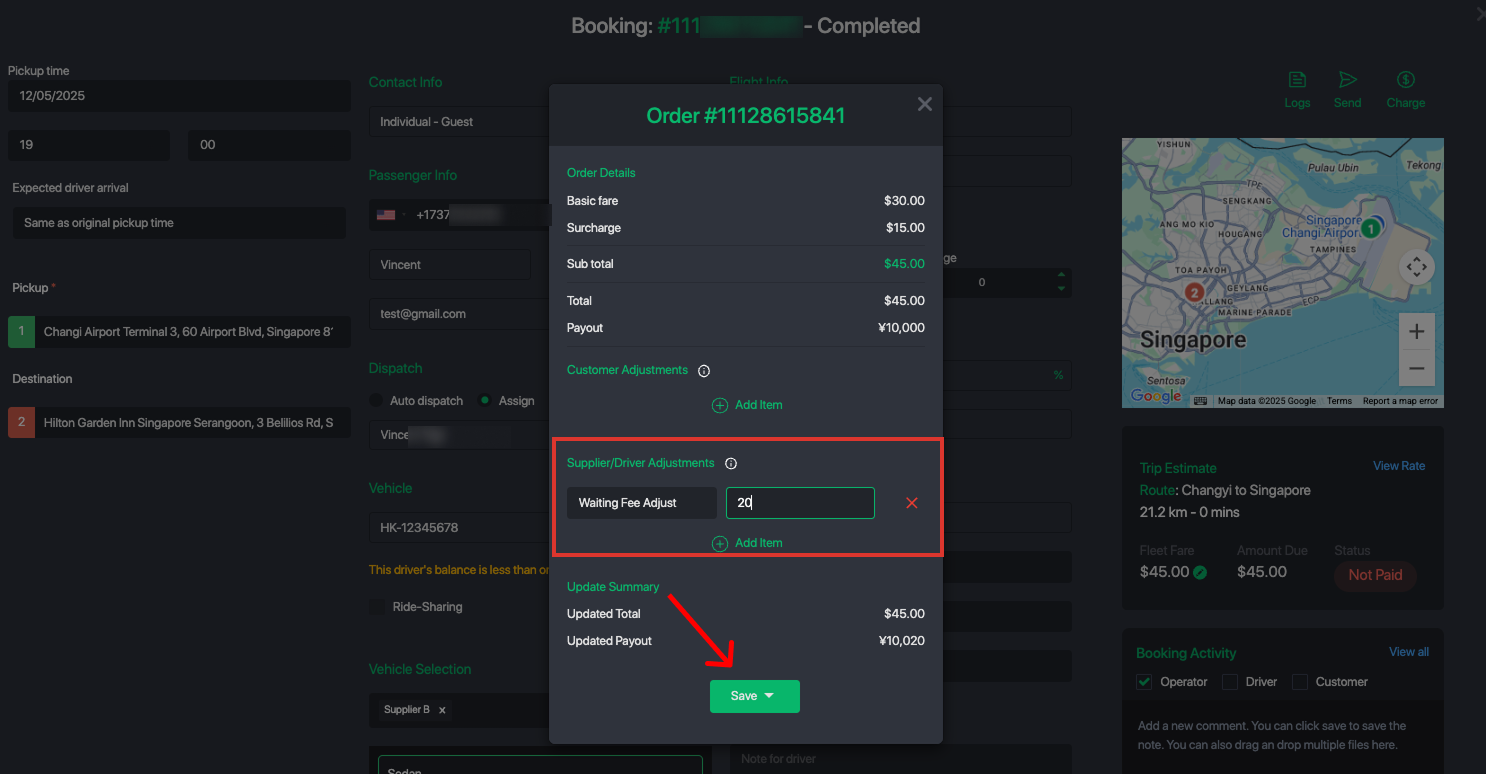
- Save the changes. The system will automatically update the supplier/driver wallet balance and record the transaction.
Was this article helpful?
That’s Great!
Thank you for your feedback
Sorry! We couldn't be helpful
Thank you for your feedback
Feedback sent
We appreciate your effort and will try to fix the article