If you initially signed up for the FREE package and would like to upgrade, simply follow these steps:
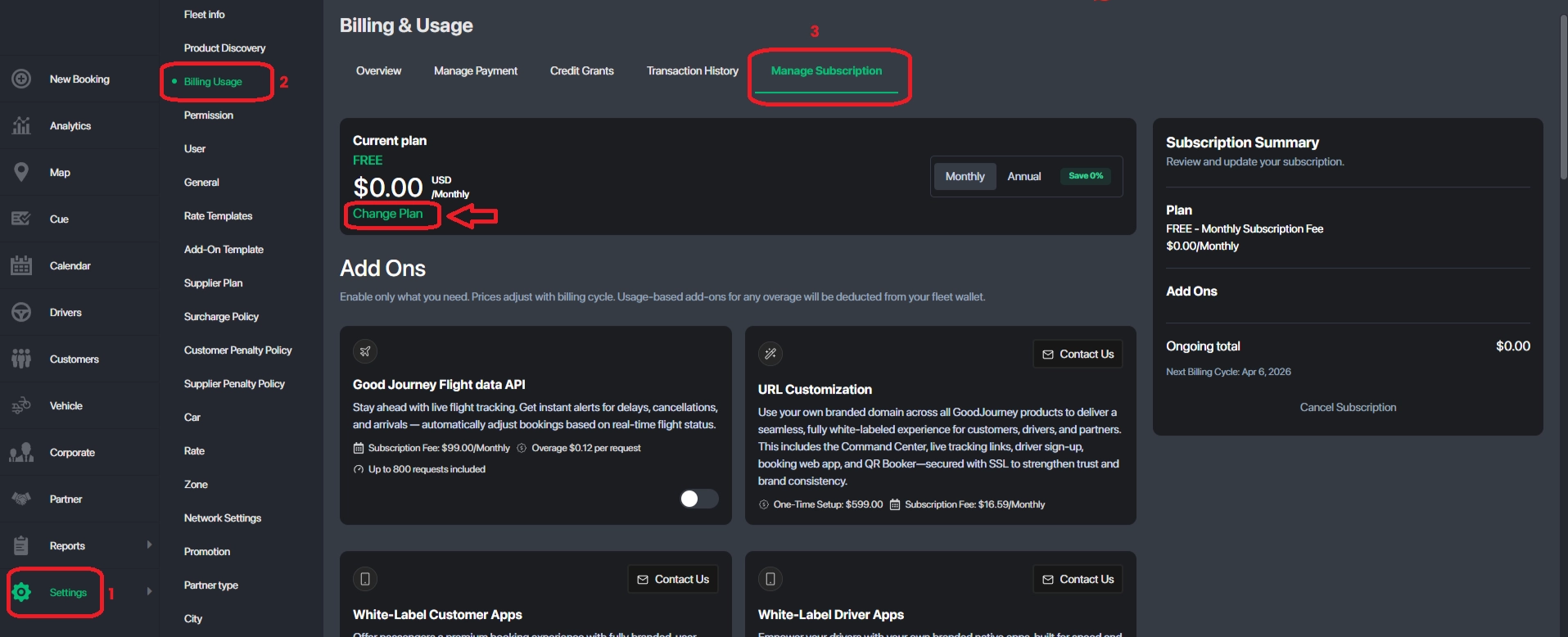
1️⃣ Navigate to Command Center Dashboard → Settings → Billing Usage
2️⃣ Select the Manage Subscription tab
3️⃣ Click Change Plan
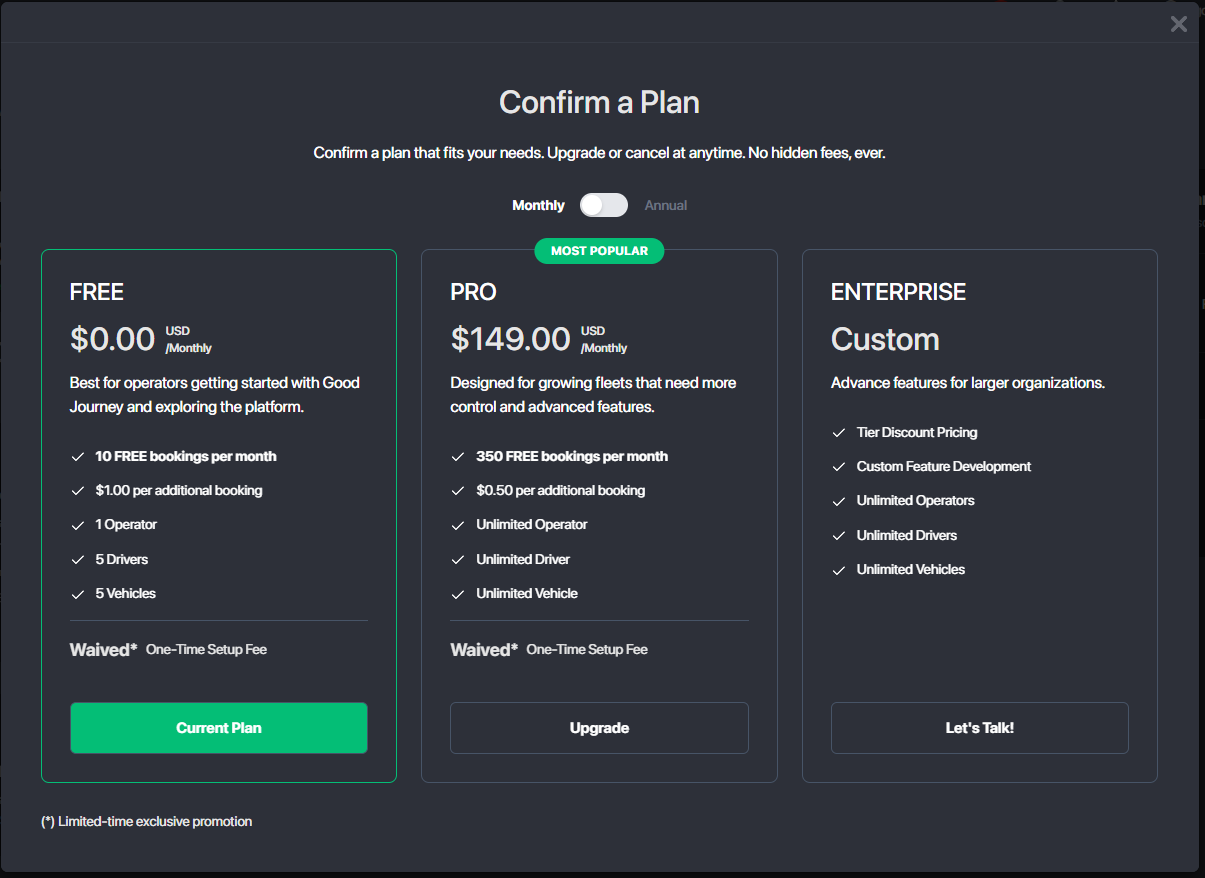
4️⃣ Choose the PRO package
5️⃣ Confirm the payment to complete the upgrade
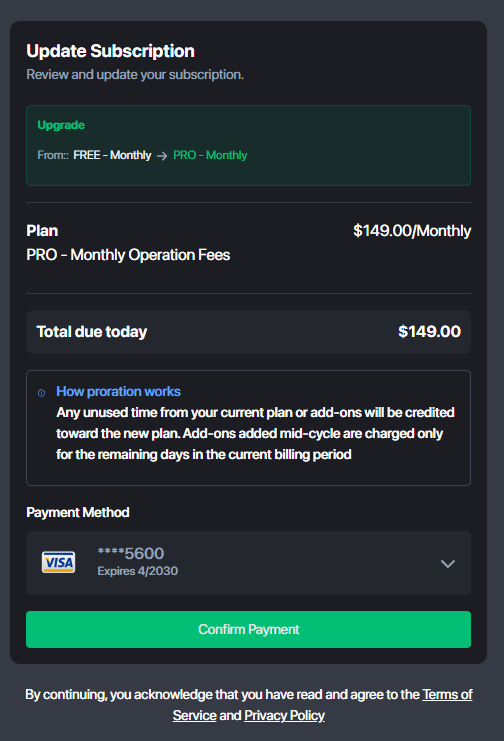
Once your upgrade is successful, your account will be activated with the selected package benefits immediately.
If you need any assistance during the upgrade process, please contact support@goodjourney.io — our Team will be happy to help!
Team GoodJourney.io
Was this article helpful?
That’s Great!
Thank you for your feedback
Sorry! We couldn't be helpful
Thank you for your feedback
Feedback sent
We appreciate your effort and will try to fix the article