This guide will help drivers customize the ringtone used for new job dispatch notifications. You can either choose from available system ringtones or upload your own preferred sound.
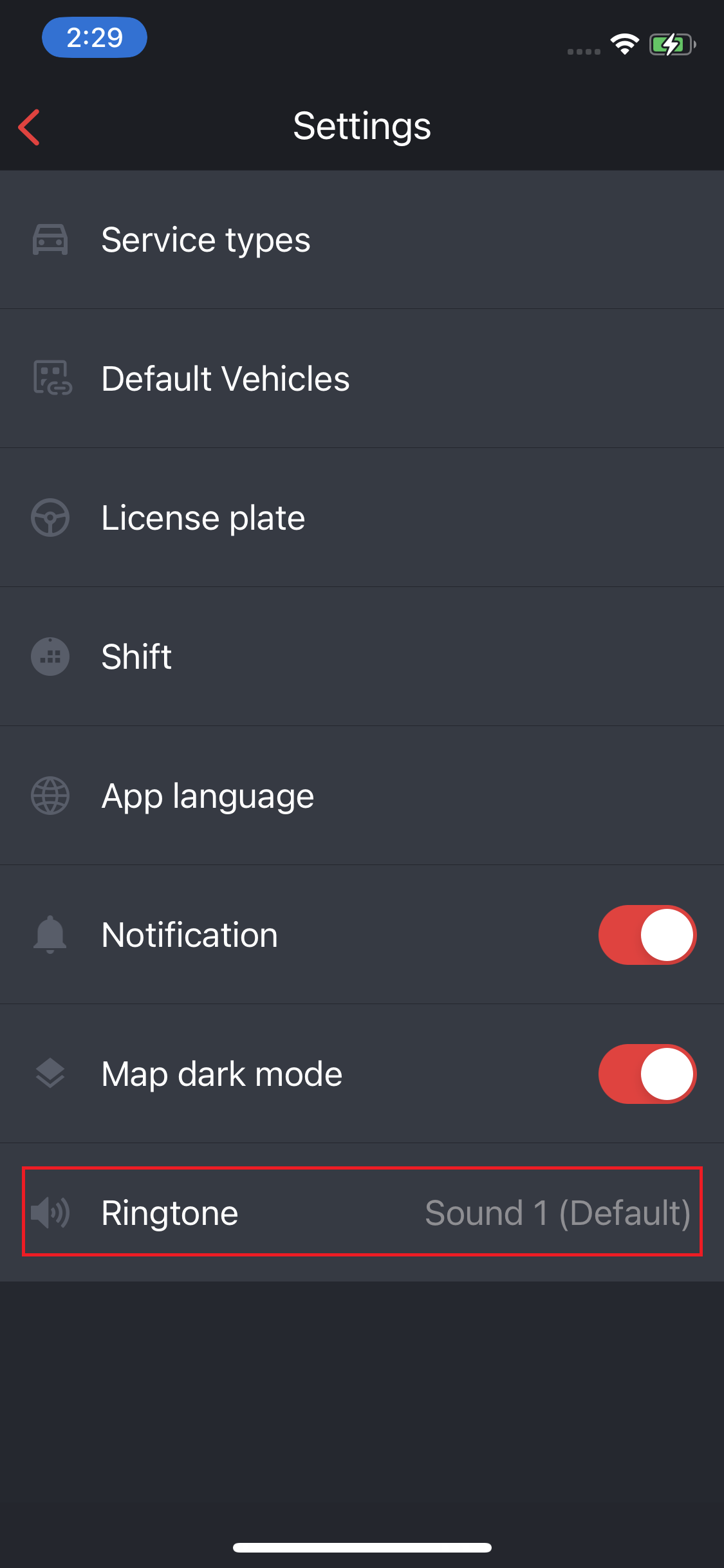
Step 1 – Access Ringtone Settings
- Open the Driver App
- Navigate to Settings
- Tap on Ringtone
Step 2 – Choose a Default Ringtone
- Browse the list of available ringtones
- Tap on a ringtone to preview it
- Select your preferred ringtone
- Tap Save to apply
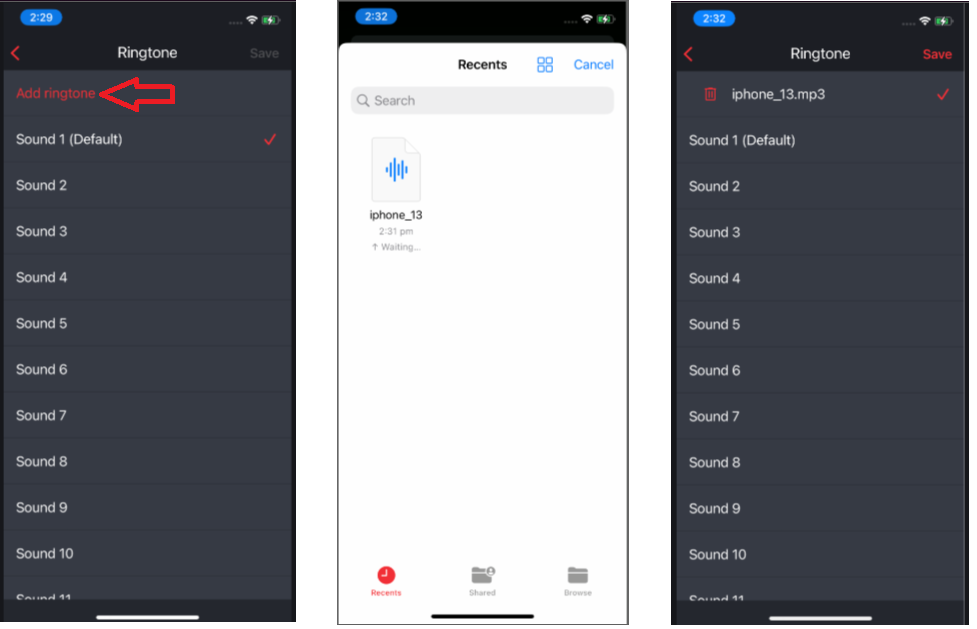
Step 3 – Add Your Own Ringtone
- In the ringtone list, tap Add Ringtone
- Choose an audio file from your device (supported format: MP3)
- Select the file
- Tap Save to apply
NOTES:
- Make sure your device volume and notification permissions are enabled
- Choose a ringtone that is loud and clear to avoid missing job alerts
- You can update your ringtone anytime in the same settings section
Was this article helpful?
That’s Great!
Thank you for your feedback
Sorry! We couldn't be helpful
Thank you for your feedback
Feedback sent
We appreciate your effort and will try to fix the article