A Supplier Payout Plan is the policy you configure to manage how your drivers and suppliers are paid.
Types of Suppliers
- In-House Supplier
Drivers you work with directly and pay individually. - External Supplier (Advance Add-On Feature)
Affiliate partners or transportation companies. You pay the affiliate owner not the drivers directly. External suppliers manage their own drivers and vehicles.
How to Create a Supplier Plan
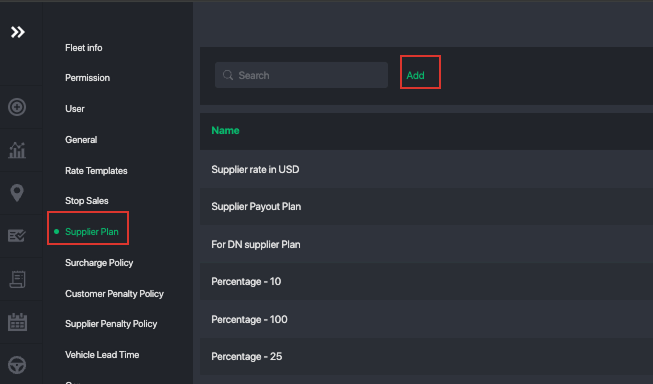
- Navigate to Settings → Supplier Plan
- Tap Add
This is where you create and customize how each supplier or driver is paid.
What You Can Configure Inside a Supplier Plan
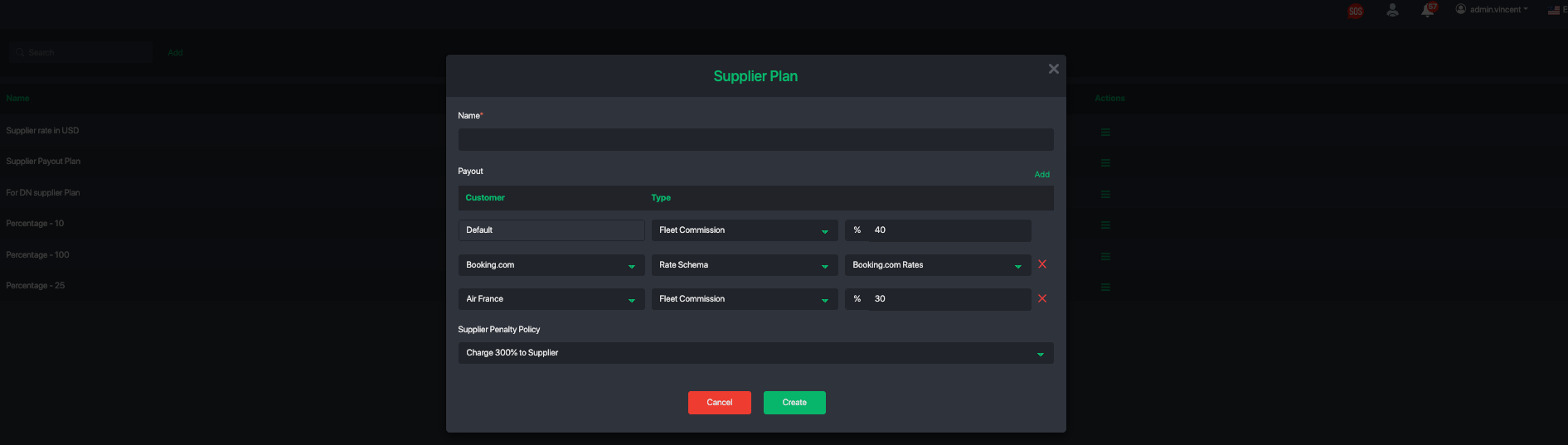
1. Payout Type
Set different payout rules depending on the customer type.
For example:
- Corporate A may have a different payout rate than Corporate B.
- OTA channels like Booking.com may yield lower margins than Trip.com, so payouts or commissions can be adjusted accordingly.
You can define payout rules for:
- Public / direct customers
- Each corporate customer
2. Penalty Policies
You can add penalty rules to automatically penalize providers when service issues occur.
Examples include:
- Last-minute cancellations
- Driver no-show incidents
These penalties will be applied based on the rules you configure inside the plan.
Be sure to review the section on creating a Supplier Penalty Policy. Once your policy is set up, you can link it directly to the supplier plan.
Ways to Pay Your Suppliers
- Fixed Commission
Charge a fixed amount per job. - Percentage Commission
Charge a percentage of the fare. - Rate Schema Payout
Pay drivers or suppliers a flat fee based on the service route.
This works the same way as your customer-facing pricing setup — but instead, you create a rate schema for supplier payouts.
You can also:- Add surge policies to increase driver pay during peak times.
- Configure sub-rates for different payout periods (e.g., night vs morning).
This method offers maximum flexibility.
Note about Supplier Rate Template
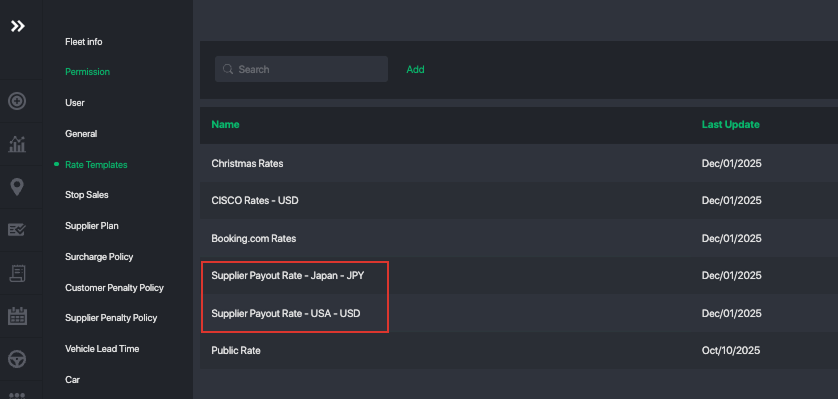
Setting up a payout based on a rate table works the same way as configuring rates you sell to customers. If you want to pay suppliers using fixed fares based on specific routes, we recommend creating a dedicated rate template for supplier payouts.
Pro Tip: Be sure to name this template clearly so you can easily distinguish between your customer-facing rate templates and your payout rate templates for providers or drivers.
Create Supplier Penalty Policies
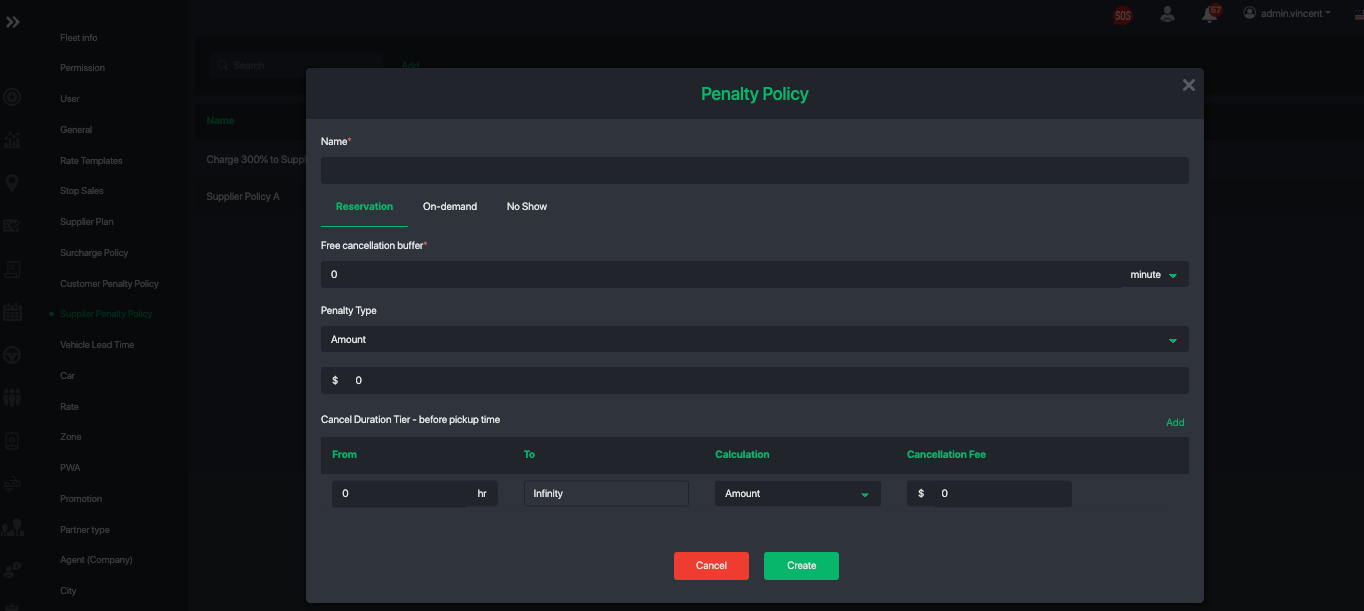
To create a new supplier penalty policy, navigate to Settings → Supplier Penalty Policy.
Tap on add to add a new penalty policy for suppliers.
Similar to customer penalty policy you can setup the penalty fee you charge for reservations, on-demand and driver no-show.
Default Payout
Once you have created your first supplier plan, you can configure a default. This way you don't need to assign a payout plan to each driver or supplier.
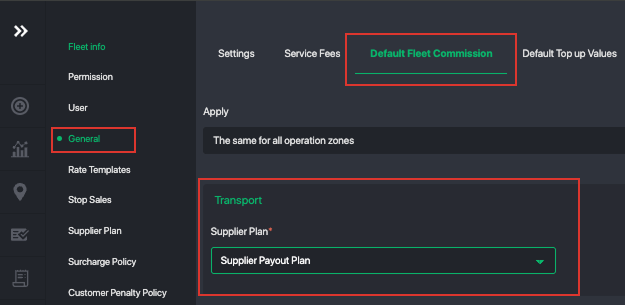
Navigate to Settings → General → Default Fleet Commission Tab
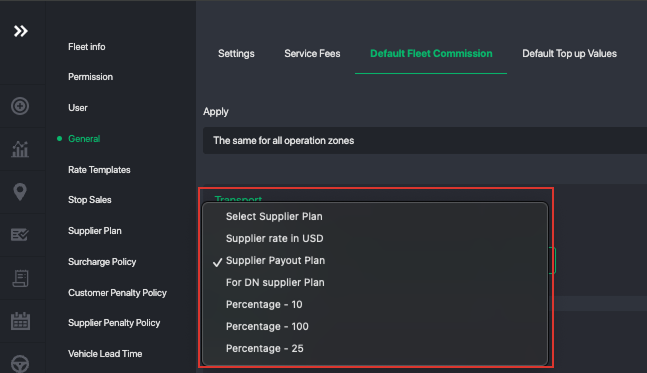
Here you can select the default plan to apply to all drivers and suppliers.
Pro Tip: Set a percentage-based commission as your default setup. This is the most scalable approach, especially if you operate in multiple countries, as it keeps your payouts consistent and easier to manage over time.
When you need more control for a specific provider, you can create advanced payout plans with custom rules and assign them directly to that supplier.
Assign Custom Payout Plan to Specific Supplier or Driver
For a Supplier:
- Open the supplier’s profile
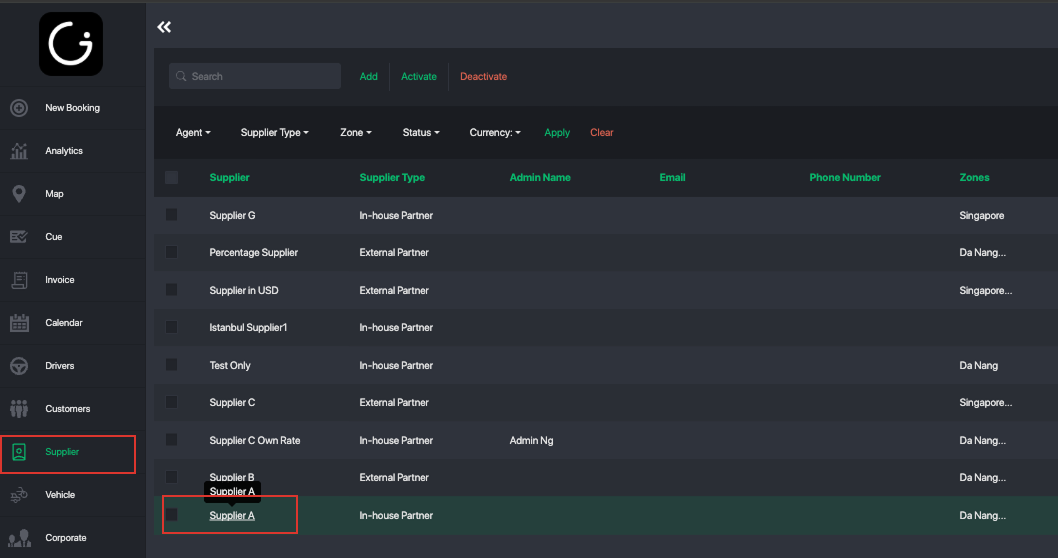
- Navigate to Policy
- Tap on the Edit button at the bottom
- By default it uses the default plan, you can assign a custom payout plan
- Click Save
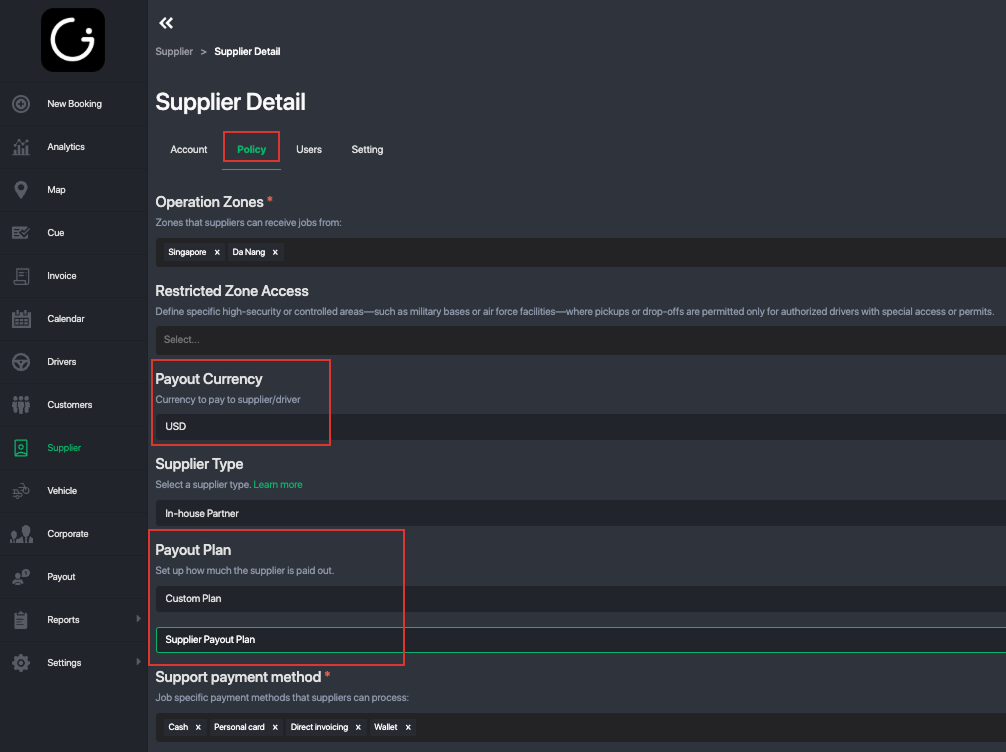
Notice for the supplier you can also setup the payout currency. This is useful if you operate in multi-countries and need to setup a payout in different currencies.
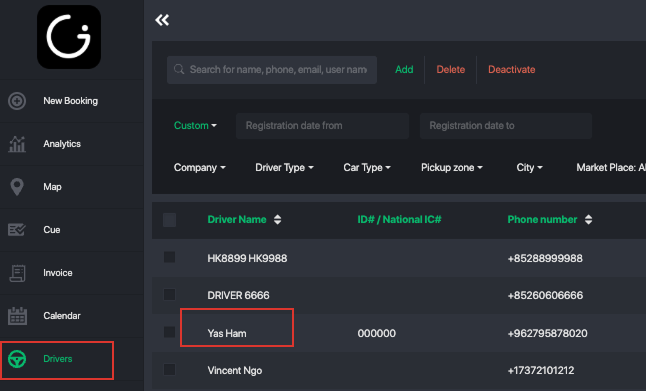
For a Driver:
- Open the driver’s profile
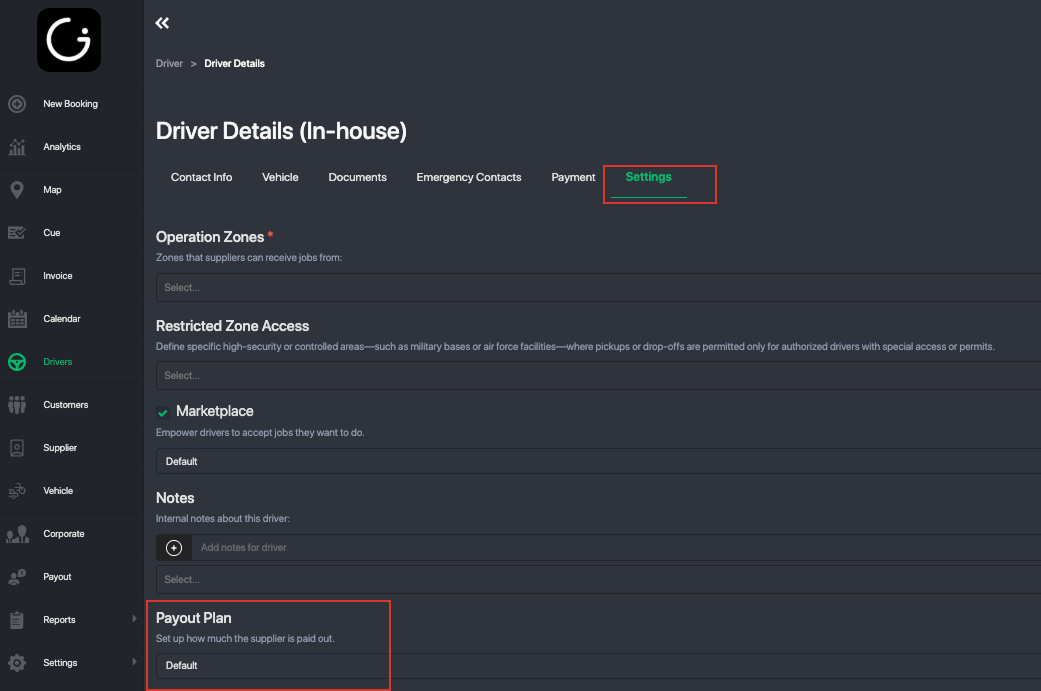
- Navigate to Settings Tab
- Tap on the Edit Button at the bottom
- By default it uses the default plan, you can assign a custom payout plan
- Click Save
Currency Support
If you operate in multiple countries, you can pay suppliers in different currencies.
- Commission and payout calculations in another currency automatically use exchange rates.
- Alternatively, apply a rate template with a specific currency to the supplier’s payout plan.
Was this article helpful?
That’s Great!
Thank you for your feedback
Sorry! We couldn't be helpful
Thank you for your feedback
Feedback sent
We appreciate your effort and will try to fix the article