Overview
Booking activity logs are a timeline of notes and updates recorded for each booking. They allow operators to document important details about the customer, trip, or internal actions taken during the booking lifecycle. This helps ensure smooth handovers between teams and provides full visibility when special handling is required.
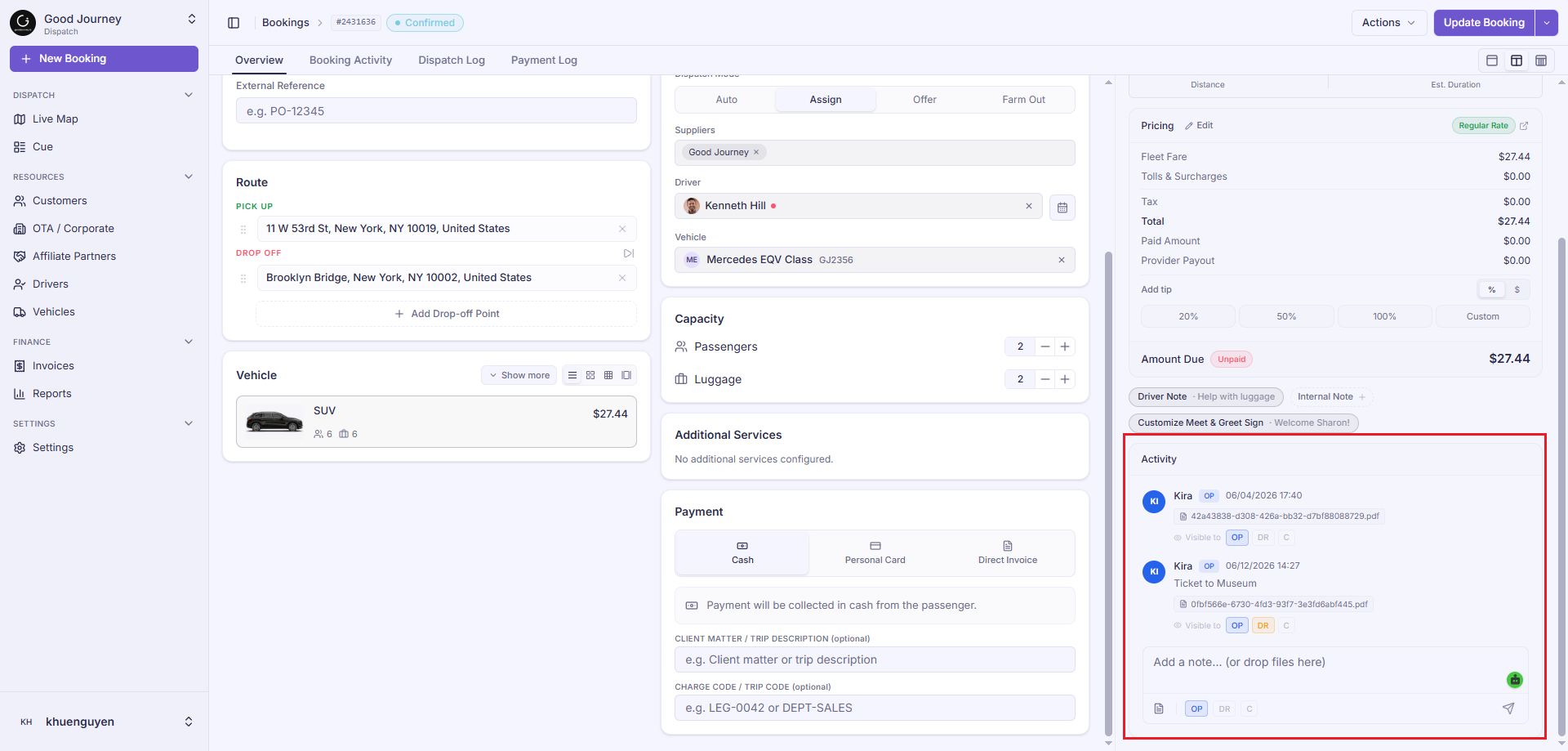
Audience & Visibility Control
When you write a note, you can decide exactly who gets to see it. Keep an eye out for these quick shorthand labels:
| Label | Who can see it | Best used for |
| OP | Operators (Internal Team) | Private notes meant just for our internal team. |
| DR | Driver | Helpful updates or instructions shared directly with the driver. |
| C | Customer | Friendly notes or updates made visible to the passenger. |
Adding Updates
- Text & Messages: Write down any standard updates, notes about phone calls, or operational changes.
- Photos: Upload images of passengers (to help drivers spot them) or any relevant visual evidence.
- Files & Documents: Drop in official incident reports, trip evidence, or updated itinerary schedules.
How to Check the Logs for a Booking
Ready to see what's happening or add your own note? Just follow these simple steps:
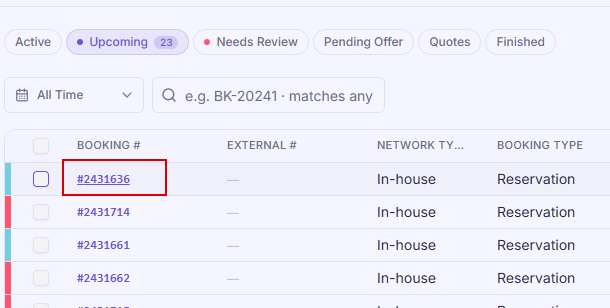
- Find the booking you’re working on and click on it. For example, Booking ID #2431636
2. A window will pop up showing the booking details.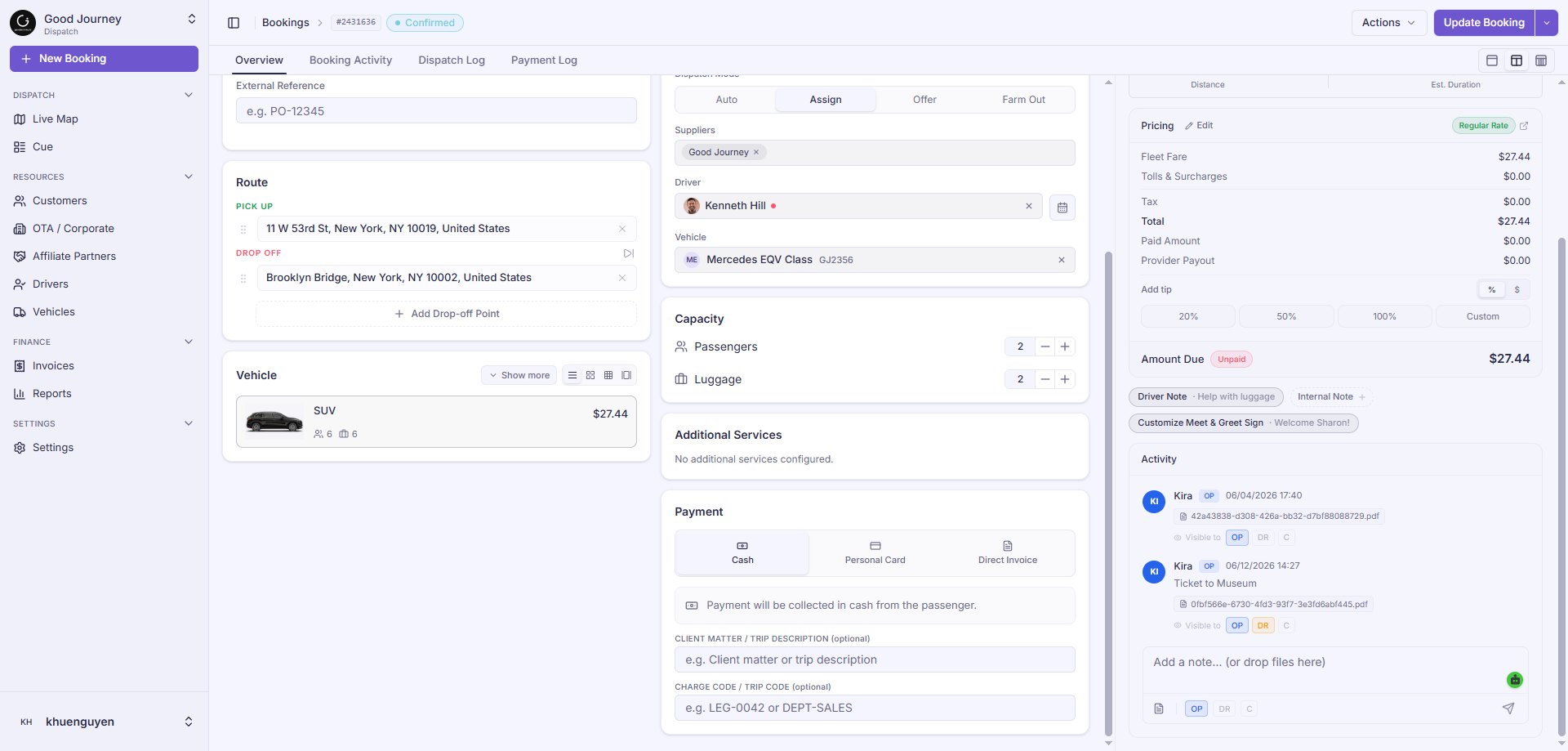
3. Look at the top tab bar of that window and click on Booking Activity.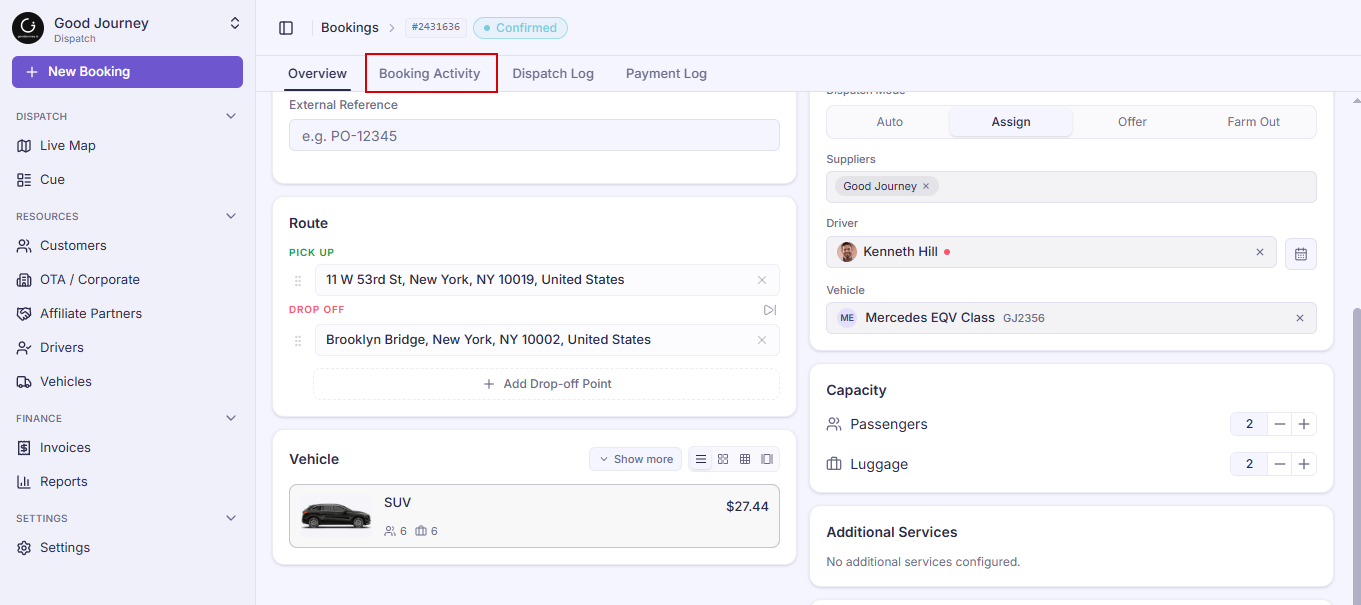
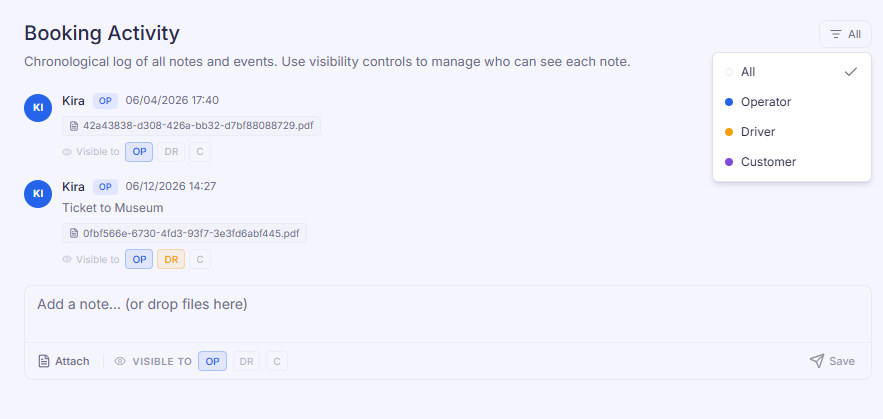
4. You’ll see its entire history right there! From here, you can easily use the filters (like Operators, Drivers, or Customers) to find exactly the updates you need.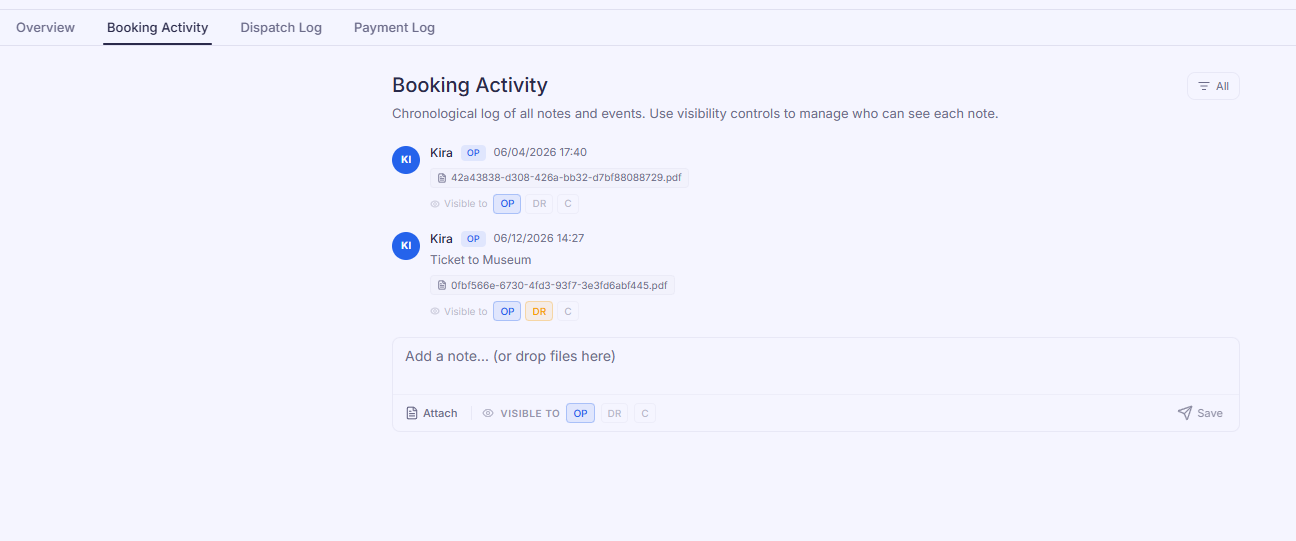
To clean up your view, you can easily filter your notes by clicking on Operators, Drivers, or Customers to see only the messages you care about right now.
Quick Tip: If you just need a quick glance while looking at the main booking details, you can also spot the most recent logs tucked away down in the bottom right corner of the window!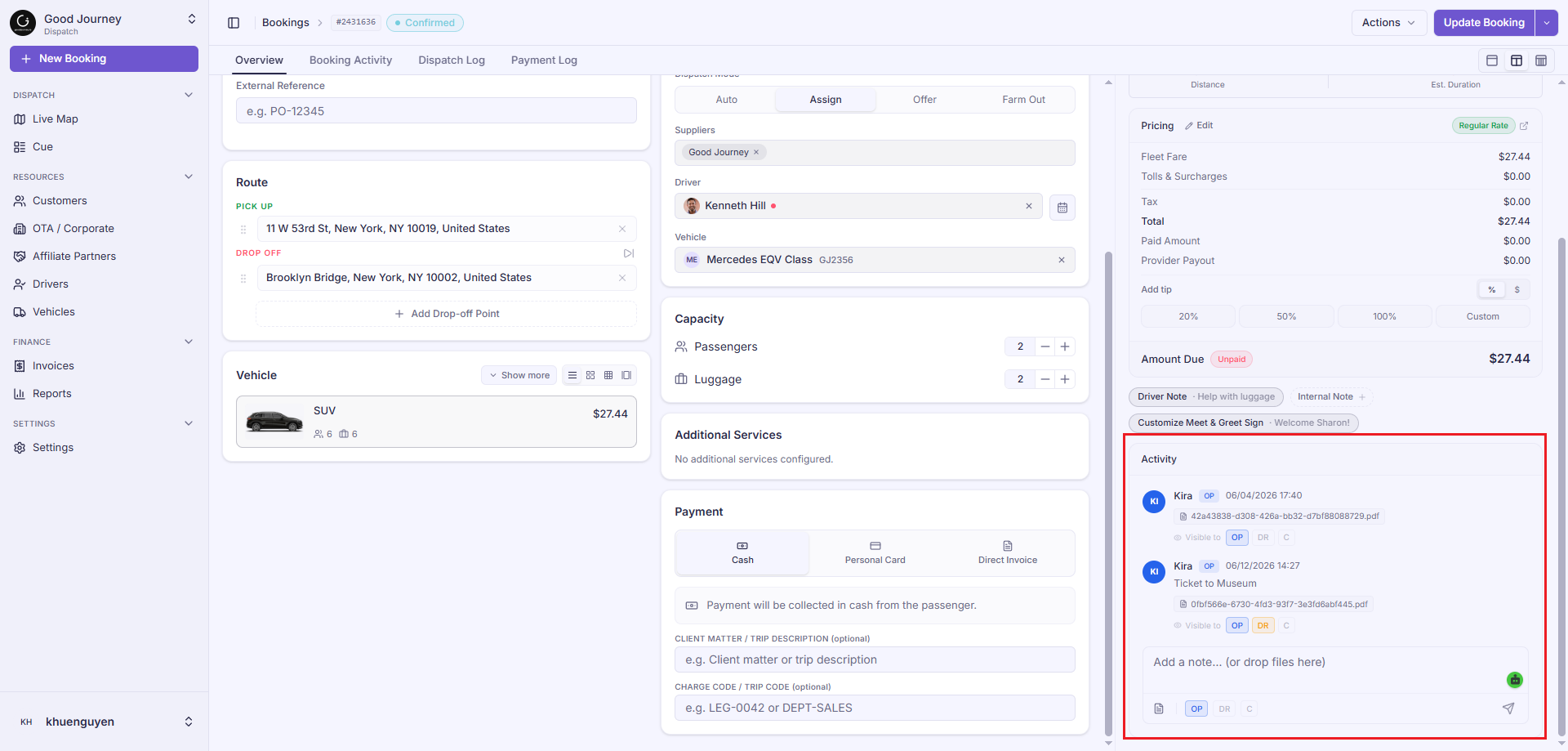
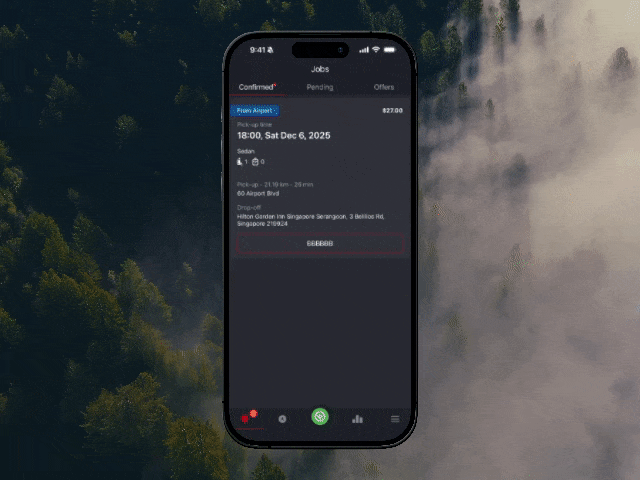
Driver App View Activity Log
On the driver app they can also pull up their booking details to view the booking activity logs for additional information:
Was this article helpful?
That’s Great!
Thank you for your feedback
Sorry! We couldn't be helpful
Thank you for your feedback
Feedback sent
We appreciate your effort and will try to fix the article