You can assign color codes to your car-types and vehicles to help operators quickly identify the service or vehicle type at a glance.
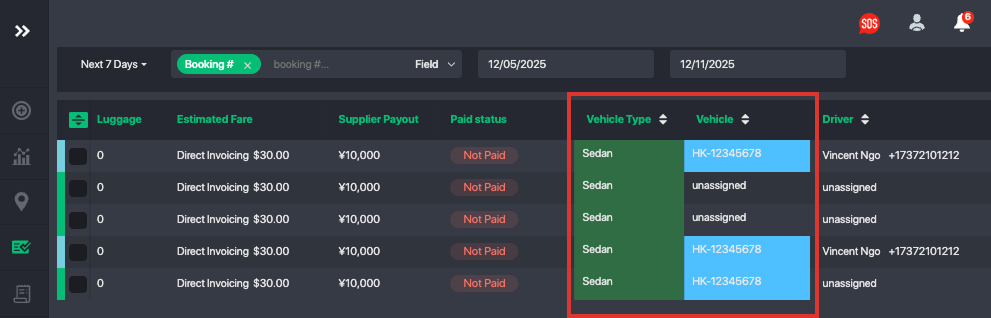
How to Set Up Car-Type Color Codes
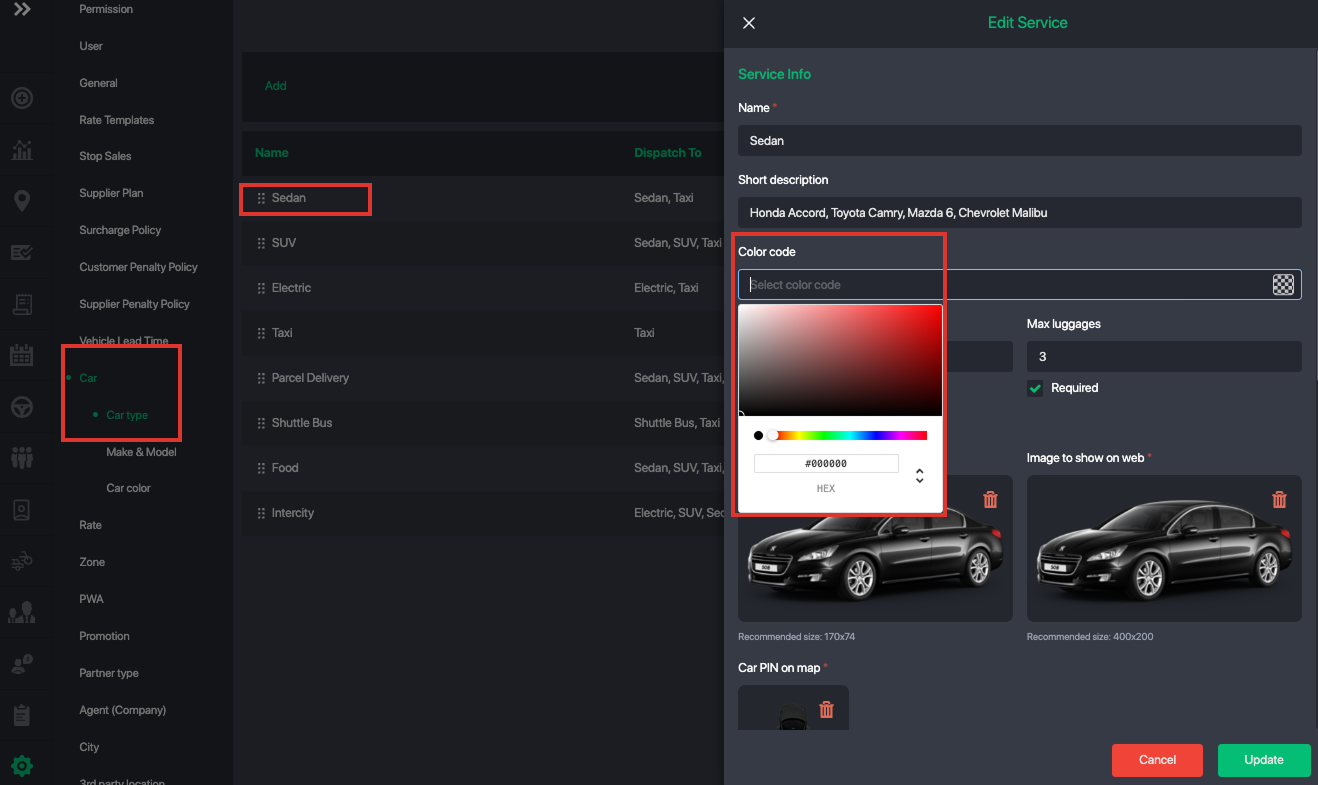
- Go to Settings > Car > Car-Type.
- Select the car-type you want to edit.
- Choose a color from the palette or enter a HEX color value.
- Save your changes.
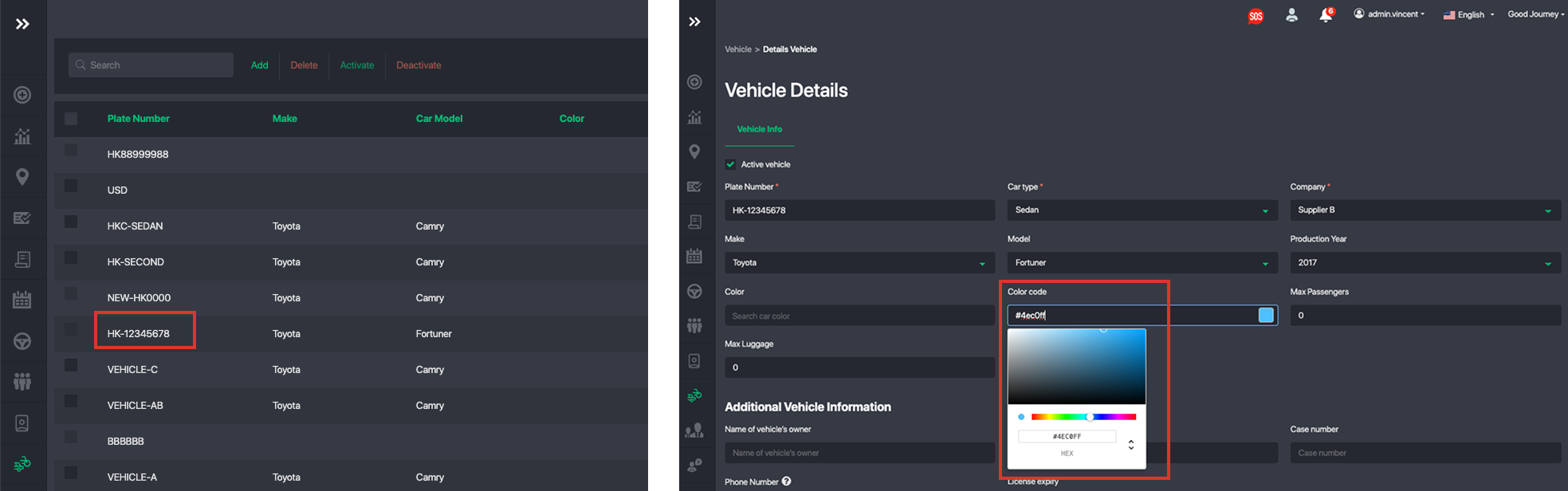
How to Set Up Vehicle Plate Color Codes
- Go to Vehicle Management.
- Select the vehicle and click Edit.
- Choose a color from the palette or enter a HEX color value.
- Save your changes.
Was this article helpful?
That’s Great!
Thank you for your feedback
Sorry! We couldn't be helpful
Thank you for your feedback
Feedback sent
We appreciate your effort and will try to fix the article