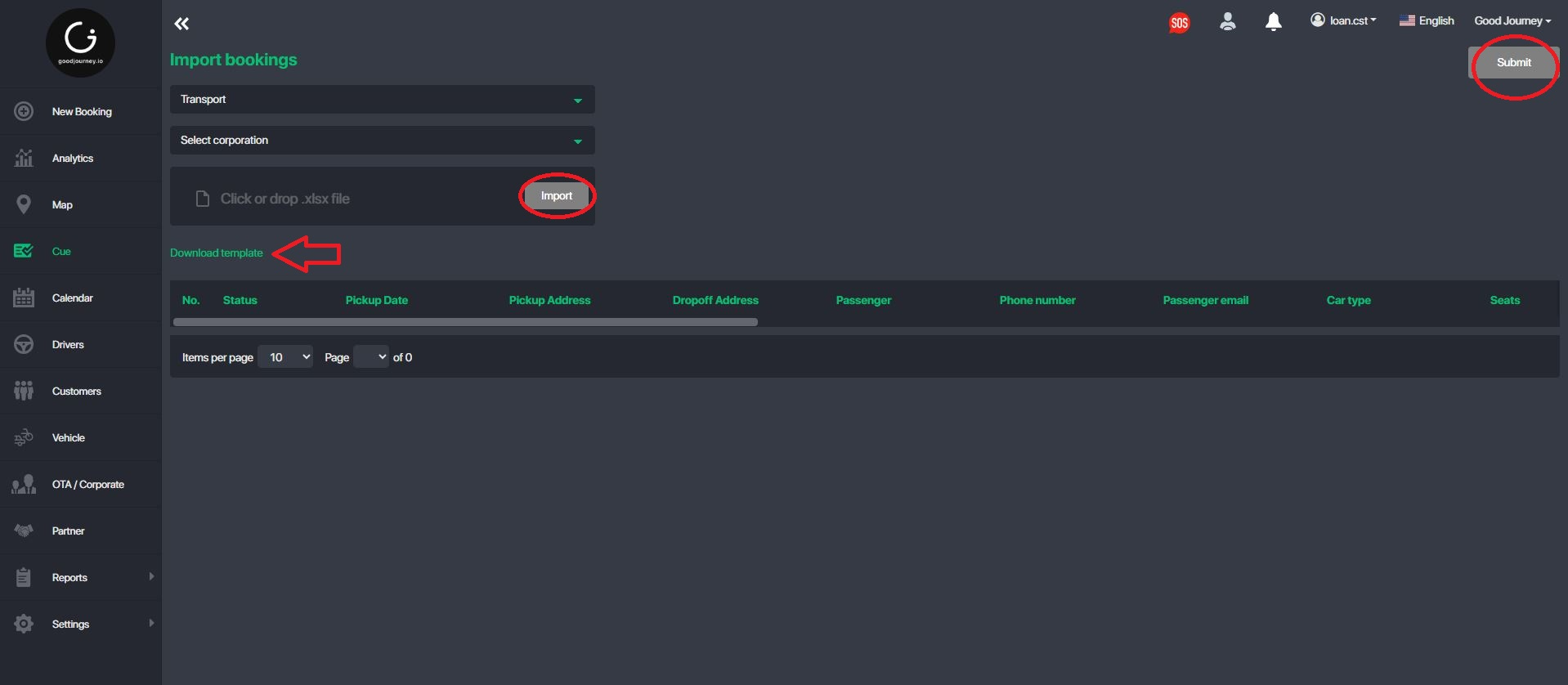
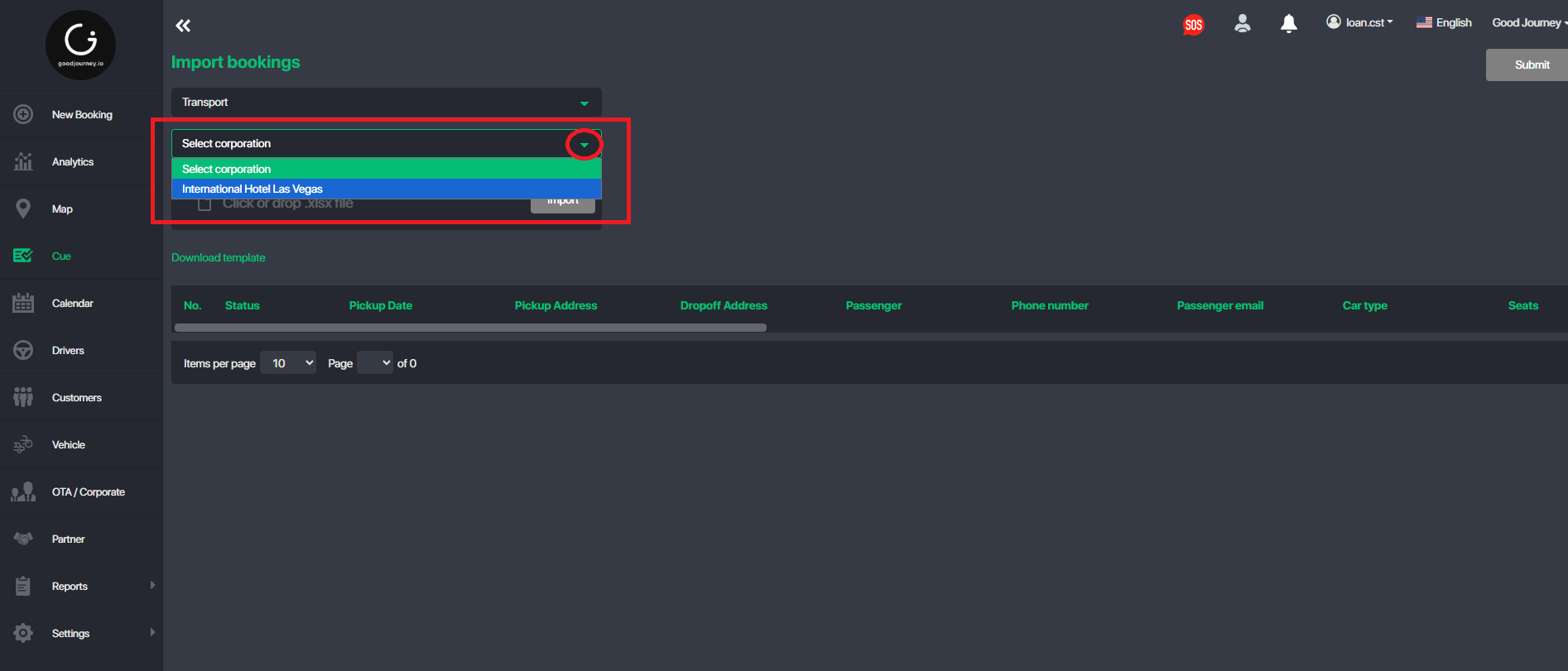
This function allows users to upload and create multiple bookings in bulk using an Excel template instead of entering bookings manually one by one.
Step 1: Access the Upload Booking Function
- Log in to the Command Center.
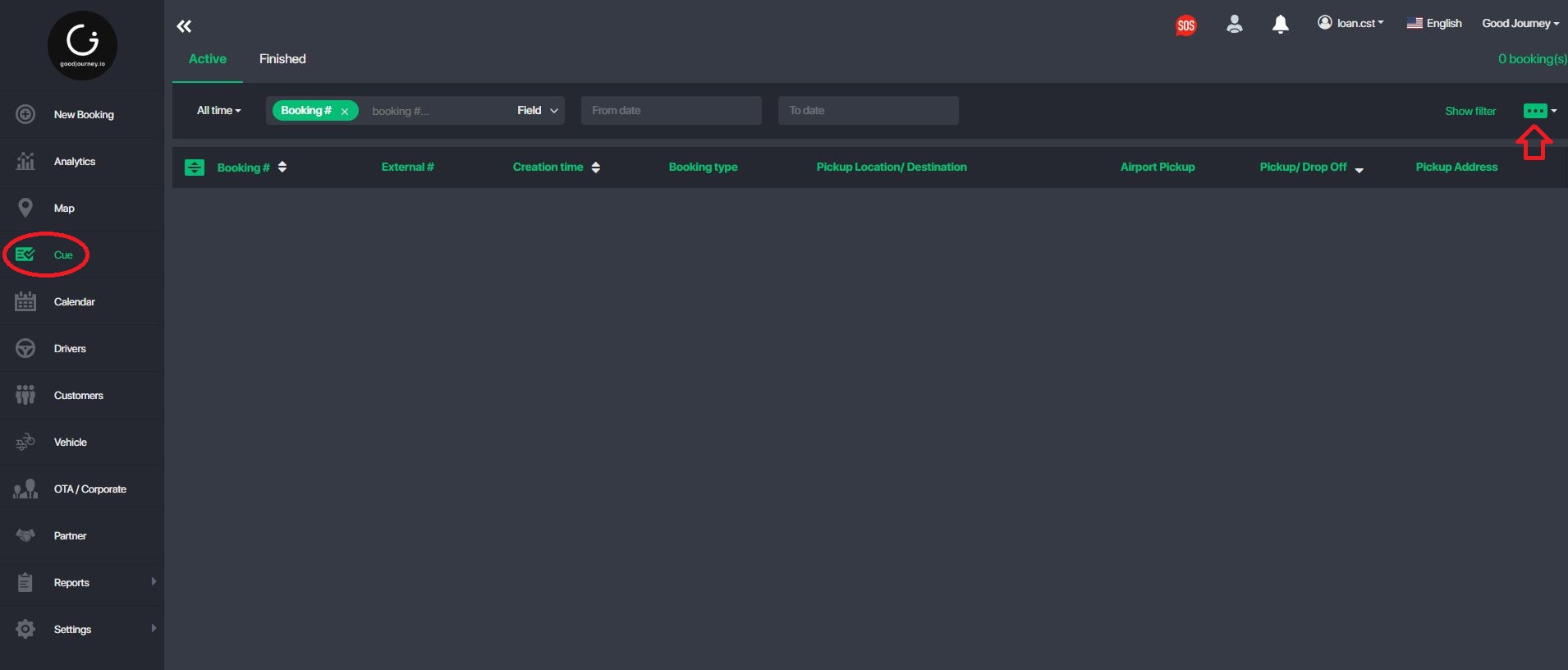
- Navigate to the “Cue” module.
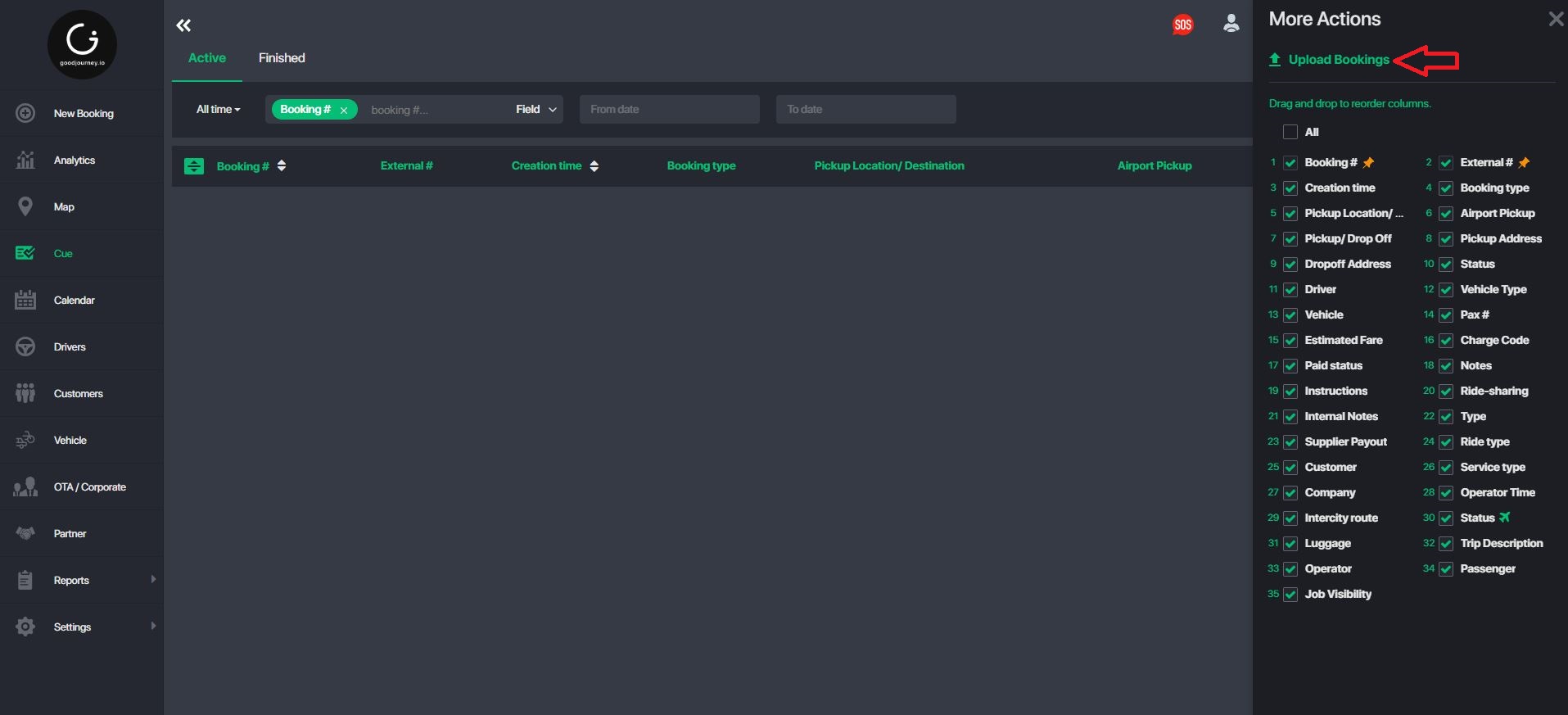
- Select the more item and choose “Upload Bookings” option.
Was this article helpful?
That’s Great!
Thank you for your feedback
Sorry! We couldn't be helpful
Thank you for your feedback
Feedback sent
We appreciate your effort and will try to fix the article